You already know how to write code. So why does every AI side project end with a tangle of Python scripts, a half-finished vector store, and three API keys you are scared to commit? That gap between “I want an agent that does X” and “I have an agent that does X in production” is exactly where Flowise lives. It is a visual builder for LLM apps and AI agents, and for DevOps and security folks it turns weekend experiments into something you can actually ship and hand off.
This is a practical Flowise tutorial: what it is, how to stand it up in two minutes, the one mindset shift that makes it click, and seven workflows you can build this week. We will keep it real, no hype, and call out the gotchas before they bite you.
What Flowise actually is
Flowise is an open source generative AI development platform for building AI agents and LLM workflows. You drag nodes onto a canvas, wire them together, and get a working app with an API endpoint, an embeddable chat widget, and SDKs. No glue code required to get started. It is MIT licensed, and after Workday acquired the project in August 2025 the open source core stayed open, which matters if you care about not getting locked in.
There are three builders, and picking the right one saves you grief. Assistant is the beginner path: an agent that follows instructions, calls tools, and answers from files you upload (that is RAG). Chatflow is for single-agent chatbots and simple LLM flows with more control, things like Graph RAG, rerankers, and custom retrievers. Agentflow is the superset. Agentflow V2 is where you build multi-agent systems with handoffs, conditional routing, and parallel execution. If you have outgrown a single prompt, this is your home.
Under the hood you get tracing and analytics, evaluations, human in the loop, and connections to over 100 data sources, tools, and vector databases. There are even native MCP client and server nodes, so Flowise plays nicely with the same Model Context Protocol everyone else is racing to adopt.
Quick setup in two minutes
You need Node.js version 20 or higher. The fastest path is npm:
npm install -g flowise
npx flowise start
Open http://localhost:3000 and you are in. Prefer containers? Clone the repo, drop into the docker folder, copy .env.example to .env, and run:
docker compose up -dSame port, same UI, now reproducible. For a security team this is the move: pin the image, set your env vars in your secrets manager, and you have an auditable deploy instead of a laptop special. Bring it down with docker compose stop when you are done.
The mindset: build the smallest agent that is useful
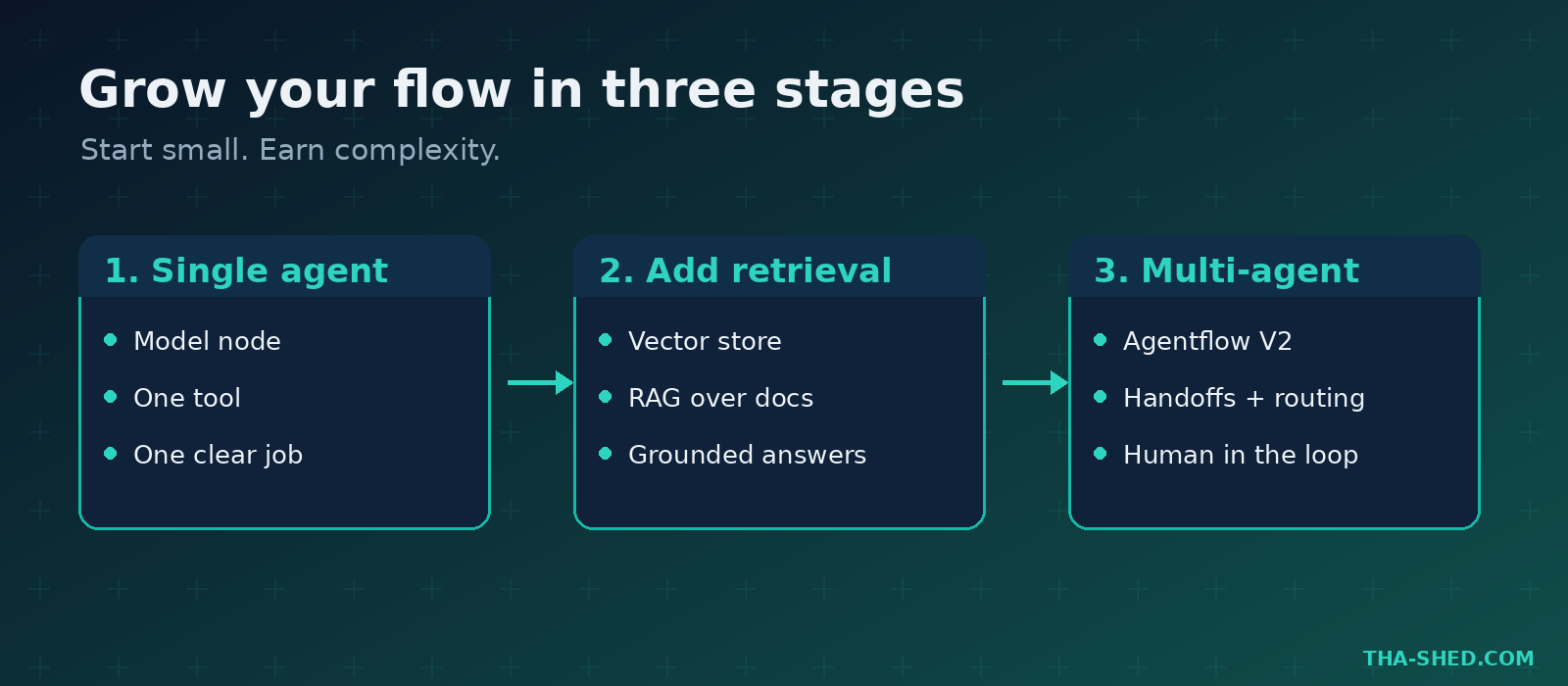
Here is the trap. People open Flowise, see the multi-agent canvas, and try to build a 12-node mega brain on day one. It never works. The flows that survive contact with real traffic start tiny: one model node, one tool, one clear job. Get that loop reliable, add a retriever, then add a second agent only when a single one genuinely cannot do the work.
Treat every flow like infrastructure, not a toy. Version it, test it against a dataset, watch the traces, and assume the model will do something dumb at the worst possible time. That assumption is not pessimism. It is the whole job.
7 workflows to build this week
1. A docs answer bot over your runbooks
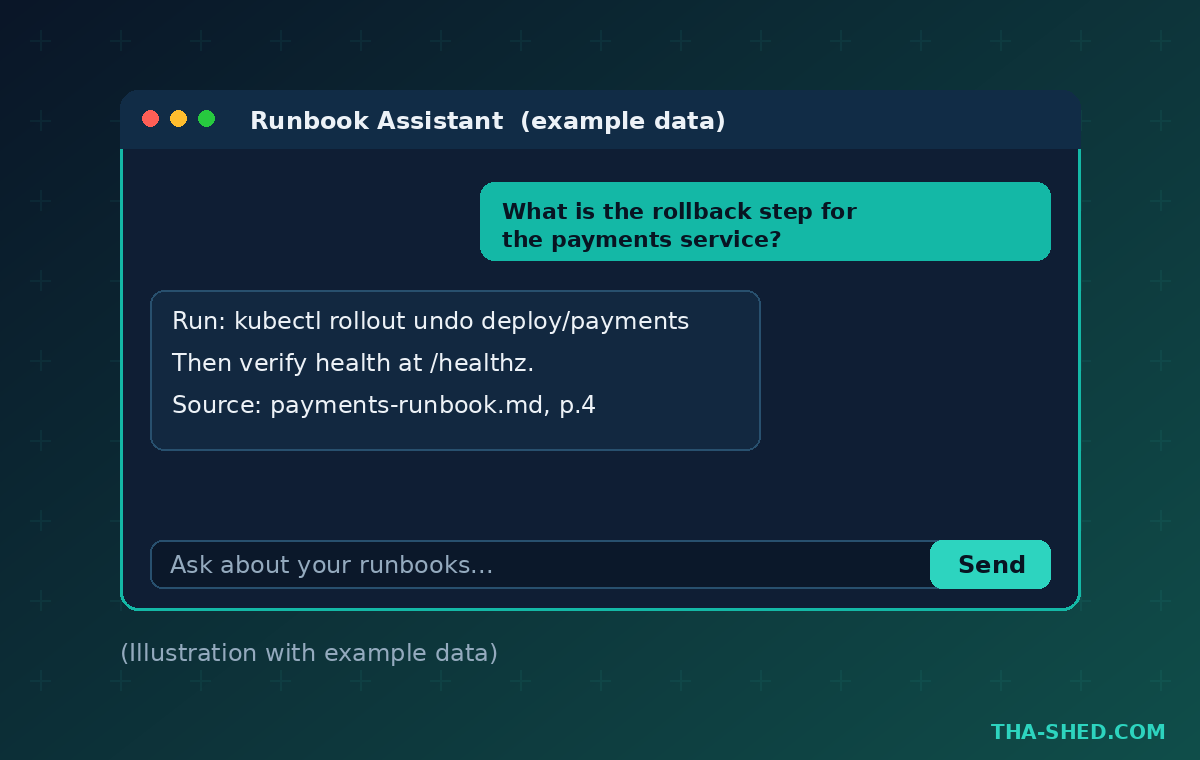
Use the Assistant builder. Upload your runbooks and on-call docs, attach a vector store node, and point it at a model. Now your team asks “what is the rollback step for the payments service?” instead of pinging you at 2am. System prompt to start with: “You answer only from the provided runbooks. If the answer is not in the documents, say so and suggest who to contact. Never invent a command.”
2. A log triage agent
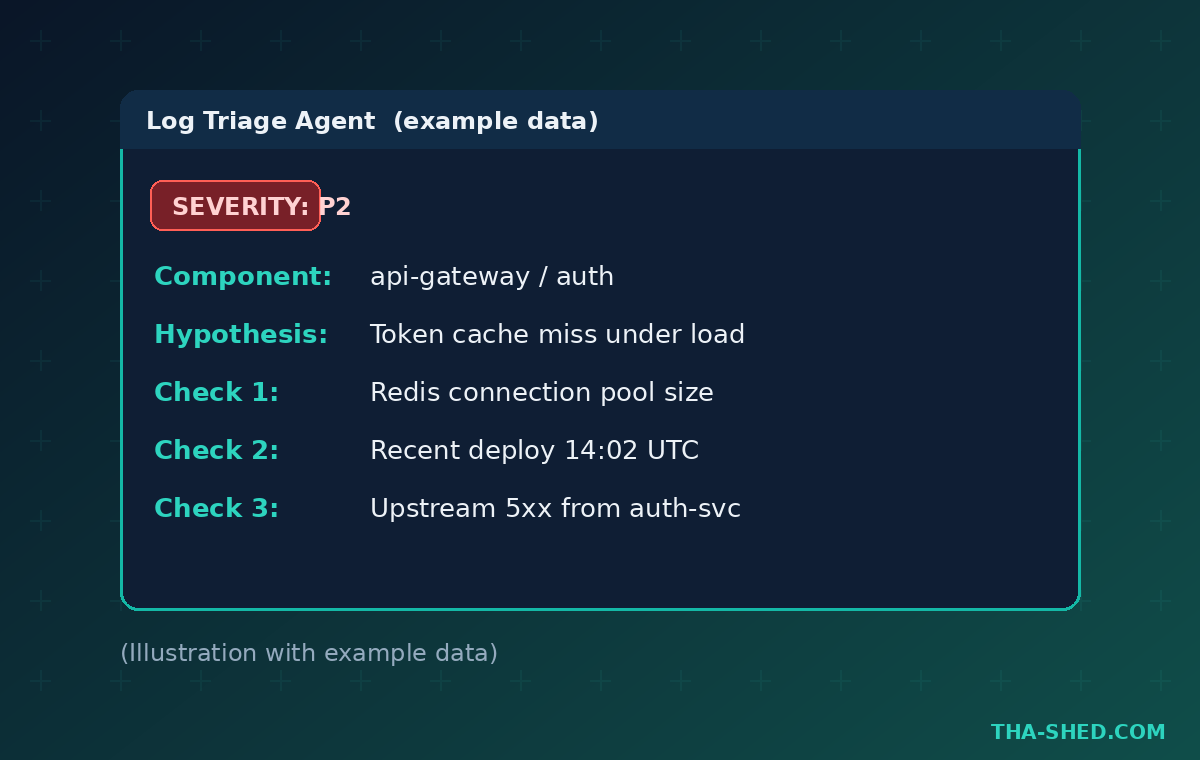
Build a Chatflow that takes a pasted log snippet and classifies it: severity, likely subsystem, and a first hypothesis. Give it a tool that queries your error tracker. Example prompt template: “Given this stack trace, return severity (P1 to P4), the most likely failing component, and three things to check first. Be specific. Do not guess at code you cannot see.”
3. A pull request reviewer
Wire a flow that accepts a diff and runs a security and conventions pass. Keep it advisory, not gatekeeping. Prompt: “Review this diff for injection risks, secrets, missing input validation, and broken error handling. List findings as file and line with a one sentence fix. Flag nothing you are unsure about as certain.” Pair this with our AI agents for code review playbook for the team workflow around it.
4. A CVE and advisory summarizer
Set up a flow that ingests a security advisory URL or text and produces a short brief: affected versions, exploitability, and whether your stack is in scope. Add a retriever over your dependency manifest so it can answer “do we use this?” The output should be skimmable in ten seconds, because that is all anyone gives it.
5. A multi-agent incident summarizer
Now you earn Agentflow V2. One agent pulls timeline events, a second drafts the summary, a third checks it against your postmortem template. Use conditional routing so trivial incidents skip the full crew. This is where handoffs shine, and where you should set a hard token budget so a chatty agent does not run up your bill.
6. A self-serve onboarding helper
Embed the Flowise chat widget on your internal wiki. New engineers ask “how do I get prod read access?” or “where is the staging deploy script?” and get answers from your actual docs. You keep the senior engineers focused instead of answering the same five questions every week.
7. An automation glue agent via MCP
Use the MCP client node to give an agent real tools: ticket creation, calendar lookups, internal APIs. Keep the tool list short and scoped. If you live in pipeline automation, compare this approach with our n8n automation workflows guide to decide which tool owns which job.
Safety and gotchas
Prompt injection is the headline risk. The moment your agent reads untrusted text, a log, a web page, a user message, that text can try to hijack it. Never wire an agent with destructive tools (delete, deploy, pay) to an input you do not control. Use input moderation and output post-processing nodes, and keep a human in the loop for anything irreversible.
Lock down the platform itself. Flowise supports RBAC, SSO, encrypted credentials, secret manager integration, rate limiting, and restricted domains. Turn them on. An exposed Flowise instance with your OpenAI key baked in is a very bad day. Never paste real production secrets or customer data into a flow you are still prototyping, and do not test against live systems.
One more: agents are non-deterministic. The same prompt can give different answers. Build evaluations with a dataset of known inputs and expected behavior so you catch regressions before your users do.
Cost and usage tips
You have two paths. Self-host the open source code and pay nothing for the platform, just your model API calls and your infrastructure. Or use Flowise Cloud, which is managed and saves you the ops work. The tiers, by predictions per month, look like this:
- Free: 100 predictions per month, 5MB storage, up to 2 flows. Fine for a proof of concept.
- Starter, 35 dollars per month: unlimited flows and 10,000 predictions per month. Good for a solo builder going to production.
- Pro, 65 dollars per month: up to 50,000 predictions per month, more storage, unlimited workspaces, and user management.
- Enterprise: contact sales. On-prem and air-gapped deploy, advanced compliance, and SLA support.
Your real cost is usually model tokens, not the Flowise tier. Pick a cheaper model for routing and classification, save the expensive one for the final answer, and set token limits on every agent. If you are regulated or handling sensitive data, self-hosting or Enterprise air-gapped deploy is the honest answer, not a cloud free tier.
FAQ
Is Flowise free to use?
Yes. The open source code is MIT licensed and free to self-host. You only pay for your own model API usage and hosting. Flowise Cloud is a paid managed option if you would rather not run it yourself.
Flowise vs n8n: which should I use?
n8n is general workflow automation that happens to do AI well. Flowise is purpose-built for LLM apps and agents, with RAG, evaluations, and multi-agent orchestration as first-class citizens. Use Flowise when the agent is the product. Use n8n when the AI step is one part of a larger automation.
Can I run Flowise without writing any code?
Mostly, yes. The visual builder covers the common cases. You can drop into custom code nodes when you need them, but plenty of useful agents ship without a line of code.
Build something small today
The best way to learn Flowise is to ship the docs bot from workflow one before lunch. Stand it up with npx flowise start, point it at three runbooks, and watch your team stop interrupting you. Then layer in the rest. When you are ready to go deeper on agents, automation, and the security skills that make this safe at work, the Tha-Shed courses will take you the rest of the way.
Now stop reading and go build one agent. Small, useful, shipped.