Most “AI agent” tools give you one assistant. CrewAI gives you a team. It is an open source Python framework for building groups of AI agents that each have a role, a goal, and a set of tools, then hands them off to each other to finish a job that would choke a single prompt. If you have tried to get one giant system prompt to research, triage, write, and review all at once, you already know why that falls apart. CrewAI’s pitch: split the work the way you would split it across a real team, then let the framework handle the handoffs.
For DevOps and security folks, that matters because our work is naturally multi-step. An incident does not get diagnosed and written up by one brain doing one thing. It gets triaged, investigated, classified, documented, and reviewed, often by different people with different context. CrewAI lets you model that pipeline in code instead of hoping a single chat thread stays coherent for 40 turns.
What CrewAI actually is
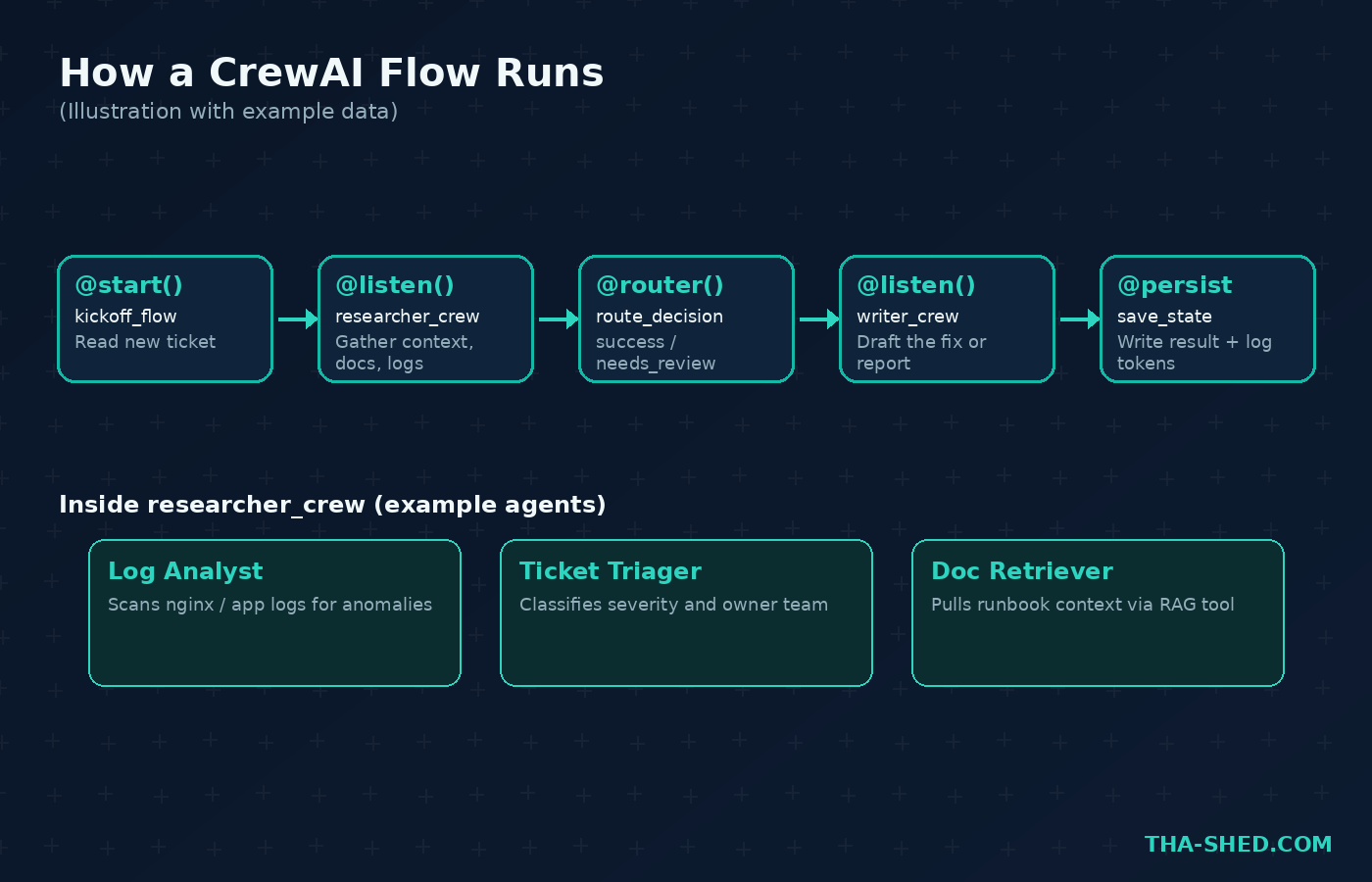
CrewAI ships two building blocks. A Crew is a group of agents (each with a role, goal, and backstory) working through a list of tasks, either one after another (sequential process) or under a manager agent that delegates (hierarchical process). A Flow is the event-driven layer on top: Python methods decorated with @start, @listen, and @router that chain crews, plain LLM calls, and regular code together, with typed state that persists between steps. Most production setups use both, Flows for control logic, Crews for the multi-agent reasoning inside a step.
It is fully open source (Apache 2.0, no LangChain dependency), and there is also CrewAI AMP, the hosted platform with a visual studio and enterprise deployment options. You do not need AMP for this tutorial. Everything below runs from your terminal.
Quick setup
CrewAI needs Python above 3.10 and below 3.13. Install the uv package manager first, since CrewAI’s CLI leans on it for dependency resolution.
curl -LsSf https://astral.sh/uv/install.sh | sh
uv tool install crewai
uv tool list   # confirm crewai vX.X.X shows up
Scaffold a project. This generates the folder structure, YAML configs, and a starter .env file.
crewai create crew incident-triage-crew
cd incident-triage-crew
The CLI asks which LLM provider and model to use (OpenAI, Anthropic, Gemini, Ollama). Drop your API key into .env, define agents in config/agents.yaml and tasks in config/tasks.yaml, then run it.
crewai install
crewai run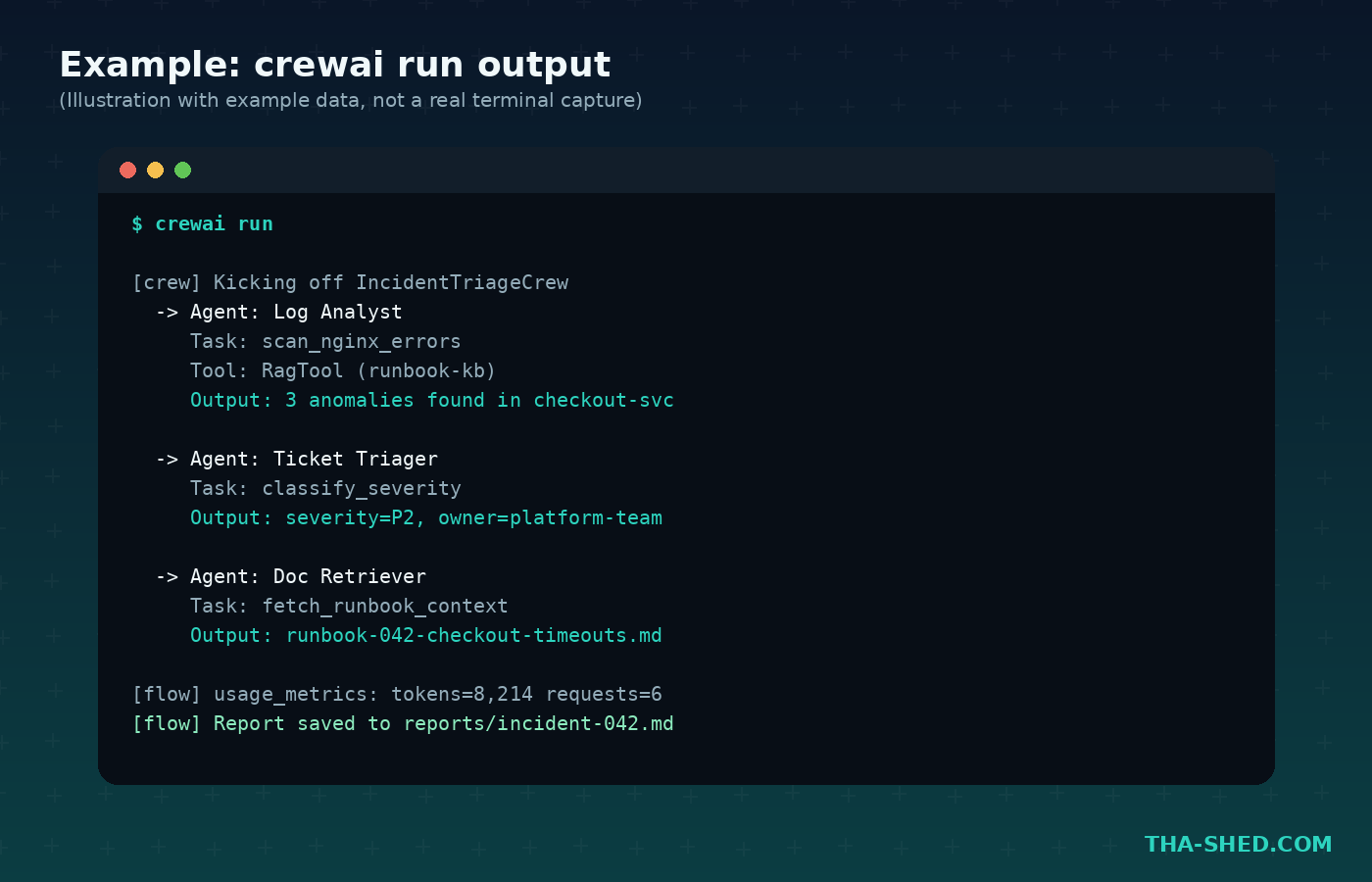
crewai run output (illustration with example data)If you want the Flow scaffold instead of a single crew, swap the command: crewai create flow name_of_flow. That generates a main.py with @start/@listen hooks and a crews/ folder where you drop in one or more crews to be orchestrated.
The mindset: stop writing one giant prompt
The principle that makes CrewAI click is role separation. Do not build one agent with a goal like “handle the incident.” Build a Log Analyst whose only job is reading logs, a Triager whose only job is classifying severity, and a Doc Retriever whose only job is pulling runbook context. Narrow roles beat broad ones, the same way a narrow job description produces a better hire than “do everything.” It also makes debugging sane. When the crew gets something wrong, you know exactly which agent and task to fix, instead of re-engineering one giant prompt and hoping.
Second principle: reach for a Flow the moment you need branching, human approval, or state that outlives a single run. Crews are great at “do this multi-step task well.” Flows are what you need when “what happens next” depends on a condition, a person, or something from three runs ago.
7 CrewAI workflows worth stealing
1. Alert triage crew
Three agents, sequential process: a Log Analyst scans nginx or application logs for anomalies, a Ticket Triager classifies severity and assigns an owning team, and a Doc Retriever pulls relevant runbook sections. Example task description in tasks.yaml: “Review the last 30 minutes of error logs for {service}. Identify anomalies, classify severity as P1 through P4, and cite which runbook section applies.” Simplest crew shape, and the one to build first.
2. CI/CD gatekeeper flow
A Flow with a @router step: a build-analysis crew reviews test results and a security scan, then routes to “pass” (auto-merge notes get drafted) or “needs_review” (a human gets pinged with a summary). We go deeper on the full version of this in AI Agents for CI/CD: Build a Pipeline Crew, but the router pattern alone is worth stealing.
3. Terraform plan review, hierarchical style
Instead of sequential, use Process.hierarchical: a manager agent reads the Terraform plan and delegates specific questions (“does this touch IAM,” “does this hit a production VPC”) to specialist agents, then synthesizes their answers into one risk summary. Hierarchical process is CrewAI’s answer to “the task list itself needs judgment,” and it is underused.
4. Postmortem draft with a human approval gate
This is where the @human_feedback decorator (CrewAI 1.8.0 and up) earns its keep. A crew drafts the postmortem from incident data, then the flow pauses:
@start()
@human_feedback(
    message="Approve this postmortem draft?",
    emit=["approved", "needs_revision"],
    llm="gpt-4o-mini",
)
def draft_postmortem(self):
    return PostmortemCrew().crew().kickoff(inputs=self.state.incident_data)
Nothing gets published until a person signs off. That is the whole point: postmortems have blame and accountability implications, so this is not a step to fully automate away.
5. Vulnerability triage with MCP tools
CrewAI agents pull tools straight from any MCP server, standard Model Context Protocol, no custom integration code, via the mcps field on an agent or the MCPServerAdapter class for more control. Point an agent at your ticketing system’s MCP server and a CVE database’s MCP server, and it can look up a new vulnerability, check whether affected packages exist in your stack, and open a ticket, all as tool calls.
6. Cost anomaly explainer with memory
CrewAI Flows get a built-in memory system backed by on-disk storage, so a cost-analysis flow can self.remember() facts from past investigations (“the staging cluster’s Tuesday spike is a scheduled backup job”) and self.recall() them next run. That cuts down on the same false positive getting re-investigated every week.
7. New-hire onboarding Q&A, persisted across sessions
Apply @persist to a Flow and its state survives restarts, backed by SQLite by default. Useful for an onboarding assistant a new engineer returns to over several days, since the flow remembers what they already asked without you standing up a separate database. We cover the fuller pattern in AI Agents for Onboarding: Ramp Devs Faster.
Safety and gotchas
Agents that call tools can call the wrong tool, or call the right tool with the wrong argument. Do not wire a crew directly to anything destructive (deleting infra, force-pushing, revoking access) without a human approval step in between. The @human_feedback decorator exists for exactly this reason, use it liberally on anything with real world side effects.
MCP tool access is only as safe as the MCP server you point it at. Treat third party MCP servers the same way you would treat a third party npm package: read what it actually does before an agent gets to call it with your credentials.
Hierarchical process burns noticeably more tokens than sequential, since the manager agent has to read and synthesize every subordinate’s output. Reach for it when the task genuinely needs judgment about who does what, not by default.
Flows with @persist write state to a local SQLite file by default. Fine for one machine, but if you run crews across multiple workers or containers, plan for a shared persistence backend instead, or state will silently diverge between instances.
Usage and cost tips
The open source framework costs nothing, you only pay your LLM provider for tokens. A three-to-five agent crew on a moderately complex task commonly burns several thousand tokens per run, so test with a cheaper model before pointing a crew at your most expensive one for every task.
flow.usage_metrics gives you the full token rollup across every crew, tool call, and bare LLM call inside one flow run. That is the number worth watching, not just the final crew’s own count.
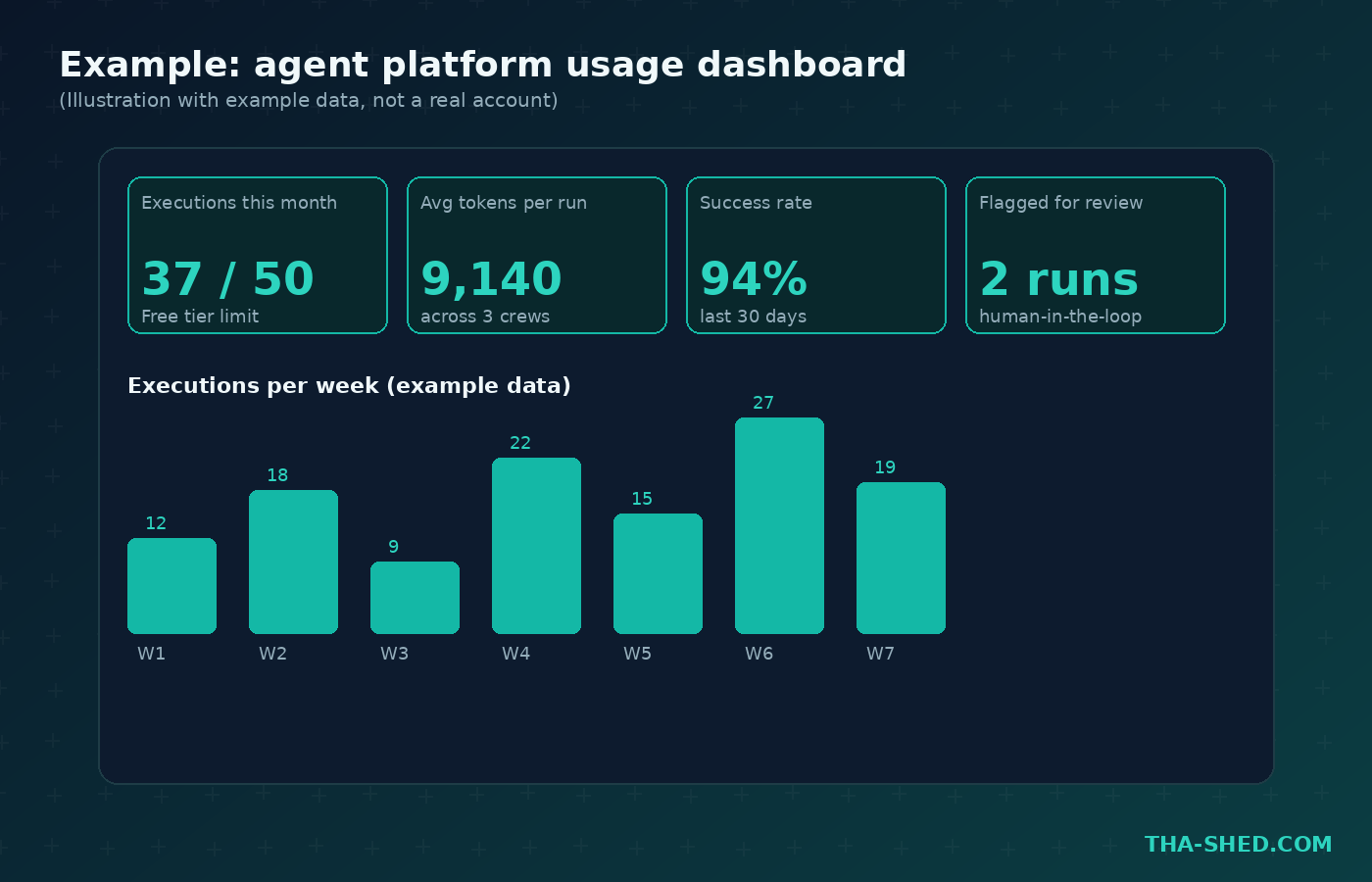
If you want the hosted CrewAI AMP platform instead of self-hosting: the free Basic plan includes 50 workflow executions a month plus a visual editor and GitHub integration, and Enterprise pricing is custom, quoted directly by CrewAI’s sales team. For most teams starting out, the open source framework plus your own API key is the cheaper, more flexible path until you specifically need managed observability and deployment tooling.
FAQ
Is CrewAI free to use?
Yes. The core framework is open source under Apache 2.0. You pay only for whatever LLM API you connect it to. See the usage tips above for AMP’s free and paid tiers.
How is CrewAI different from a chatbot with plugins?
A single agent handles one thread of reasoning with one set of instructions. CrewAI splits work across multiple agents with distinct roles, goals, and tools, then coordinates them through tasks or event-driven Flows. It is built for multi-step, multi-role work, not a single conversation.
Do I need to know LangChain to use CrewAI?
No. CrewAI is standalone with no LangChain dependency. It has its own agent, task, tool, and memory abstractions, plus its own CLI for scaffolding projects.
Get building
Start small. Build the three-agent alert triage crew first, get comfortable with roles and tasks, then graduate to a Flow once you hit your first branching decision or approval gate. For structured, hands on practice with agent orchestration alongside the rest of your DevOps toolchain, check our DevOps and cybersecurity courses.