Most agent frameworks hide the control flow from you. You describe a goal, hope the loop behaves, and debug by staring at logs. LangGraph does the opposite. It makes you draw the graph, node by node, edge by edge, so an incident triage agent behaves exactly like the runbook it is replacing, not like a chatbot improvising under pressure. That precision is why it has become the default choice for teams shipping agents that actually run in production instead of staying a demo.
What LangGraph actually is
LangGraph is a low-level, open source orchestration framework and runtime for building stateful, long-running agents in Python or JavaScript. Built by the LangChain team, it does not abstract away your prompts or architecture the way higher-level frameworks do. Instead it gives you the primitives, nodes, edges, and a shared state object, and lets you wire the exact control flow your workflow needs: loops, conditionals, branches, and human approval gates. It has crossed 126,000 GitHub stars and is in production at companies like Klarna, Uber, and J.P. Morgan. You do not need LangChain to use it, though the two pair naturally if you want prebuilt model and tool integrations.
Quick setup
Install it into a virtual environment with pip install -U langgraph. Here is the smallest possible graph, a single node that runs and stops:
from langgraph.graph import StateGraph, MessagesState, START, END

def mock_llm(state: MessagesState):
    return {"messages": [{"role": "ai", "content": "hello world"}]}

graph = StateGraph(MessagesState)
graph.add_node(mock_llm)
graph.add_edge(START, "mock_llm")
graph.add_edge("mock_llm", END)
graph = graph.compile()

graph.invoke({"messages": [{"role": "user", "content": "hi!"}]})
That is the whole pattern: define a state schema, add nodes that read and update it, wire edges between them, and compile. Everything else, conditionals, subgraphs, persistence, builds on that same shape. For tracing and visual debugging, set the LANGSMITH_TRACING environment variable and a LangSmith API key, which plugs your local graph runs straight into LangGraph Studio.
The mindset: you are drawing a flowchart, not writing a prompt
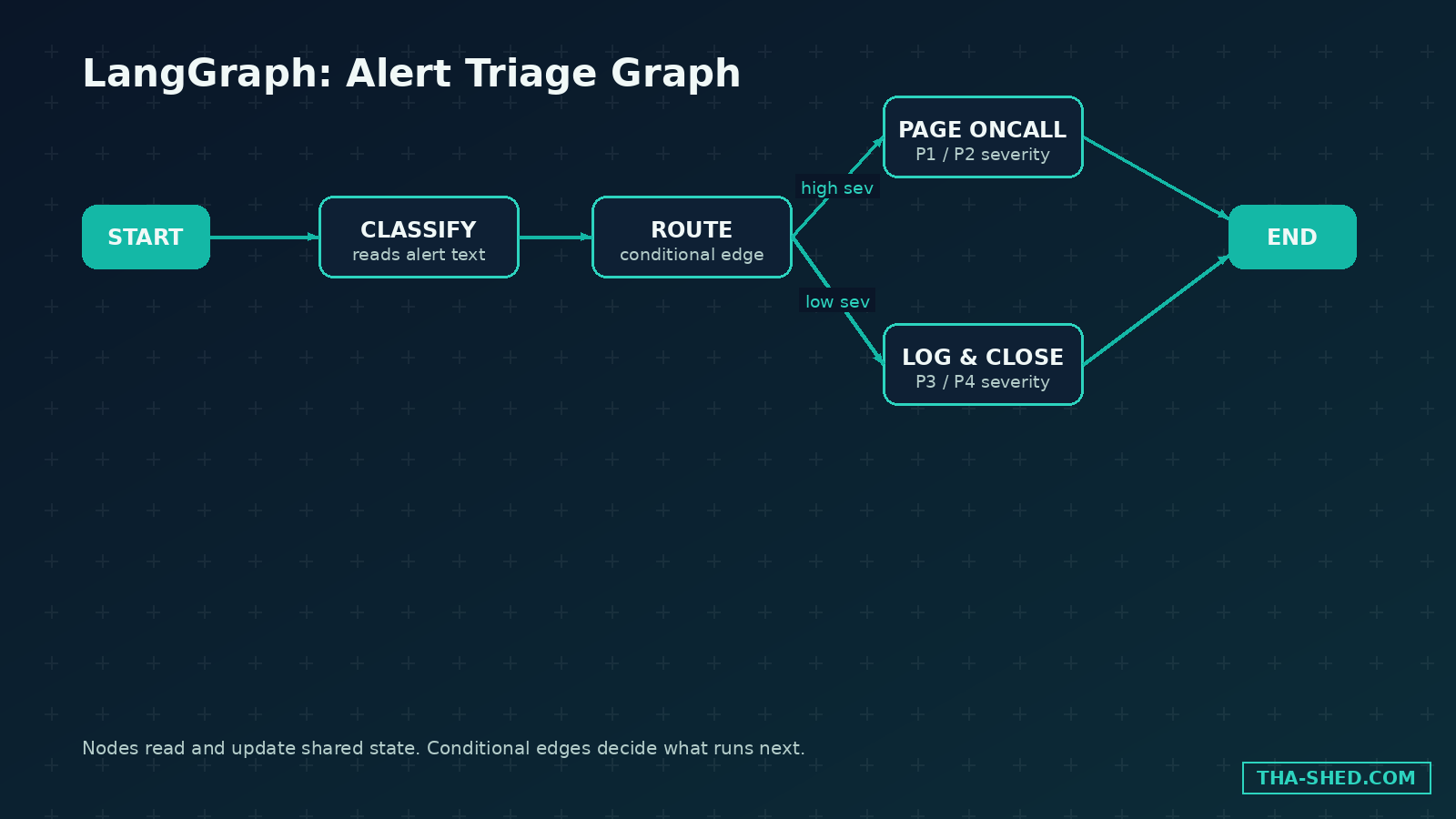
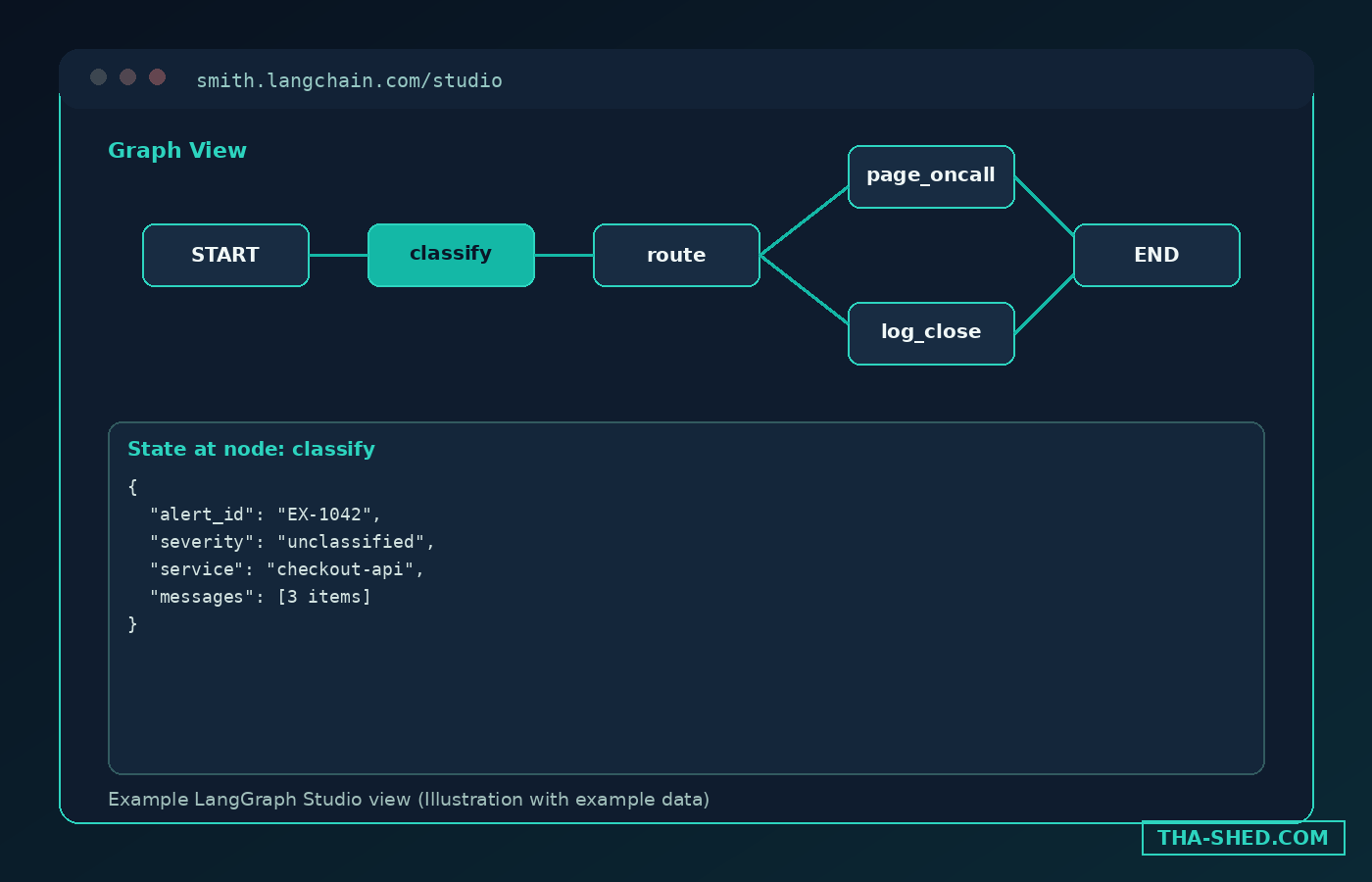
The shift that makes LangGraph click is thinking like a systems engineer instead of a prompt engineer. Every node is a plain function or LLM call that reads state and returns an update. Every edge is a decision about what runs next, and conditional edges let that decision depend on what just happened. If you have ever whiteboarded an incident response flow, alert comes in, severity gets classified, high severity pages someone, low severity gets logged, you already know how to design a LangGraph graph. The framework rewards teams who can already draw their process on a whiteboard, and punishes the instinct to cram everything into one giant system prompt and hope.
7 workflows worth stealing
1. Alert triage with conditional routing
Build a graph with a classify node that reads incoming alert text and a router that sends the state down different paths based on severity. Use add_conditional_edges from the classify node, routing P1 alerts to a page-oncall node and P4 alerts to a log-and-close node. This alone replaces a pile of if-else logic scattered across a Slack bot.
2. Human approval gate before anything destructive
Call interrupt() inside a node right before an irreversible action, revoking access, force-pushing, deleting a resource, and the graph pauses, persists its state, and waits. A human reviews the proposed action in LangGraph Studio or your own UI, then resumes the run with a Command object carrying their decision. Nothing destructive fires without that explicit human step.
3. Long-running investigations that survive a crash
Attach a checkpointer, Postgres or SQLite for production, to the compiled graph, and every step of state gets persisted automatically. A security investigation that takes 40 minutes and touches a dozen tools can crash, restart, and resume exactly where it left off, instead of starting over and re-running every tool call.
4. A supervisor node coordinating specialist subgraphs
Build a small subgraph for log analysis, another for runbook retrieval, another for drafting the ticket, then wire a supervisor node that calls each as needed based on what is missing from state. This is LangGraph’s answer to a multi-agent crew, except every handoff is an explicit edge you can inspect, not an implicit delegation you have to trust.
5. Vulnerability triage pulling tools over MCP
Point a tool-calling node at any MCP server, your ticketing system, a CVE database, and the node can look up a new vulnerability, check whether affected packages exist in your stack, and open a ticket, all through standard Model Context Protocol tool calls with no custom integration code.
6. Visual debugging with LangGraph Studio
Every compiled graph can be loaded into LangGraph Studio, which renders it as an actual node-and-edge diagram, lets you step through a run, inspect state at each node, and re-run from any checkpoint. When a triage graph misclassifies an alert, you are looking at exactly which node made the call, not guessing from a wall of log lines.
7. Long-term memory across sessions
Pair a checkpointer, which persists state within one run, with a separate memory store that persists facts across runs. An on-call assistant can recall that last Tuesday’s cost spike was a scheduled backup job, without you standing up a separate database or re-explaining context every session.
Safety and gotchas
LangGraph is low-level by design, which means it gives you zero built-in guardrails. Nothing stops a node from calling a destructive tool unless you explicitly wire an interrupt before it. Treat every tool-calling node that touches production infrastructure as a candidate for a human approval gate, not an exception.
The default in-memory checkpointer is fine for local development and disappears the moment your process restarts. Anything running in production needs a durable backend, Postgres is the common choice, or your persisted state silently vanishes on a redeploy.
MCP tool access is only as trustworthy as the MCP server you connect to. Read what a third party MCP server actually does before a graph node gets to call it with your credentials, the same scrutiny you would give a new npm dependency.
Recursion and step limits exist for a reason. A conditional edge with a subtle bug can loop indefinitely and burn through your model budget before anyone notices, so set a recursion limit on every graph you ship.
Usage and cost tips
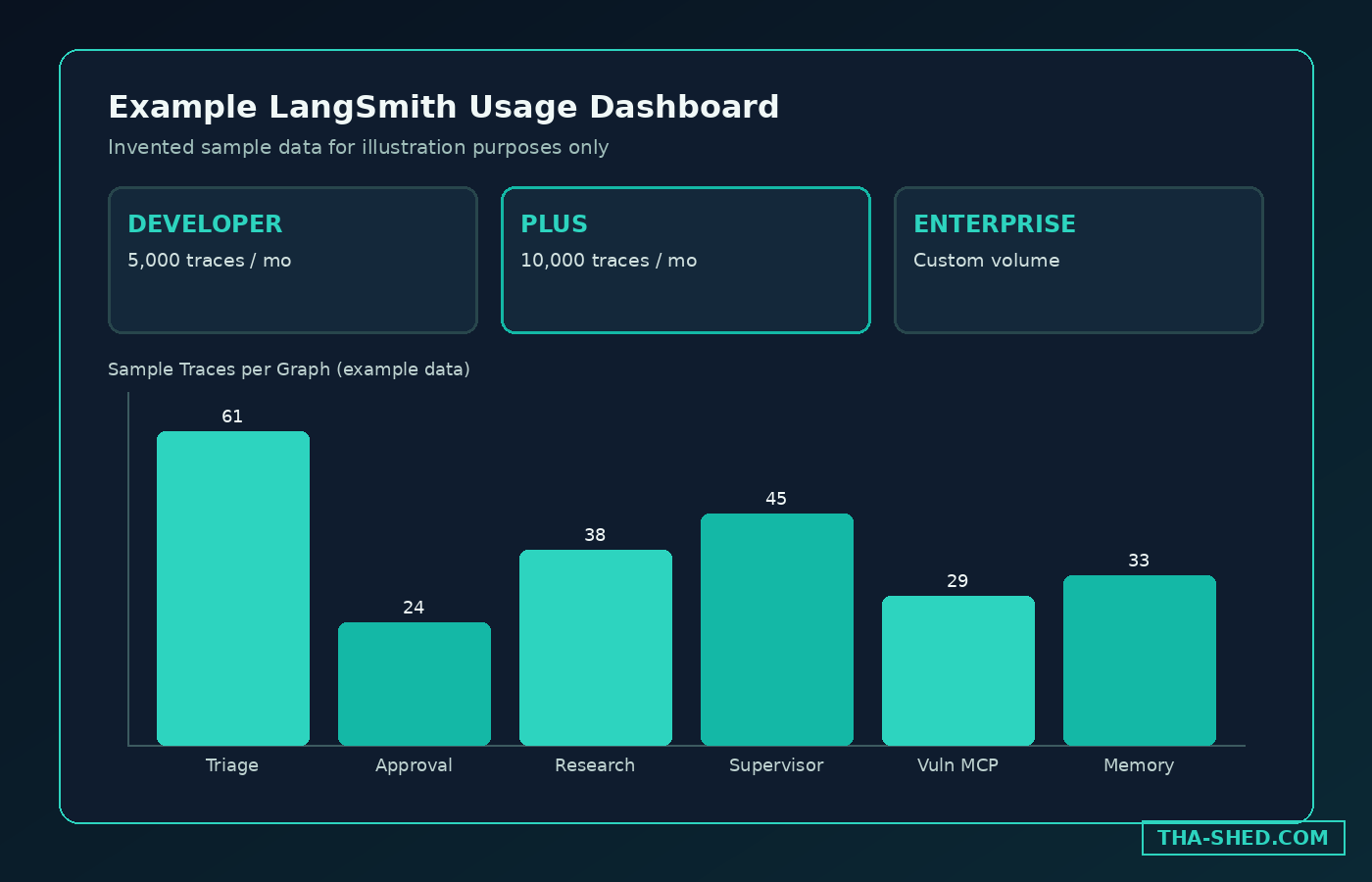
The framework itself is completely free and open source, you only pay your model provider for tokens. LangSmith, the optional observability and deployment layer, has its own tiers.
- Developer plan: free, one seat, 5,000 base traces a month included.
- Plus plan: $39 per seat a month, unlimited seats, 10,000 base traces a month included, plus one free small serverless deployment.
- Enterprise plan: custom pricing, for self-hosted or hybrid deployment with SSO and support SLAs.
Usage beyond the included trace volume, plus add-ons like Engine and Fleet, bill in LangChain Compute Units and Storage Units, each priced per unit consumed. None of that is required just to run LangGraph itself, LangSmith only matters once you want tracing, hosted deployment, or team-wide observability.
FAQ
Is LangGraph free to use?
Yes, the core framework is open source with no license fee. You pay for the LLM API calls your graph makes, and optionally for LangSmith if you want managed tracing, deployment, or observability on top.
Do I need to know LangChain first?
No. LangGraph works standalone. LangChain provides convenient prebuilt agent loops and model integrations, but you can wire your own nodes, tools, and model calls directly in LangGraph without it.
How is LangGraph different from CrewAI?
CrewAI gives you higher-level abstractions, roles, goals, and crews, that get you moving fast with less code. LangGraph stays low-level: you define the exact graph structure yourself, which costs more setup time but buys you precise control over branching, persistence, and human approval steps. Many teams prototype with CrewAI’s agent-first model and move complex, long-running pipelines to LangGraph as they mature. See our CrewAI tutorial for that side of the comparison.
Get building
Start with the alert triage graph, three or four nodes and one conditional edge, before reaching for subgraphs or a supervisor pattern. Once you are comfortable with state, nodes, and edges, add a checkpointer so a run can survive a restart, then wire your first human approval gate around anything destructive. For structured, hands-on practice with agent orchestration alongside the rest of your DevOps and security toolchain, check our DevOps and cybersecurity courses.