Every DevOps and security team eventually hits the same wall: you need a diagram, a slide, a training graphic, or a piece of documentation art, and you don’t have a designer on staff. Midjourney fixes that. It’s the sharpest image generator on the market right now, and once you get past the “it’s just for fantasy art” reputation, it turns into a genuinely useful tool for technical teams who need visuals fast.
This is a practical tutorial, not a hype piece. Setup, mindset, seven real workflows with prompts you can copy, the gotchas nobody warns you about, and cost tips so you don’t burn your subscription in a weekend.
What Midjourney Actually Is
Midjourney is an AI image and video generator that turns text prompts into finished visuals in seconds. It used to live entirely inside Discord, typed as slash commands in a chat window. That’s changed. You can now run the whole thing from midjourney.com with a standalone web account, no Discord required, complete with an image editor, moodboards, and an organizer to manage your generations.
For a technical team, the pitch is simple: architecture diagrams that don’t look like they were drawn in five minutes, phishing-awareness training graphics, blog and doc illustrations, mockup UI screens for presentations, and style-consistent visuals for internal wikis and runbooks. None of that requires a design background. It requires a good prompt and a little patience.
Quick Setup
- Go to midjourney.com and sign up with an email, Google account, or Discord login.
- Pick a plan. As of this writing, Midjourney runs four monthly tiers: Basic ($10), Standard ($30), Pro ($60), and Mega ($120), with roughly 20% off if you pay annually. There’s no free tier anymore, so budget for at least Basic before you commit to it as a team tool.
- Type a prompt directly into the web app’s prompt bar. No slash commands needed on the website, though the Discord bot still works the same way it always has if your team already lives there.
- Your first few images will use whatever the default model version is. Check the current version docs and pin it explicitly with
--vso your results stay consistent across a project.
If your org is security-conscious about SaaS tools (and if you’re reading this, it probably is), loop in whoever owns your vendor approval process before you upload anything sensitive. More on that in the gotchas section.
The Mindset: Treat Prompts Like Specs, Not Wishes
The biggest mistake technical people make with Midjourney is treating it like a search engine. It’s not. It’s closer to briefing a contractor who can’t ask clarifying questions. The more specific and structured your prompt, the closer the first result lands to what you actually needed. Three habits that separate good results from garbage:
- Describe the composition, not just the subject. “Network diagram” gets you noise. “Flat vector diagram, isometric servers connected by glowing lines, dark background, minimal labels” gets you something usable.
- Lock down style with parameters, not adjectives. Instead of piling on words like “professional, clean, modern,” use
--style rawfor more literal, less “AI-flavored” output, and reuse a--seednumber when you want variations that stay close to a result you liked. - Iterate in small steps. Generate, look at what’s wrong, adjust one variable at a time (composition, color, style weight), regenerate. Don’t rewrite the whole prompt from scratch every round.
7 Workflows for DevOps and Security Teams
1. Architecture and network diagrams for docs
Midjourney won’t replace draw.io for technical accuracy, but it’s excellent for the “hero image” at the top of an architecture doc or wiki page that makes people actually want to read it.
isometric cloud infrastructure diagram, servers and databases connected by glowing teal lines, dark navy background, minimal flat design, no text --ar 16:9 --style raw --v 7
2. Security awareness training visuals
Phishing and social engineering training decks live or die on whether anyone stays awake. Generic stock photos don’t help. Purpose-built illustrations do.
flat illustration of a hacker silhouette reaching through a laptop screen toward a padlock icon, warning orange and dark navy palette, minimal vector style --ar 3:2 --no text
3. Slide deck and presentation art
Use Style Reference to keep every slide in a deck visually consistent, which is the single biggest thing that makes a homemade deck look “designed.”
abstract geometric shapes representing data flow, teal and navy gradient, minimalist --sref [your reference image URL] --sw 150 --ar 16:9
4. Runbook and onboarding graphics
New hire onboarding docs and runbooks are usually a wall of text. A handful of simple explanatory illustrations (what is a container, what is a pipeline, what does our on-call rotation look like) cuts comprehension time dramatically.
simple flat icon illustration of a shipping container transforming into a software package, teal and white, minimal line art, white background
5. Mockups for product or dashboard concepts
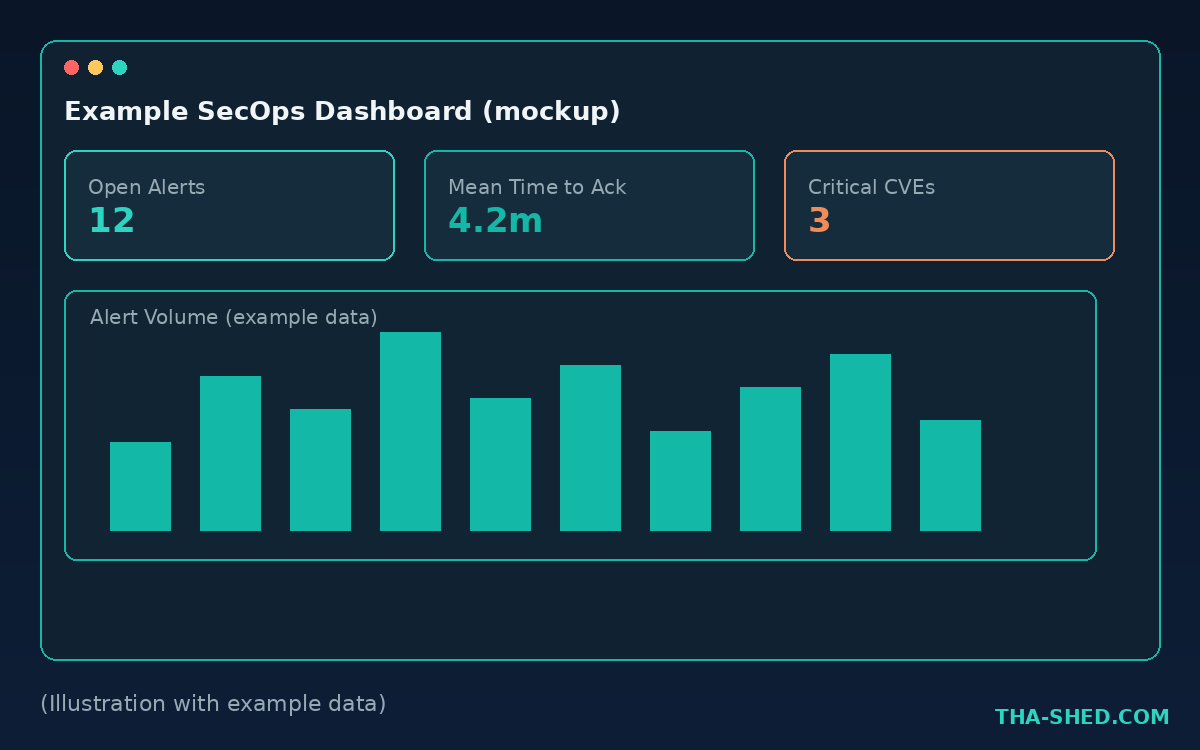
Before your team burns engineering hours on a real dashboard, Midjourney can knock out a rough visual concept to align on layout and vibe in a design review.
UI mockup of a security operations dashboard, dark mode, charts and alert cards, teal accent color, clean modern SaaS design --ar 16:9
6. Blog and social header images
If you or your team maintains a technical blog, internal newsletter, or LinkedIn presence, consistent header art is a fast way to look more professional than a stock photo site will ever get you.
bold minimal header image, abstract representation of automated deployment pipeline, dark navy background with teal glow, no text --ar 16:9
7. Incident postmortem and timeline visuals
A visual timeline of “what happened, when” in a postmortem doc gets read far more often than a table buried on page three. Generate a clean template graphic once, then reuse it and just relabel it in a lightweight editor.
horizontal timeline illustration with milestone markers, flat minimal design, dark background with teal nodes, no text, empty labels --ar 16:9
Safety and Gotchas
Take these seriously before you roll Midjourney out to a whole team.
- Nothing you generate is private by default on lower tiers. Basic and Standard plan images are publicly visible in Midjourney’s community feed unless you’re on Pro or Mega, which unlock Stealth Mode. Do not generate anything containing real internal architecture, real hostnames, real data, or anything under NDA on a plan without Stealth Mode.
- Never type sensitive company details into a prompt. Treat the prompt bar the same way you’d treat a public forum post. Real system names, real IP ranges, real customer data: none of that belongs in a Midjourney prompt, ever, on any plan.
- Commercial rights depend on your revenue. Basic, Standard, and Pro plans include commercial usage rights only for companies under a defined revenue threshold. If your company is larger, check the current terms of service before using generated images in customer-facing material.
- Copyright and likeness issues are unsettled law. Don’t use Midjourney to recreate a real person’s likeness, a competitor’s logo, or another company’s copyrighted characters, especially not for anything published externally.
- Get it approved like any other SaaS tool. If your org has a vendor security review process, run Midjourney through it before broad rollout. Treat it like any other cloud service that touches your team’s output.
Usage and Cost Tips
Fast GPU hours are the currency that actually matters, not the sticker price. Basic gives you roughly 200 to 250 images worth of fast generation before you’re throttled into Relax Mode. If your team generates a lot of iterative variations, that burns fast. A few ways to stretch it:
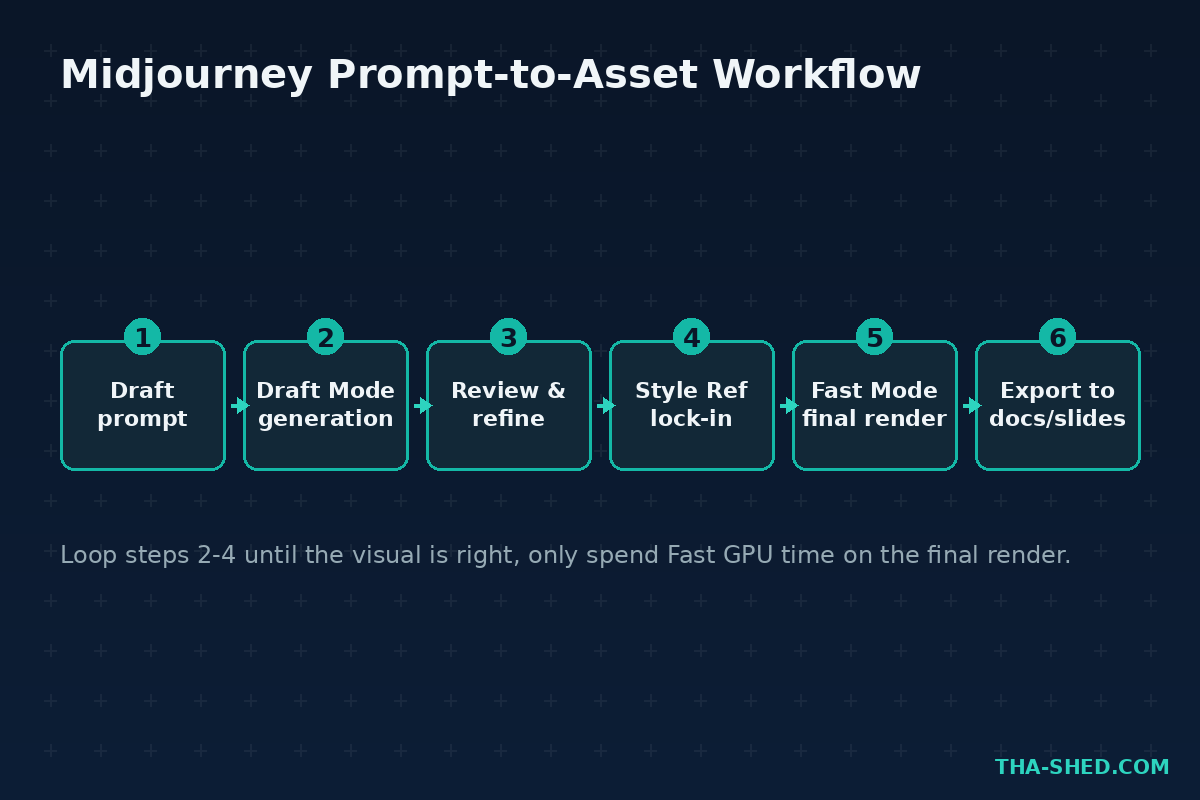
- Use Draft Mode for early exploration. It runs at roughly half the GPU cost of a full-quality generation, which is perfect for the “let’s see ten rough directions” phase before you commit fast-GPU time to the winner.
- Switch to Relax Mode for anything that isn’t urgent. It’s unlimited on Standard and above, just slower.
- Reuse seeds and style references instead of regenerating from scratch every time you want a variation.
- If more than two or three people on your team will use it regularly, do the math on a shared Pro plan versus multiple Basic seats. Pro’s 30 Fast GPU Hours plus Stealth Mode usually wins for team use.
FAQ
Do I need Discord to use Midjourney?
No. You can sign up and generate images entirely through the website at midjourney.com. Discord is still supported if your team prefers working there, but it’s optional now.
Can I use Midjourney images in client-facing or commercial work?
Yes, on Basic, Standard, and Pro plans, as long as your company falls under the revenue threshold defined in Midjourney’s terms of service. Check the current terms before publishing anything customer-facing, since the specific dollar figure can change.
Is Midjourney actually useful for technical teams, or is it just for art?
It’s genuinely useful for technical teams. Architecture doc headers, training graphics, slide art, and dashboard mockups are all things DevOps and security teams need regularly and rarely have design resources for. It won’t replace a diagramming tool for technically accurate diagrams, but for everything visual around your documentation and communication, it earns its subscription cost fast.
Get Building
Midjourney isn’t going to write your incident postmortem or harden your pipeline, but it will make everything you publish around that work look like it came from a team that has its act together. Start small: pick one recurring visual you make badly today (a deck header, a training slide, a doc illustration) and rebuild it properly this week.
If you’re building out a broader AI toolkit for your team, check out our n8n tutorial for automating the workflows around your generated assets, or browse our courses for structured, hands-on DevOps and cybersecurity training.