Every DevOps and security team has the same problem. Too many tools, too many alerts, too many manual handoffs between systems that refuse to talk to each other. n8n exists to fix exactly that. It is a workflow automation platform built for technical teams, and unlike a lot of no-code tools, it does not fight you when you want to drop into real code. This is a practical walkthrough of setting it up and putting it to work in a DevOps and security context, no fluff.
What Is n8n, Really?
n8n is a fair-code workflow automation tool. You build workflows as visual node graphs: a trigger fires (a webhook, a schedule, an email, a Slack message), then data flows through a chain of nodes that transform it, call APIs, query databases, or hand control to an AI agent. It ships with hundreds of built-in integrations, and when there is no native node for something, you drop in an HTTP Request node or a JavaScript/Python Code node and keep moving.
What separates n8n from the typical “connect your apps” automation tool is that it treats AI agents as first-class citizens. The AI Agent node, LangChain-based sub-nodes, and native Model Context Protocol (MCP) support mean you can build workflows where an LLM reasons over a task and calls tools you define, not just workflows that move data from A to B on a timer.
Quick Setup
Option 1: n8n Cloud (fastest path)
Go to n8n.io, sign up, and you land in the editor in under two minutes. No infrastructure to manage. Cloud plans are billed on monthly workflow executions rather than per step, which matters once you start chaining big workflows together.
Option 2: Self-hosted with Docker
For DevOps and security teams, self-hosting is usually the better call since it keeps credentials and data inside your own perimeter. The official quickstart:
docker volume create n8n_data
docker run -it --rm \
  --name n8n \
  -p 5678:5678 \
  -e GENERIC_TIMEZONE="America/New_York" \
  -e TZ="America/New_York" \
  -e N8N_ENFORCE_SETTINGS_FILE_PERMISSIONS=true \
  -e N8N_RUNNERS_ENABLED=true \
  -v n8n_data:/home/node/.n8n \
  docker.n8n.io/n8nio/n8n
Open localhost:5678, create your owner account, and you are building. For anything beyond a personal lab, switch the default SQLite database to Postgres and put n8n behind a reverse proxy with TLS. Full details are in the official Docker installation docs.
The Mindset: Automate the Handoff, Not the Judgment
The teams that get real value out of n8n treat it as glue for handoffs, not a replacement for engineering judgment. Use it to pull data together, run first-pass triage, draft the boring parts, and stage the risky parts for a human to approve. Do not wire it up to auto-execute destructive actions (deleting resources, pushing to production, closing tickets without review) until you have watched it run correctly for weeks. Start every new workflow in “notify me” mode before you let it “act for me.”
7 Workflows Worth Stealing
1. Failed Login Spike Detector
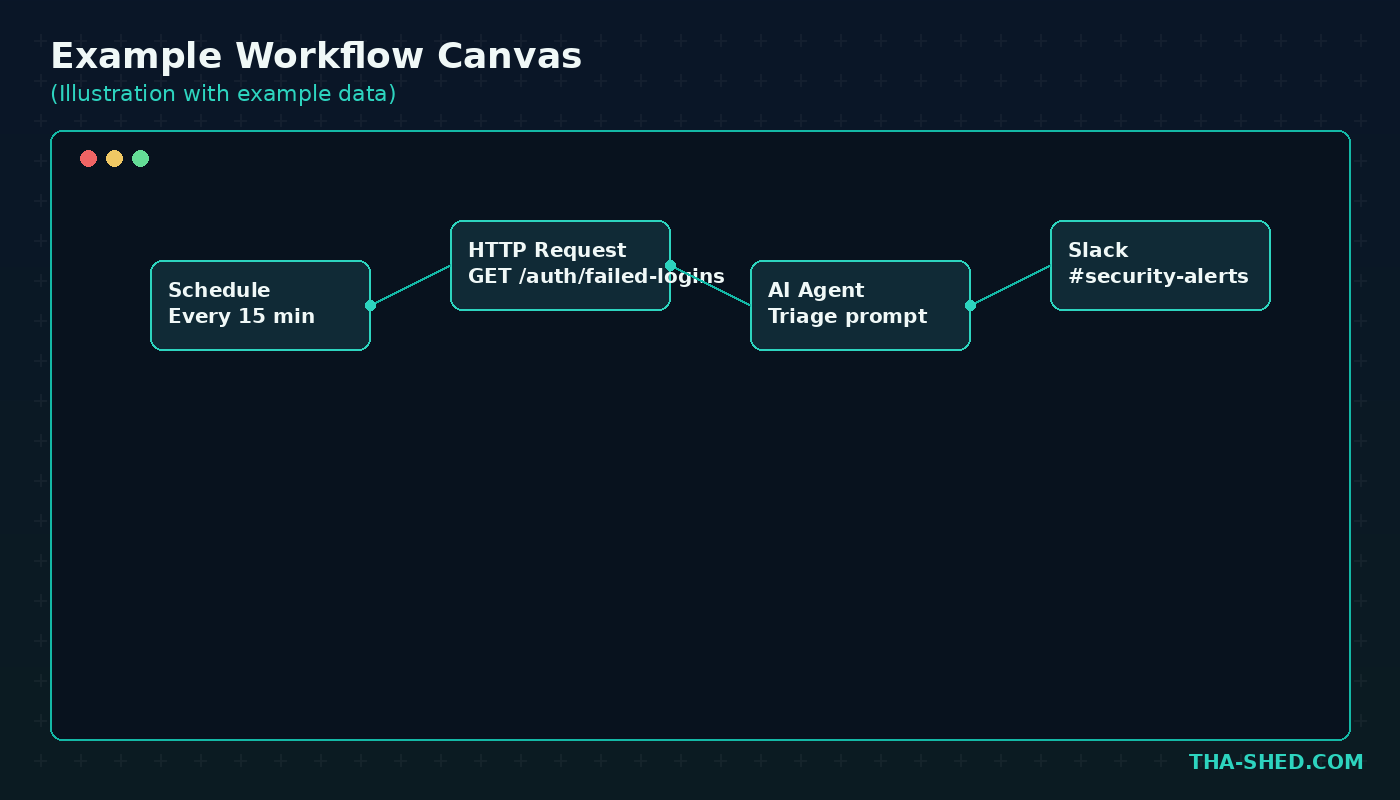
Trigger: Schedule node, every 15 minutes. Query your SIEM or auth provider’s API for failed login counts by user and source IP over the window. Feed the results into an AI Agent node with a system prompt like: “You are a security triage assistant. Given this list of failed login events, flag any pattern consistent with credential stuffing or brute force, and summarize in under 100 words.” Route flagged results to a Slack node posting to your #security-alerts channel.
2. CI/CD Pipeline Failure Summarizer
Trigger: Webhook from GitHub Actions or GitLab CI on pipeline failure. Pull the failing job logs via HTTP Request, pass the last 200 lines into an AI Agent node with the prompt: “Summarize the likely root cause of this build failure in 3 bullet points and suggest the first debugging step.” Post the summary as a comment on the pull request using the GitHub node.
3. New CVE Watch for Your Stack
Trigger: Schedule node, daily. Call the NVD API filtered for your tech stack’s vendor and product names. For each new CVE above a severity threshold, use a Code node to check it against your internal asset inventory, then send a digest email or Slack message only for CVEs that touch systems you actually run. This alone kills a huge amount of alert noise.
4. Onboarding a New Service to Monitoring
Trigger: Webhook fired when a new service is registered in your internal catalog. The workflow creates a Datadog or Grafana dashboard from a template, opens a PagerDuty escalation policy, and posts a checklist to the owning team’s Slack channel. What used to be a 30-minute manual runbook becomes a single API call from your service catalog.
5. Nightly Backup Verification
Trigger: Schedule node, nightly. Hit your backup provider’s API to confirm the last job succeeded and check the reported file size against the prior run for anomalies. If a backup failed or shrank more than 20 percent, page on-call immediately instead of waiting for someone to notice during a restore.
6. MCP-Powered Runbook Executor
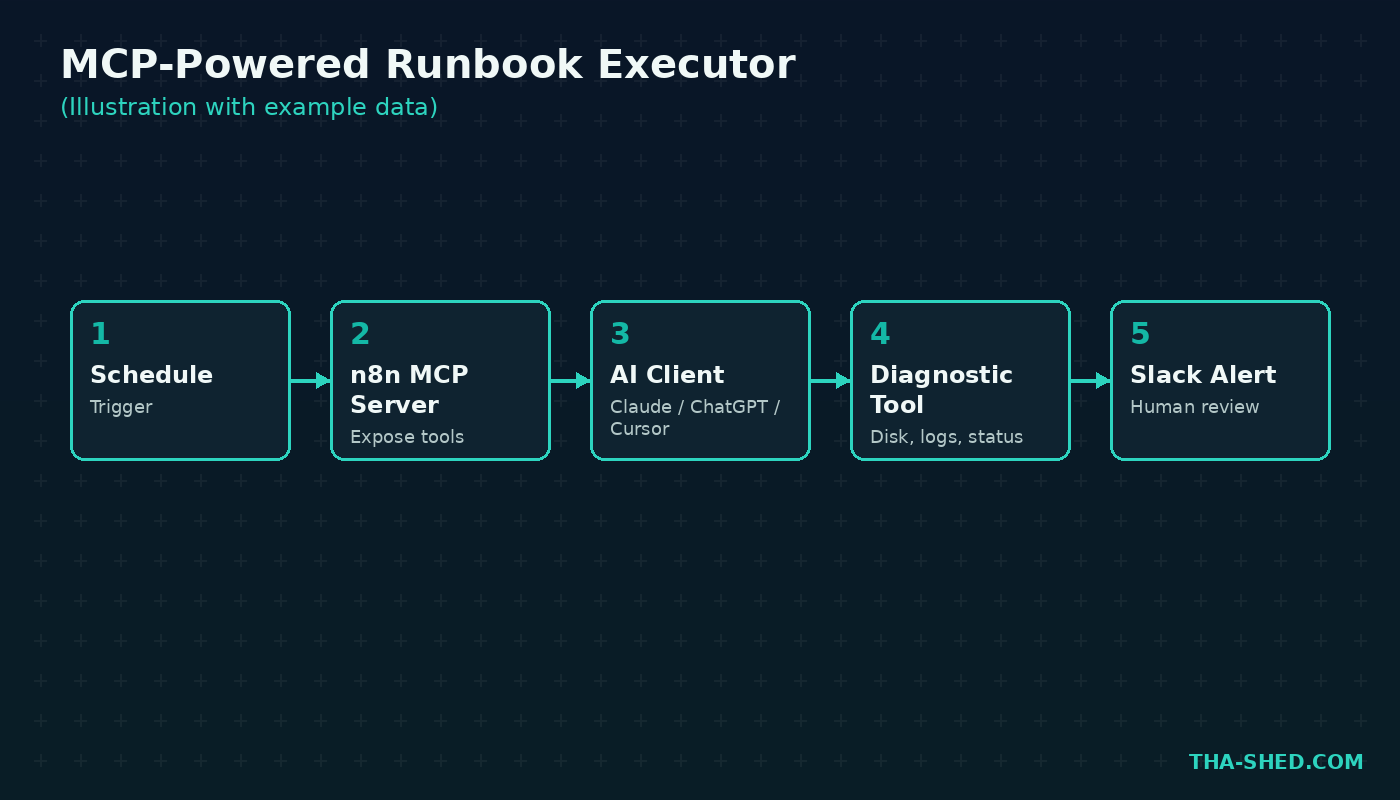
This is where n8n’s MCP support earns its keep. Set up an MCP Server Trigger node in n8n and expose a handful of safe, read-only diagnostic tools (check disk space, get service status, tail recent logs). Now Claude, ChatGPT, Cursor, or any MCP-aware client can call into your n8n instance directly during an incident, pulling live diagnostics without you writing a new integration for every client.
7. Weekly Vulnerability Scan Rollup
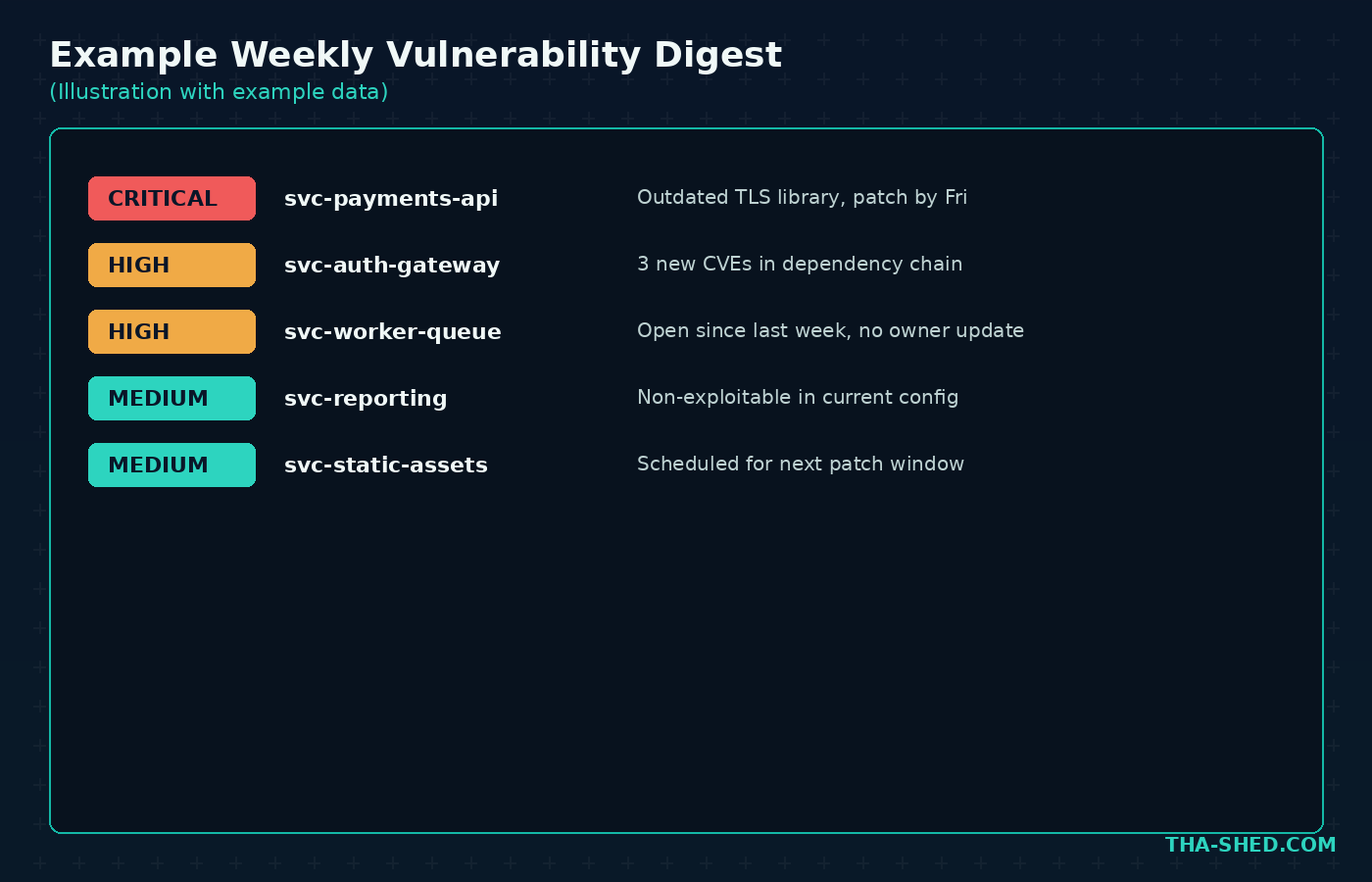
Trigger: Schedule node, weekly. Pull results from your scanner’s API (Tenable, Qualys, or an open-source scanner), group findings by severity and owning team, and use the AI Agent node to draft a plain-English summary for each team lead: what changed since last week, what is new and critical, and what has been open too long. Send it out automatically every Monday morning.
Safety and Gotchas
Treat n8n credentials like production secrets, because they are. Anything with API access to your cloud provider, ticketing system, or code repo should use n8n's built-in encrypted credential store, scoped to the minimum permissions the workflow actually needs. Do not paste raw API keys into Code nodes or HTTP headers where they end up in execution logs.
Be deliberate with the AI Agent node’s tool access. An agent with a broad toolset and a vague system prompt can take actions you did not intend, especially with cheaper or less capable models. Keep destructive tools (delete, deploy, revoke access) behind an explicit human approval step, at minimum a Slack “approve or reject” button before the workflow continues.
Watch your execution history retention. Self-hosted instances keep execution data locally, which is good for control but means you need your own backup and log rotation strategy. And if you are pulling sensitive data (auth logs, customer records) through third-party AI Agent calls, check where that data actually goes: self-hosted n8n with your own model API key keeps it inside your boundary, cloud AI Assistant features do not.
Cost and Usage Tips
n8n Cloud pricing is based on monthly workflow executions, not individual steps, which is friendlier than per-operation pricing once your workflows get complex. As of this writing the Starter tier runs about 24 USD a month billed annually for 2,500 executions, Pro is around 60 USD a month for 10,000 executions, and Business jumps to roughly 800 USD a month with SSO and 40,000 executions. Self-hosting the Community Edition is free with unlimited executions, you just pay for your own server.
Before committing to a tier, estimate your real execution volume. A workflow polling every 5 minutes racks up close to 9,000 executions a month on its own. Batch what you can, use webhooks instead of tight polling loops where possible, and reserve the AI Agent node for steps that genuinely need reasoning rather than routing every workflow through an LLM call.
FAQ
Is n8n free to use?
Yes. The self-hosted Community Edition is free with unlimited workflows and executions and access to every integration. n8n Cloud plans start around 24 USD a month for teams that would rather skip managing infrastructure.
Can n8n connect to Claude, ChatGPT, or other AI assistants?
Yes, in both directions. Use the AI Agent node with an Anthropic or OpenAI chat model to build agents inside n8n, or use the MCP Server Trigger node to expose n8n workflows as tools that Claude, ChatGPT, Cursor, or any MCP-compatible client can call directly.
Is n8n good for security automation specifically?
Yes. Its ability to poll APIs on a schedule, run code inline, and hand data to an AI agent for triage makes it well suited for alert enrichment, CVE monitoring, and incident response runbooks, especially self-hosted where sensitive log data never leaves your infrastructure.
Get Building
Start small. Pick one recurring manual task, the kind you do every Monday morning or every time an alert fires, and build a single n8n workflow around it this week. Once you see the first one save you real time, the next six workflows come fast. If you want a structured path into DevOps automation and the tooling around it, check out our DevOps Boot Camp, and if you are stitching AI agents into your automations, our Flowise tutorial covers the visual agent-building side of the same problem.