

CrewAI turns a pile of single purpose AI agents into a crew with an actual job description. Here is how to wire one together for real DevOps and security work.
CrewAI wires role based AI agents into a crew that finishes a real job, not five agents shouting into the void. Setup, 7 DevOps and security workflows, cost tips, and the gotchas nobody mentions.
See the workflow in action, tap through the tabs below:
curl -LsSf https://astral.sh/uv/install.sh | sh
uv tool install crewai
crewai create crew devops_crew
cd devops_crew
crewai install
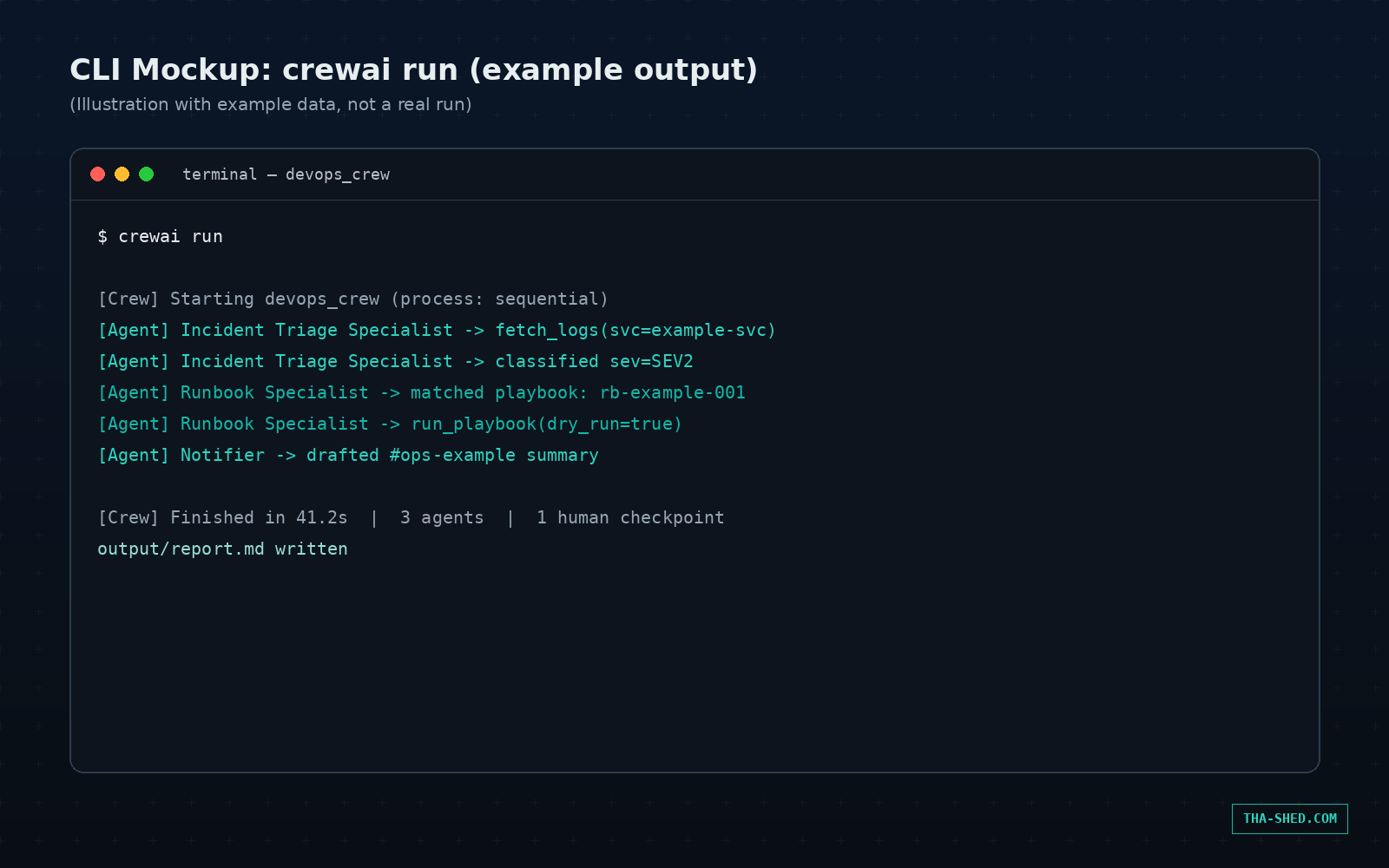
crewai run
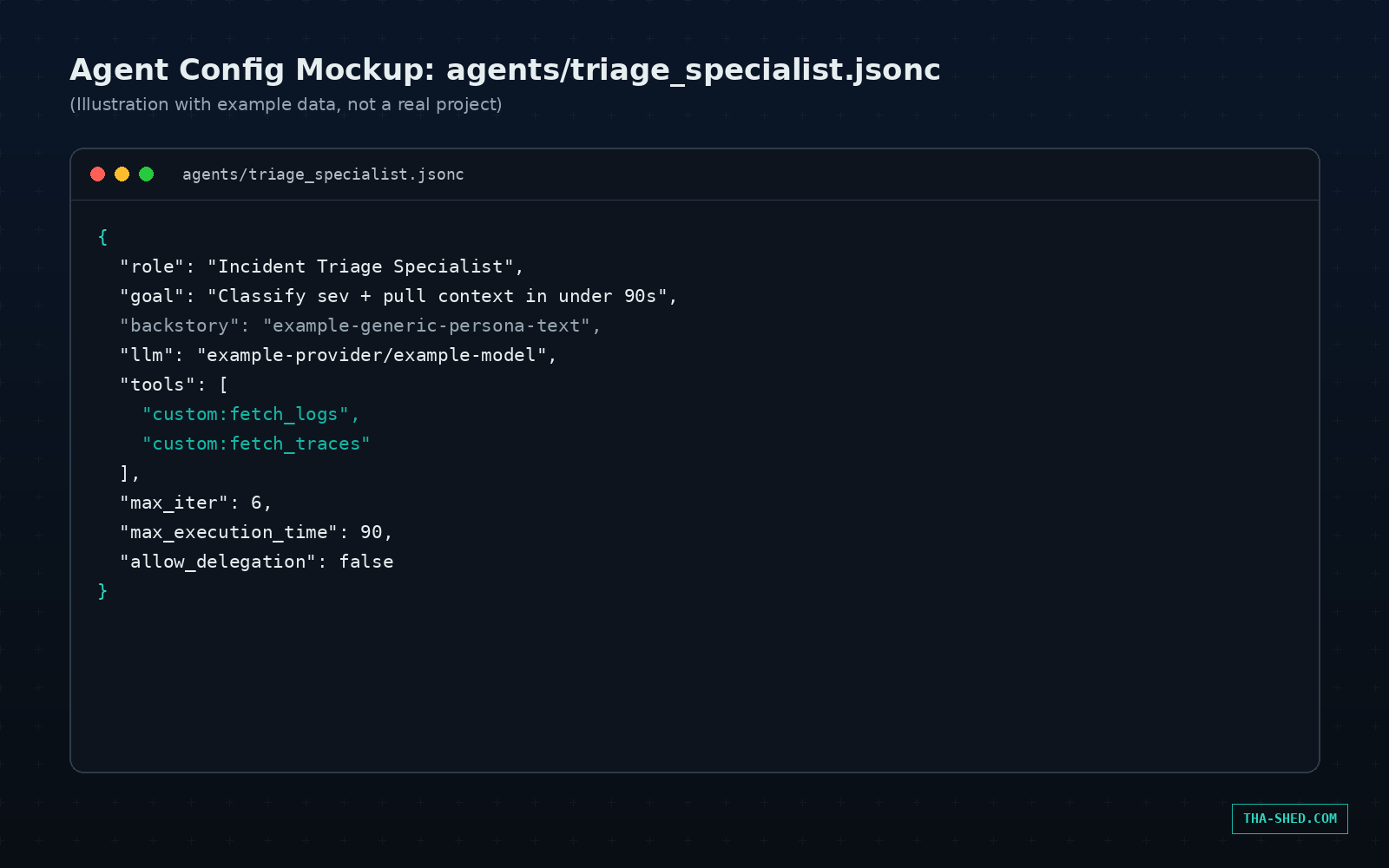
{
  "role": "Incident Triage Specialist",
  "goal": "Classify severity and pull context fast",
  "backstory": "example-generic-persona-text",
  "llm": "example-provider/example-model",
  "tools": ["custom:fetch_logs", "custom:fetch_traces"],
  "max_iter": 6,
  "max_execution_time": 90,
  "allow_delegation": false
}
from devops_crew.crew import DevopsCrew

result = DevopsCrew().crew().kickoff(inputs={
    "alert_id": "INC-4471",
    "service": "example-checkout-svc"
})

print(result.raw)
# example output: "SEV2 triaged, rb-canary-rollback applied, on-call paged"
Runaway agents. Skip max_iter or max_execution_time and a stuck agent will happily loop through tool calls on your dime. Set both on every agent, not just the ones you think might misbehave.
Stale memory. Long term, short term, and entity memory persist by default across runs. Good for a crew that improves over time, bad when old context quietly poisons a new job. crewai reset-memories --all is the escape hatch.
Silent model downgrades. CrewAI is pluggable across OpenAI, Anthropic, Gemini, Bedrock, and local models via Ollama. Check which provider each agent actually calls before assuming you’re getting frontier level reasoning.
What CrewAI actually is
CrewAI is an open source Python framework for wiring multiple AI agents into a team that finishes a job together. You give each agent a role, a goal, a backstory, and a toolset. You give each task a description and an expected output. Then you drop them into a Crew and hit go. The framework handles the handoffs: who talks to whom, what gets passed along, and when the job is actually done.
It is MIT licensed, lives on GitHub under crewAIInc, and sat at roughly 51,000 stars as of mid-2026. Its hosted platform processes hundreds of millions of agent runs a month, which is not a toy project's usage pattern. For DevOps and security teams the appeal is specific: instead of one giant prompt trying to triage an alert, write a remediation, and post to Slack in a single breath, you split that into three agents, each with one job and one set of tools, and let them pass work down the line.
Two building blocks matter here. A Crew is a group of agents running through tasks, either in sequence or with one agent managing the others. A Flow sits above that: it owns state and execution order across multiple stages, calling into one or more crews as steps. If your job is one contained task, use a Crew. If it spans stages with branching logic, like "pull logs, decide severity, then either page someone or auto-remediate," reach for a Flow.
Quick setup
CrewAI runs on Python 3.10 through 3.13, and it leans on uv for dependency management instead of plain pip. Install uv, install the CLI, then scaffold a project, exactly as shown in the setup tab above.
One wrinkle worth knowing before you scaffold anything: crewai create crew now generates a JSON first project by default. Agents live in agents/*.jsonc and the crew wiring lives in crew.jsonc. If you would rather work in the older Python and YAML layout with crew.py, config/agents.yaml, and config/tasks.yaml, add --classic to the create command. A lot of tutorials still floating around show the classic layout, so do not be surprised when a fresh install looks different from what you copied off a year old blog post.
The mindset: one job per agent, not one brain for everything
The single biggest mistake teams make with CrewAI is treating an agent like a chat assistant with a fancy name. That is backwards. An agent's role, goal, and backstory exist to narrow its behavior, not to roleplay. A good CrewAI agent has a role a hiring manager could write a job posting for, "Incident Triage Specialist," not "Helpful AI Assistant." It has exactly the tools it needs to do that job and nothing else. Give a triage agent write access to your deployment pipeline and you have built a very expensive way to break production.
The second habit worth building: default to a sequential process, and only reach for hierarchical, where a manager agent delegates and reviews, when the workflow genuinely needs a decision maker. Hierarchical crews are slower, more token hungry, and harder to debug when something goes sideways. Most DevOps automation is a pipeline, not a boardroom.
7 workflows worth building
1. Incident triage crew
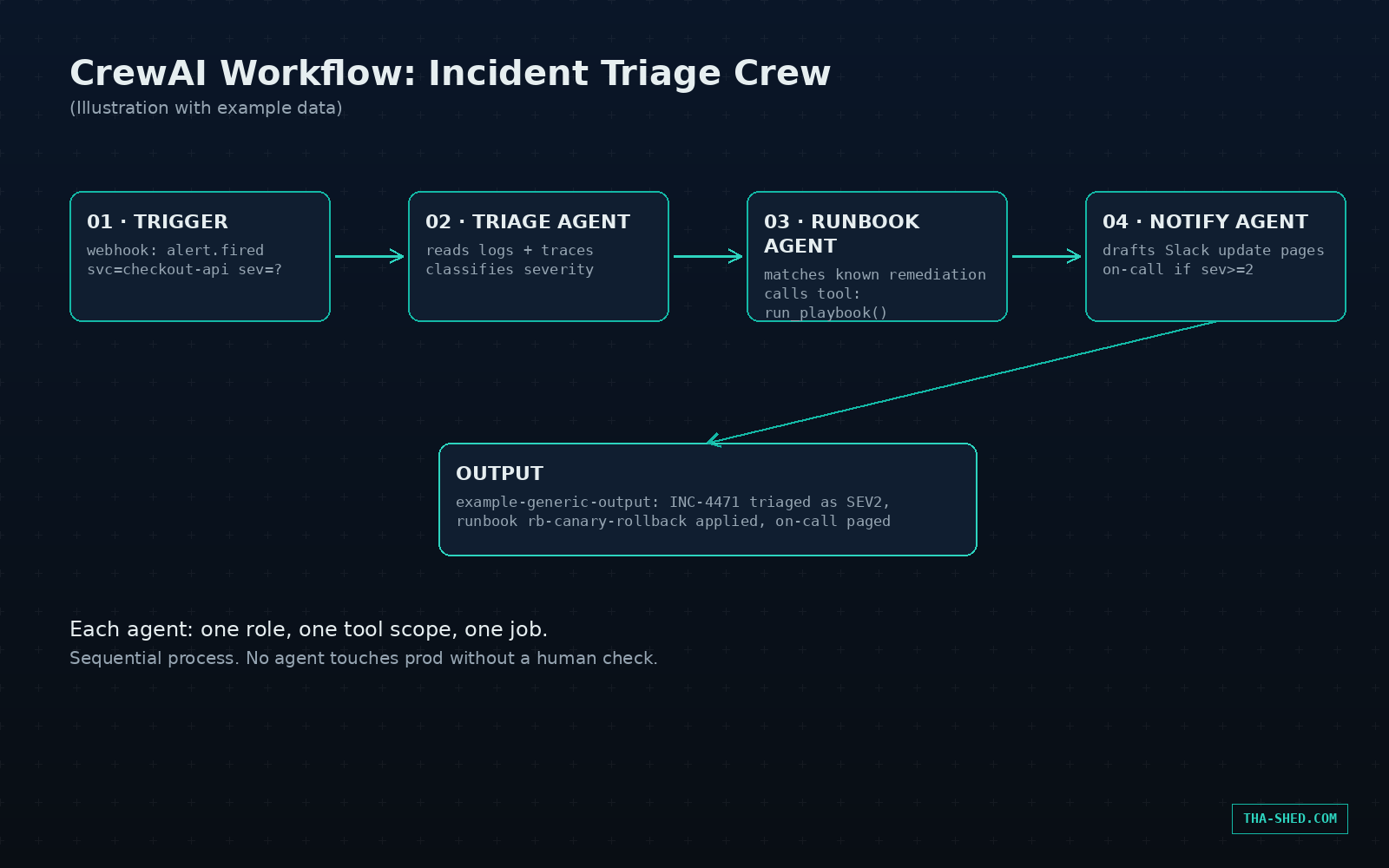
One agent reads the alert and pulls logs and traces. A second agent classifies severity against your runbooks. A third drafts the Slack update and pages the right rotation if severity crosses a threshold. Example kickoff input: {"alert_id": "INC-4471", "service": "checkout-api"}.
2. Security scanning pipeline
A SAST agent runs static analysis on a diff, a dependency agent checks for known CVEs in the lockfile, and a report writer agent merges both into one PR comment with severity tags. Three noisy bot comments become one review artifact.
3. Infrastructure drift crew
One agent diffs live Terraform state against the last applied plan. A second agent scores the risk of each drifted resource. Anything above your risk threshold gets flagged in a ticket instead of silently drifting until it causes an outage.
4. Compliance evidence crew
For SOC 2 or ISO 27001 season, one agent walks a list of controls and pulls supporting evidence such as access logs, config exports, and ticket links. A second agent drafts the narrative explanation auditors actually read. This does not replace your auditor. It replaces the week you spend hunting for screenshots.
5. Automated code review crew
A linter agent runs style and complexity checks, a security agent flags injection and auth patterns, and a reviewer agent synthesizes both into human readable PR feedback instead of three bots fighting for attention in the comment thread.
6. On-call runbook generator
Feed a crew your incident postmortems and existing runbooks. One agent extracts the remediation steps that actually worked. A second agent formats them into a new runbook entry, ready for a human to review and merge.
7. Cloud cost anomaly crew
A data agent pulls the last 30 days of billing data, an analyst agent flags anomalies against historical baselines, and a notifier agent drafts a Slack summary with the top three cost spikes and likely causes.
Every one of these follows the same shape: pull data with a tool, reason over it with an LLM, hand the result to the next specialist. That is the whole trick.
Safety and gotchas
Give agents the narrowest tool scope that lets them do their job, and keep any tool that writes to production, deletes data, or sends external communications behind a human approval step, at least until you trust the crew's output. CrewAI agents can loop through tool calls without a hard stop if you skip max_iter or a reasonable max_execution_time, and a stuck agent burns API tokens the whole time it is spinning.
Memory persists across runs by default, long term, short term, and entity memory. That is useful for a crew that improves over time, but it also means stale context can quietly poison future runs. crewai reset-memories --all is your escape hatch when a crew starts acting strange. And because CrewAI is pluggable across OpenAI, Anthropic, Gemini, Bedrock, and local models via Ollama, double check which provider each agent is actually calling before you assume you are getting frontier level reasoning out of a config that quietly defaulted to something smaller.
Cost and usage tips
Your dominant cost is LLM tokens, not the framework itself. The open source core is free either way. Prototype on a cheaper or local model through Ollama before pointing a crew at a frontier model, then upgrade only the agents whose reasoning quality actually matters, like the classifier or the writer, not the ones just calling a tool and passing data along.
Run crewai test with a handful of iterations before you trust a crew in production. It evaluates outputs against your expected results and catches prompt drift early. If you outgrow self-hosting, CrewAI's hosted AMP platform is commonly reported to run a free tier around 50 executions a month with paid tiers scaling from there, plus a self-hosted Factory option for teams that need everything on-prem for compliance reasons. Published tiers shift, so check crewai.com directly before you budget against a specific number.
FAQ
Is CrewAI free to use?
The core Python framework is open source and free under the MIT license. You only pay your LLM provider for tokens. CrewAI's hosted AMP platform layers on paid tiers if you want managed deployment, monitoring, and a no-code builder on top.
Crew or Flow, which do I actually need?
Start with a Crew for a single contained job with a handful of agents. Reach for a Flow when your process spans multiple stages with branching logic or needs to persist state between steps. A Flow can call one or more Crews as steps inside it.
Can CrewAI run entirely on-prem for compliance heavy environments?
Yes. The open source framework runs wherever your Python runs, and CrewAI Factory is a containerized enterprise option built specifically for self-hosted and on-prem deployment for teams that cannot send data to a third party SaaS.
Closing
Multi-agent frameworks are having a moment, and CrewAI's role based structure is one of the more legible entries in a crowded field. If you are comparing options, see how it stacks up against OpenAI's Agents SDK or LangGraph's graph based approach before you commit a production workflow to either. And if you want a structured path through building and shipping these systems instead of piecing it together from docs at 11pm, check out our courses.