OpenAI’s Agents SDK turns a model into something that reads your files, runs your commands, and hands off to specialists when the job calls for it. Here’s how to actually use it.
Everyone’s shipping “AI agents” right now, but most of them are a chat window with extra steps. OpenAI’s Agents SDK is different. It’s the framework OpenAI itself uses to give models a real workspace: files to read, commands to run, guardrails to keep them honest, and a way to hand off to a specialist agent instead of one model trying to do everything badly. If you’re in DevOps, security, or platform engineering and you’ve been waiting for “AI that does the task” instead of “AI that describes the task,” this is worth an afternoon.
See the workflow in action, tap through the tabs below:
python -m venv .venv
source .venv/bin/activate
pip install openai-agents
export OPENAI_API_KEY="sk-..."
Read the logs in data/incident-2026-07-24 and tell me
if this looks like a deploy regression, a DDoS pattern,
or a credential-stuffing attempt. Cite the specific
log lines you used to reach your conclusion.
agent = Agent(
    name="Rollback Runbook Agent",
    instructions=(
        "Propose the exact rollback command for the "
        "failing deploy. Do not execute it, wait for "
        "human approval first."
    ),
    tools=[propose_rollback],
)
Prompt injection is the default threat model. Anything the agent reads (logs, tickets, scraped docs) can contain instructions aimed at the agent, not you. Guardrails check input and output specifically to catch this.
Narrow the manifest. Mount only the files and directories the task needs. A smaller workspace means a smaller blast radius if something goes wrong.
Read the trace occasionally. It’s easy to trust a clean final answer. The trace shows you the retries and dead ends hiding behind it.
What the Agents SDK actually is
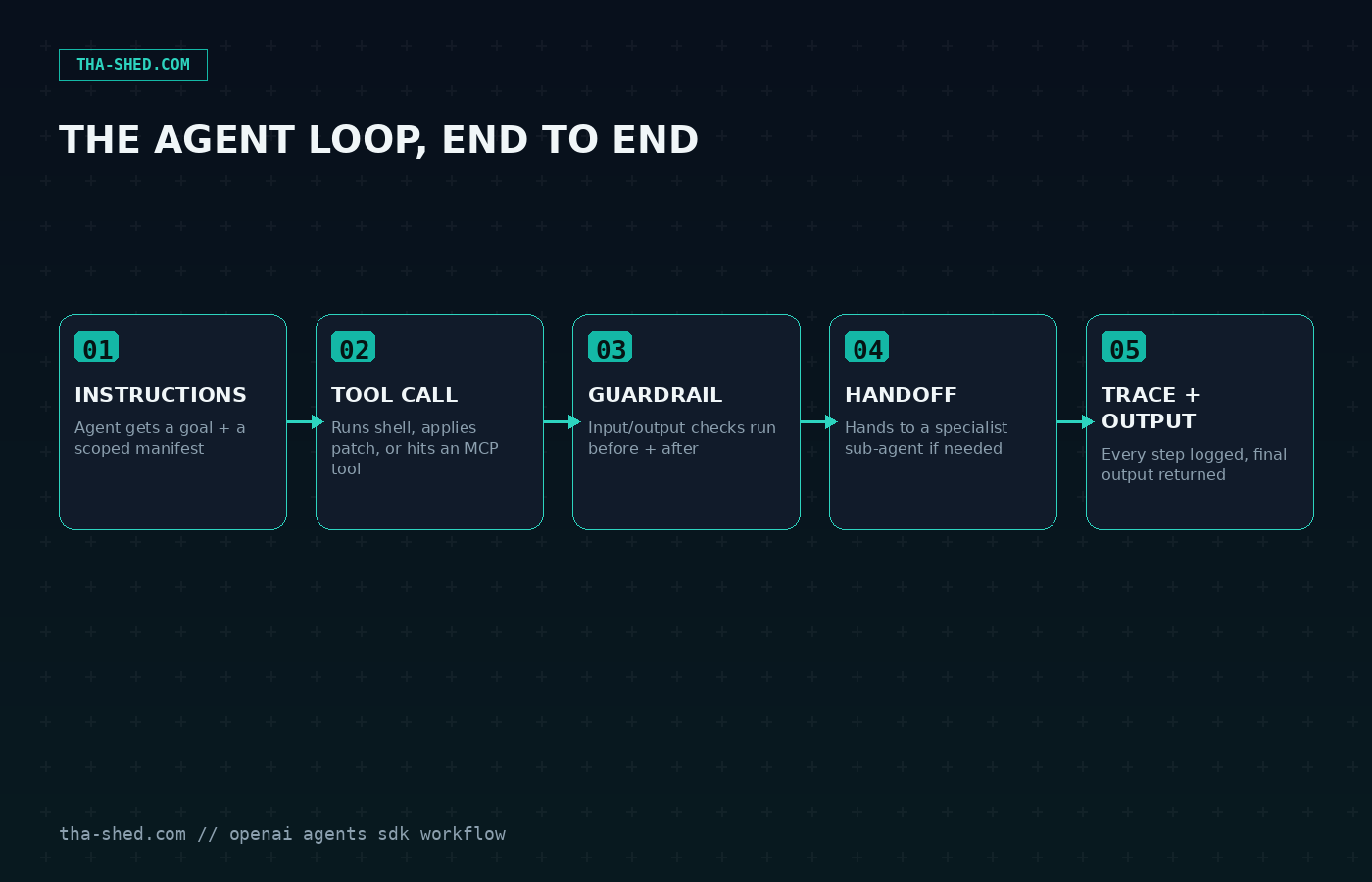
The Agents SDK is a lightweight Python framework (TypeScript is coming) for building agents that use OpenAI models plus, honestly, over a hundred other LLMs too, since it's provider-agnostic under the hood. An agent in this framework is just an LLM with instructions, a set of tools, some guardrails, and optionally the ability to hand off to another agent. Nothing exotic. What makes it useful is the harness around that loop: sandboxed execution so an agent can actually read and write files without you building that infrastructure yourself, built-in tracing so you can see every tool call and handoff after the fact, and session management so conversation history doesn't disappear between runs.
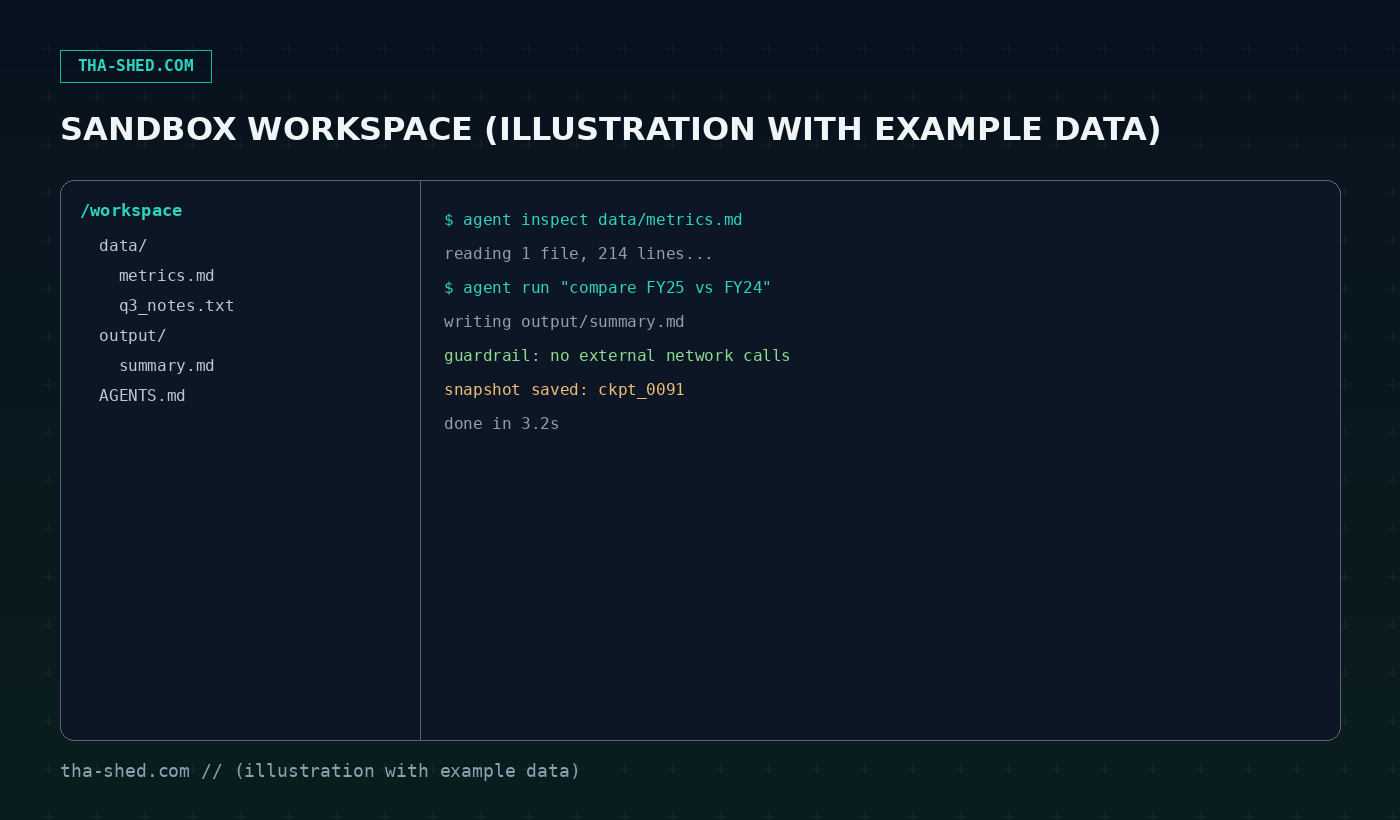
The newest piece, Sandbox Agents, is the part DevOps folks should pay attention to. A sandbox agent gets a "manifest," which is just a description of what files and directories it's allowed to see, mounted from local disk, a git repo, or cloud storage like S3 or GCS. The agent inspects files, runs shell commands, applies patches, and writes output inside that boundary. Your credentials and your production systems stay outside the sandbox. That separation is the whole point.
Quick setup
You need Python 3.10 or newer and an OpenAI API key. From there it's two commands:
python -m venv .venv
source .venv/bin/activate
pip install openai-agents
export OPENAI_API_KEY="sk-..."
If you use uv, it's even less typing. Run uv init, then uv add openai-agents, and you're set. The widget below has the exact setup command with a copy button, so you don't have to retype anything.
A minimal agent looks like this:
from agents import Agent, Runner

agent = Agent(
    name="Log Triage Agent",
    instructions="Summarize error spikes and suggest a root cause.",
)
result = Runner.run_sync(agent, "Here are the last 200 log lines: ...")
print(result.final_output)
That's the whole mental model. Everything else, sandboxes, tools, handoffs, guardrails, is additive on top of this.
The mindset shift
Most people trying agent frameworks for the first time make the same mistake: they build one giant agent with a thirty-line prompt trying to cover every case. The SDK is built around the opposite idea. Small agents, narrow instructions, and handoffs between them. A triage agent that only classifies. A remediation agent that only writes patches. A summarizer that only writes the postmortem paragraph. Each one is easier to test, easier to guardrail, and easier to trust, because it's doing one job instead of guessing at ten.
Treat tools the same way. Don't hand an agent a giant "do anything" shell tool and hope. Give it the three or four specific functions it needs for the task in front of it. The SDK's tracing will show you exactly what it called and when, so narrow tools also mean narrow, readable traces when something goes wrong.
7 workflows worth stealing
1. Log and incident triage
Point a sandbox agent at a mounted directory of recent logs and give it one job: classify the spike, name a likely root cause, and flag anything that looks like exfiltration or credential abuse. Example prompt: "Read the logs in data/incident-2026-07-24 and tell me if this looks like a deploy regression, a DDoS pattern, or a credential-stuffing attempt. Cite the specific log lines."
2. Automated code review pass
Use a sandbox agent with a GitRepo manifest entry to check out a branch, read the diff, and apply the "apply patch" tool for small fixes like missing null checks or unclosed resources. Keep it read-only for anything touching auth or payments; that's what guardrails are for.
3. Config drift detection
Mount your infrastructure-as-code repo alongside a snapshot of what's actually deployed (pulled by a separate tool call), and ask the agent to diff the two and explain, in plain English, what changed outside of a PR. This is the kind of task that's tedious for a human and exactly right for an agent with file access.
4. Runbook execution with a human checkpoint
The SDK's human-in-the-loop hooks let an agent pause before anything destructive. Wire a runbook so the agent proposes the exact commands it wants to run (restart a service, roll back a deploy) and a human approves before execution. You get the speed of automation with a real stop button.
5. Multi-agent postmortem drafting
Chain three small agents with handoffs: one pulls the timeline from logs and tickets, one drafts the "what happened" and "why" sections, and one reviews the draft against your postmortem template for missing sections. Handoffs mean each agent only ever sees the piece of context it needs.
6. Security policy Q&A over your own docs
Mount your internal security policies and past incident writeups as a manifest and let an agent answer "can we do X" questions with citations back to the specific document and paragraph. This is a much safer version of pasting policy PDFs into a general chat window.
7. Scheduled fleet health summaries
Run a sandbox agent on a cron schedule that inspects a directory of exported metrics (CPU, error rates, queue depth), computes basic anomaly flags, and writes a short markdown summary to an output folder. Combine with tracing so you can audit exactly what the agent looked at before it made a claim.
Safety and gotchas
Agent frameworks fail in boring, predictable ways if you skip the boring, predictable precautions. First, assume prompt injection is coming from anything the agent reads, log files, tickets, scraped pages, all of it. Guardrails exist specifically to check input and output before and after the model acts; use them on anything that touches a file the agent didn't generate itself.
Second, keep the harness separate from your real credentials. The whole design of sandbox execution is that losing a container doesn't mean losing your secrets, because the sandbox never had them in the first place. Don't shortcut this by mounting a directory with live API keys just to save a step.
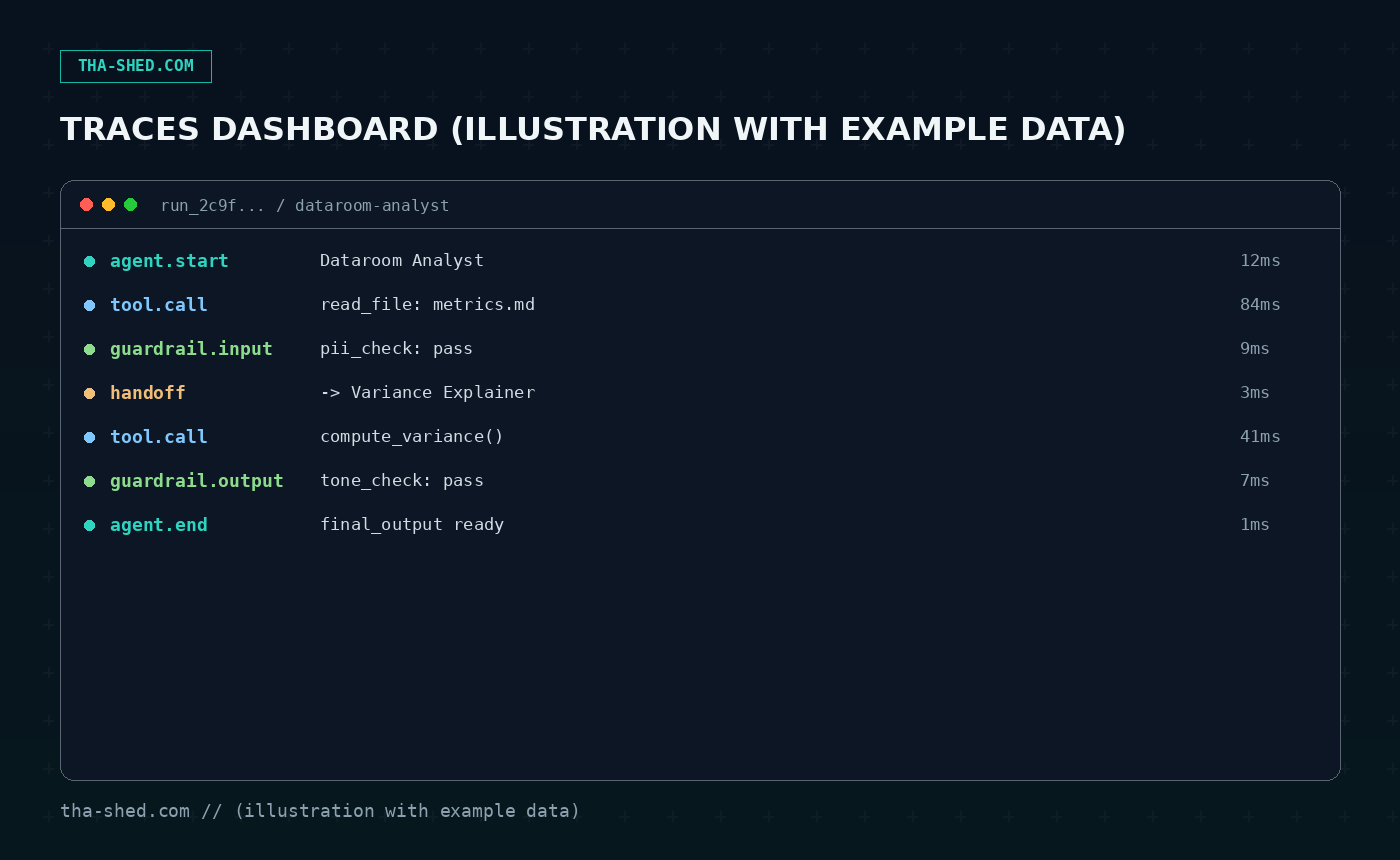
Third, narrow the manifest. Give the agent the smallest set of files and directories that lets it do the job, not your whole home directory or your whole repo. And fourth, actually read the traces occasionally instead of trusting the final output blindly. The tracing dashboard exists so you can catch an agent quietly retrying a failed tool call five times before it "succeeds," which is a pattern worth noticing before it ships to production.
Usage and cost notes
The Agents SDK itself is free and open source. What costs money is the model usage underneath it, billed at standard OpenAI API rates based on tokens and tool calls, same as calling the API directly. Sandbox execution can add a small amount of compute cost depending on which provider you use (Daytona, E2B, Modal, Cloudflare, and a few others are supported out of the box, or you can run a local sandbox for free during development). A good habit: prototype locally with a local sandbox client, and only move to a hosted sandbox provider once you're running this in something that looks like production.
FAQ
Do I need to use OpenAI models specifically?
No. The SDK is provider-agnostic and works with the Responses and Chat Completions APIs plus over a hundred other LLMs through adapters like LiteLLM, though the newest sandbox and harness features are tuned closest to OpenAI's own models.
How is this different from LangGraph or CrewAI?
They solve overlapping problems, but the Agents SDK leans harder into being a thin, opinionated harness close to the model provider, with native sandbox execution built in rather than bolted on. If you're already deep in a different framework's ecosystem, that's a reasonable reason to stay put. If you're starting fresh and want file access and tracing out of the box, this is a shorter path.
Is my data safe running in a sandbox?
The manifest system is designed so you control exactly what the agent can see, and separating harness from compute means credentials don't live inside the environment where model-generated code executes. That said, treat any sandbox like you would treat handing a contractor scoped access. Least privilege still applies.
The gap between "cool AI demo" and "thing that saves my team two hours a week" is almost always infrastructure: file access, guardrails, and a way to trust what happened. That's what this SDK is actually for. Start with one narrow agent, one narrow task, and let the tracing convince you before you hand it anything bigger. If you want the MCP side of this stack too, our Claude MCP connectors walkthrough pairs well with it, and if multi-agent orchestration is more your speed, see our CrewAI tutorial for a different take on the same problem. Want structured, hands-on practice instead of just reading about it? Check our courses.