ChatGPT is the AI tool most of your team already opens every day, which is exactly why most people use it badly. They paste a question, grab the first answer, and move on. For DevOps and security work, that is how you ship a config you do not understand or trust output you never reviewed. This tutorial fixes that. It shows you how to set ChatGPT up as a real part of your workflow, with seven concrete patterns, the prompts to run them, and the gotchas that actually matter in 2026.
What ChatGPT Actually Is in 2026
ChatGPT is OpenAI’s conversational assistant, but the chat box is the smallest part of it now. The version you should care about as an engineer bundles several pieces: the core models (GPT-5.5 on paid tiers, with a Pro variant for harder reasoning), Projects for organizing related chats with shared instructions, custom GPTs you configure once and reuse, Deep Research for long multi-source investigations, Agent Mode for multi-step tasks that touch tools, and Codex, a cloud software-engineering agent that reads your repo, runs tests, and opens pull requests. If you have only ever typed questions into the box, you have been using maybe ten percent of what you pay for.
Quick Setup
Pick the tier that matches how often you lean on it. Free gives you GPT-5.3 with tight daily caps. Go, at roughly $8 a month, lifts those limits. Plus, at $20 a month, is the sweet spot for individual engineers and unlocks GPT-5.5, Deep Research, Codex, and Agent Mode. Pro, at $200 a month (with a lighter $100 tier added in April 2026), buys far higher limits and the Pro model for people who live in it all day. For teams, Business runs around $20 to $25 per seat and adds shared workspaces, SSO, admin controls, and, critically, your data is excluded from training by default. Enterprise adds data residency, audit logs, and an SLA.
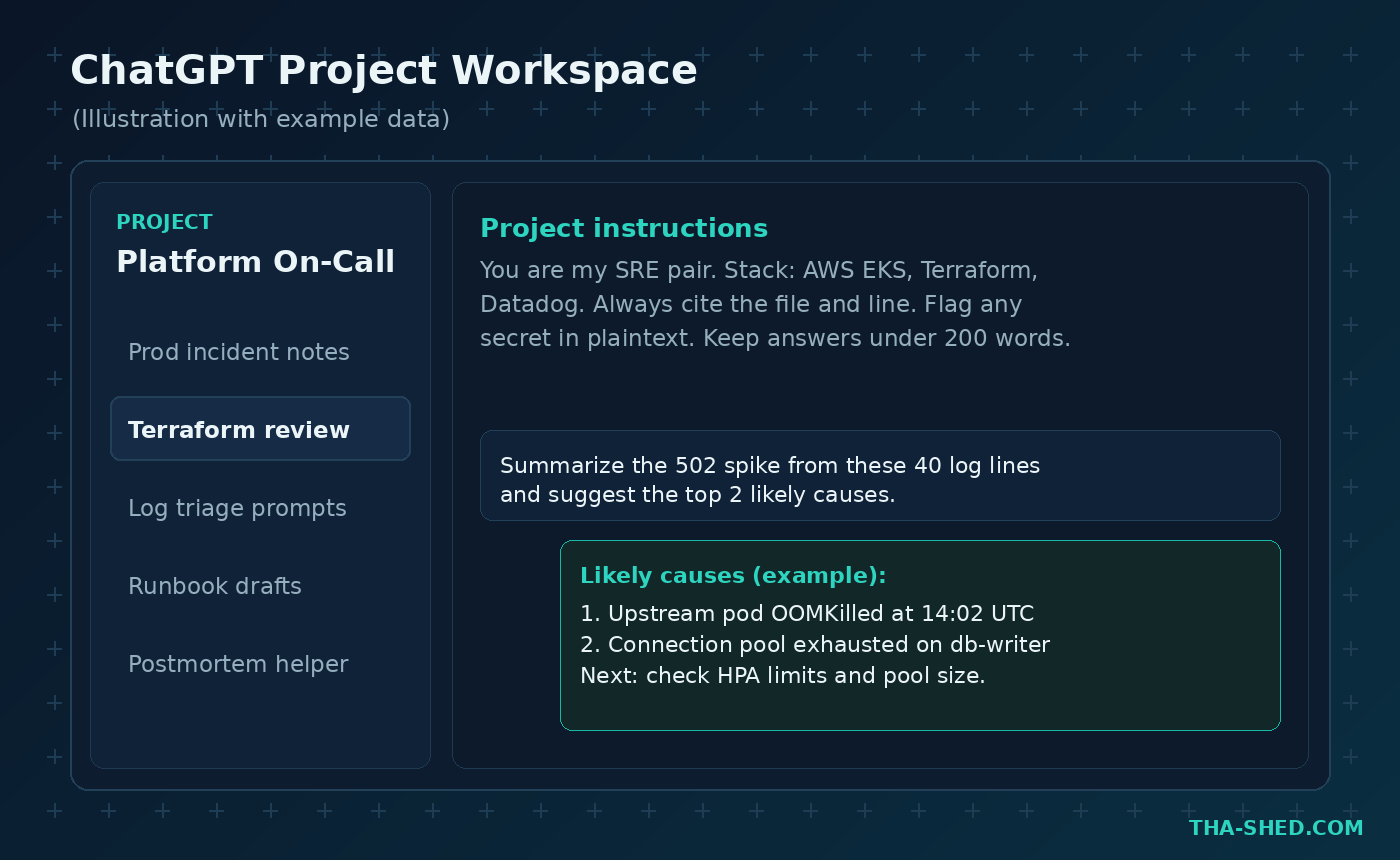
Once you are in, do two things before anything else. Turn off model training on your data if you are on a personal plan and handling anything sensitive (Settings, then Data Controls). Then create your first Project. That single habit changes how useful ChatGPT becomes.
The Mindset: Treat It Like a Sharp Junior, Not an Oracle
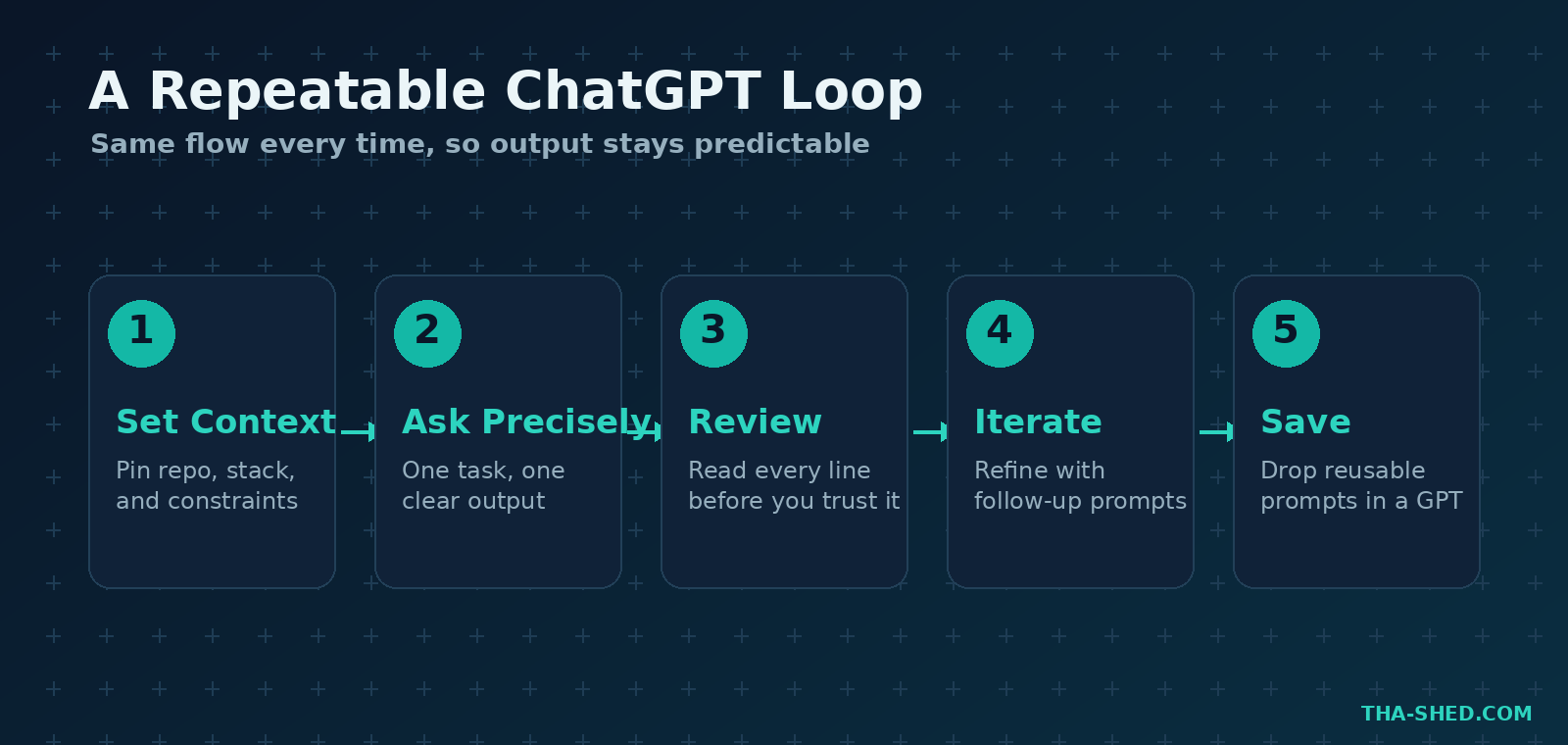
The biggest productivity unlock is not a feature. It is how you frame the relationship. ChatGPT is a fast, confident, occasionally wrong colleague who has read everything and remembers nothing about your specific systems unless you tell it. So you give it context, you give it one clear job, and you review its work like you would review a junior engineer’s pull request. Never paste an answer into production you could not defend in a code review. The people who get the most out of it are not the ones with magic prompts. They are the ones who set context well and check the output every time.
7 Workflows That Pay Off
1. Triage a Production Incident
When alerts fire, speed matters and a second set of eyes helps. Drop your logs into a Project that already knows your stack and ask for a ranked hypothesis, not a fix.
Prompt: “Here are 40 log lines from a 502 spike at 14:00 UTC on our EKS cluster. Give me the two most likely root causes, the evidence for each, and the exact command to confirm. Do not suggest changes yet.”
2. Review a Diff for Security Issues
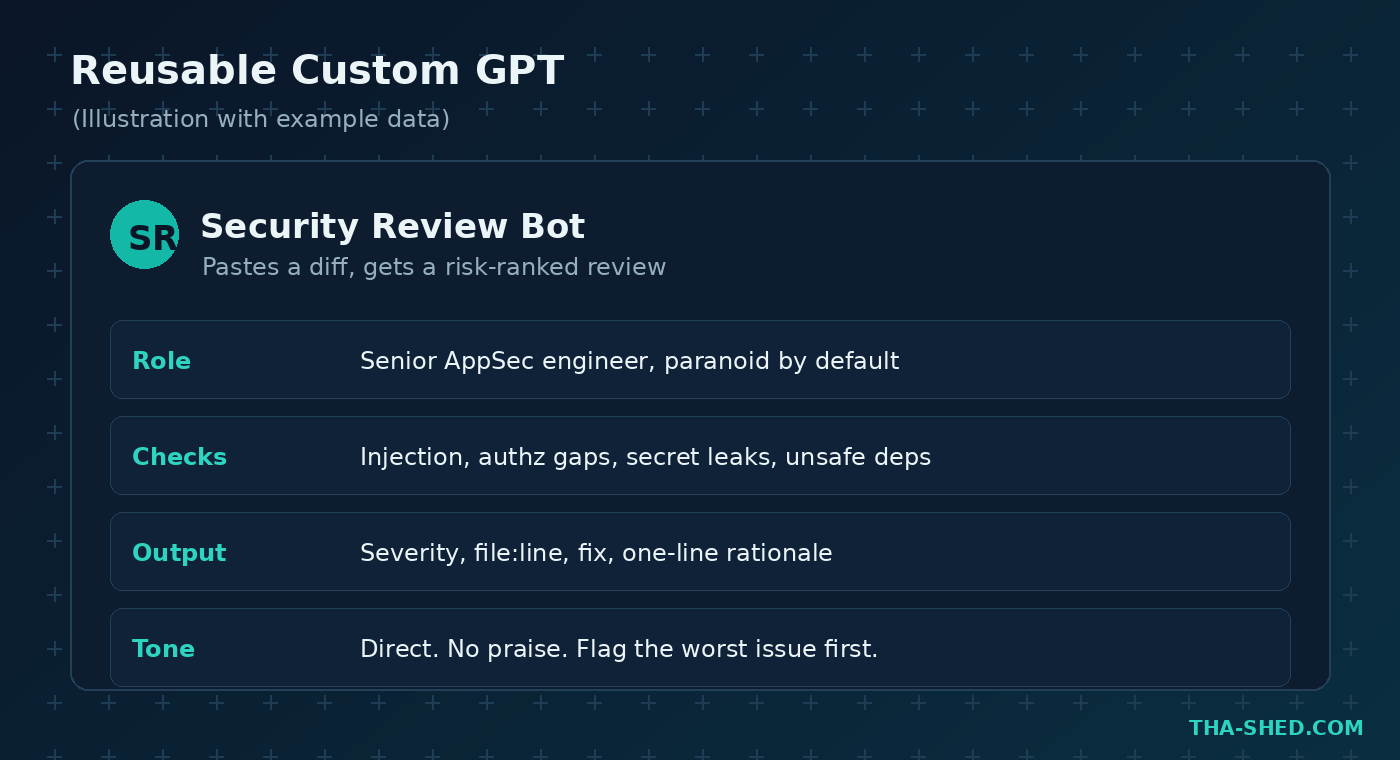
Build a custom GPT once, then reuse it on every change. Configure it as a paranoid AppSec reviewer that ranks findings by severity and cites file and line.
Prompt: “Review this diff. Flag injection, broken authorization, secret leaks, and unsafe dependencies. Output severity, the file and line, a one-line fix, and a one-line reason. Lead with the worst issue. Skip praise.”
3. Explain Unfamiliar Code or Config
Inheriting a legacy Terraform module or a tangle of bash is where ChatGPT shines. Ask it to teach, not just summarize.
Prompt: “Walk through this Terraform module top to bottom. For each resource, tell me what it provisions, what it depends on, and one risk if I change it. Then list anything that looks like drift waiting to happen.”
4. Generate Tests and Edge Cases You Would Forget
Models are good at the boring, exhaustive thinking humans skip. Use that for coverage.
Prompt: “Here is a function that parses user-supplied YAML. Write table-driven tests covering malformed input, deeply nested keys, duplicate keys, and oversized payloads. Explain what each case protects against.”
5. Offload Multi-Step Coding to Codex
For changes that span files, Codex runs in its own cloud sandbox, executes your tests, and proposes a pull request you review. Point it at a real ticket.
Prompt: “In this repo, add structured JSON logging to the auth service, keep the existing log levels, update the affected tests, and open a PR. Note any place you were unsure.”
6. Turn Research Into a Decision Memo
Deep Research reads many sources and cites them. Use it for tooling decisions, not vibes.
Prompt: “Compare three secrets-management options for a small Kubernetes shop on cost, rotation support, audit logging, and operational burden. Cite sources and end with a recommendation for a five-person team.”
7. Draft the Writing Nobody Wants to Do
Postmortems, runbooks, and change requests are real work that eats real hours. Give ChatGPT the facts and a template.
Prompt: “Draft a blameless postmortem from these notes. Sections: impact, timeline in UTC, root cause, what went well, action items with owners. Keep it factual and under 500 words.”
Safety and Gotchas
A few rules keep this from biting you. First, never paste secrets, customer data, private keys, or internal hostnames into a personal-tier chat. Assume anything you type could surface somewhere you did not intend, and use a Business or Enterprise workspace for anything sensitive. Second, treat confident answers about versions, flags, and API shapes as suspect. Models hallucinate exact syntax, so verify against official docs before you run it. Third, watch for prompt injection when you feed in content from tickets, emails, or scraped pages, because hidden instructions in that text can hijack an agent. Fourth, agents that can run commands or touch your repo need guardrails and a human reviewing every pull request. Speed is the point, but unreviewed automation is how a bad change reaches production at machine speed.
Usage and Cost Tips
Most engineers do not need the $200 tier. Start on Plus, and only move up if you genuinely hit limits on Deep Research or Codex runs. If your whole team uses it, Business is usually cheaper than several individual Plus seats once you count the admin controls and the default data protection, which you want anyway. Lean on Projects to avoid re-explaining your stack in every chat, since that saves both your time and your message budget. Save your best prompts as custom GPTs so you are not rebuilding the same reviewer or the same runbook generator twice. And batch the heavy stuff: kick off a Deep Research run or a Codex task, go do other work, and come back when it is done rather than babysitting the screen.
FAQ
Is ChatGPT safe to use for work code?
It can be, on the right plan. Business and Enterprise exclude your data from training by default and add admin controls, so they are the safe choice for proprietary code. On personal plans, turn off training and never paste secrets or customer data.
What is the difference between Codex and just chatting?
Chatting gives you suggestions you copy and paste. Codex is an agent that clones your repo into a sandbox, edits files, runs your tests and linters, and opens a pull request you review. Use chat for questions and small snippets, and Codex for multi-file changes tied to a real task.
Which plan should a solo DevOps engineer get?
Plus at $20 a month is the right starting point for almost everyone. It includes GPT-5.5, Deep Research, Agent Mode, and Codex access, which covers every workflow in this guide. Move to Pro only if you consistently hit usage caps.
Start Small, Then Systematize
Pick one workflow from this list, ideally incident triage or diff review, and run it for a week inside a single Project with good instructions. Once it earns its place, turn your best prompt into a custom GPT and add the next workflow. That is how ChatGPT goes from a fancy search box to a genuine force multiplier. If you want a guided path for the DevOps and security skills behind these prompts, browse our courses, and if you also live in the terminal, pair this with our Claude Code tutorial for agentic work where you code. For the current plan details and feature lists, check the OpenAI Help Center and the Codex page.