Most engineers meet Claude Code, type a question, get a decent answer, and walk away thinking it is just another chatbot in a terminal. That is the wrong frame. Claude Code is an agentic coding tool that lives in your terminal, reads your whole repo, runs commands, edits files, and drives git for you. Used right, it stops being a tool you ask things and becomes a teammate you delegate to. This tutorial shows DevOps and security pros how to actually get productive with it.
What Claude Code actually is
Claude Code is Anthropic’s command line agent. It is not an IDE plugin and it is not a website. It runs where your work already happens: the terminal, your CI runners, your servers. It understands a codebase by reading files on demand, it executes shell commands with your approval, and it handles routine git workflows through plain English. Under the hood it runs on Claude’s Sonnet and Opus models, and the same engine powers extensions like subagents, hooks, and Model Context Protocol connectors that we will use below.
If you have read our Cursor tutorial or the GitHub Copilot walkthrough, think of Claude Code as the terminal-native cousin. It shines when work spans many files, shell steps, and tools rather than single-function autocomplete.
Quick setup
The native installer is now the method Anthropic tests and supports, and it needs no Node.js at all. Pick your platform:
- macOS, Linux, or WSL:
curl -fsSL https://claude.ai/install.sh | bash - Windows PowerShell:
irm https://claude.ai/install.ps1 | iex - Homebrew:
brew install --cask claude-code
The older npm route still works if you already live in Node land: npm install -g @anthropic-ai/claude-code with Node 18 or later. After install, change into a project directory and run claude. The first launch opens your browser for an OAuth sign in to your Anthropic account, and then you are talking to your repo. Full instructions live in the official setup docs.
The mindset: delegate outcomes, not keystrokes
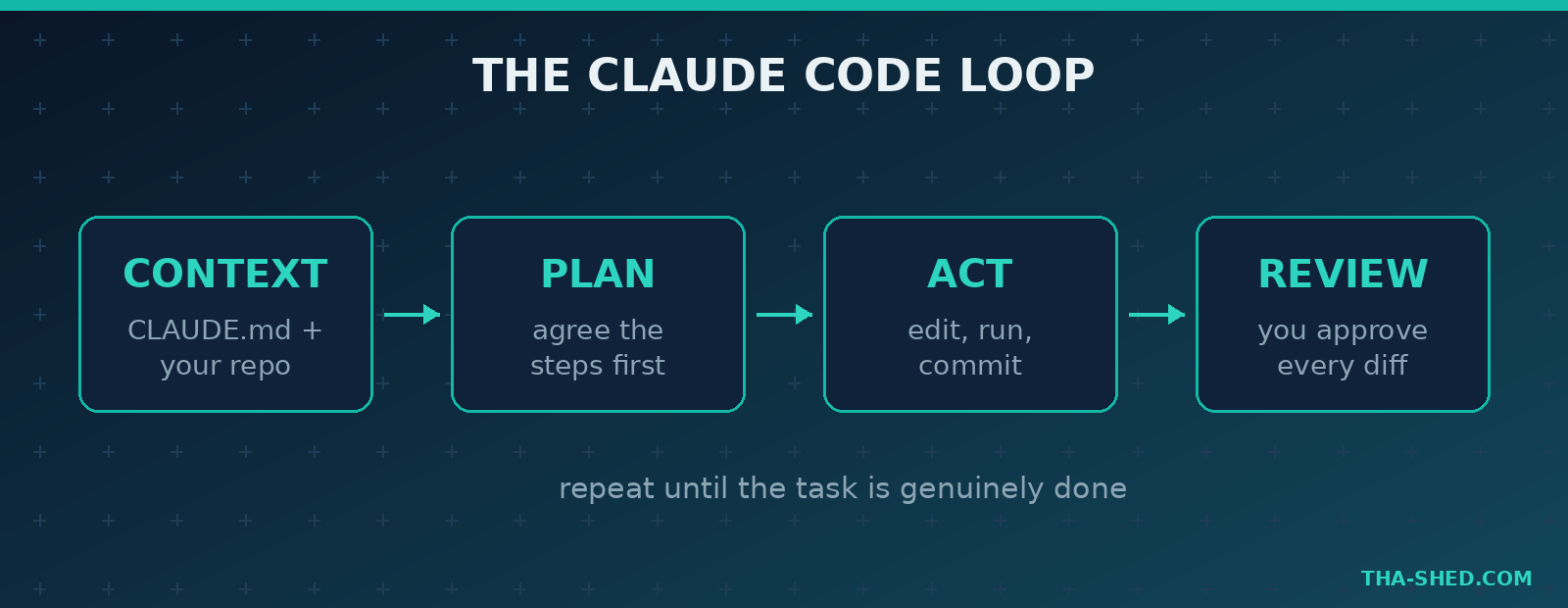
Here is the principle that separates people who love Claude Code from people who bounce off it. Stop thinking line completion. Start thinking task delegation. You would not tell a junior engineer which keys to press. You would describe the outcome, point at the relevant context, and review the result. Claude Code rewards the same habit.
That means three things. First, give it context up front with a CLAUDE.md file in your repo root, which acts as the project’s constitution: build commands, conventions, gotchas, and what not to touch. Second, let it plan before it edits. Third, review every diff like you would review a teammate’s pull request. The model is fast and confident, which is exactly why your judgment is the safety layer.
7 workflows that save real hours
1. Onboard to a strange codebase
Dropped into a repo you have never seen? Ask for the map before you read a single file. Try: “Explain this repo’s architecture, where requests enter, how config is loaded, and the three files I should read first.” Claude Code traces the structure and hands you a tour instead of a wall of folders.
2. Plan before you let it touch anything
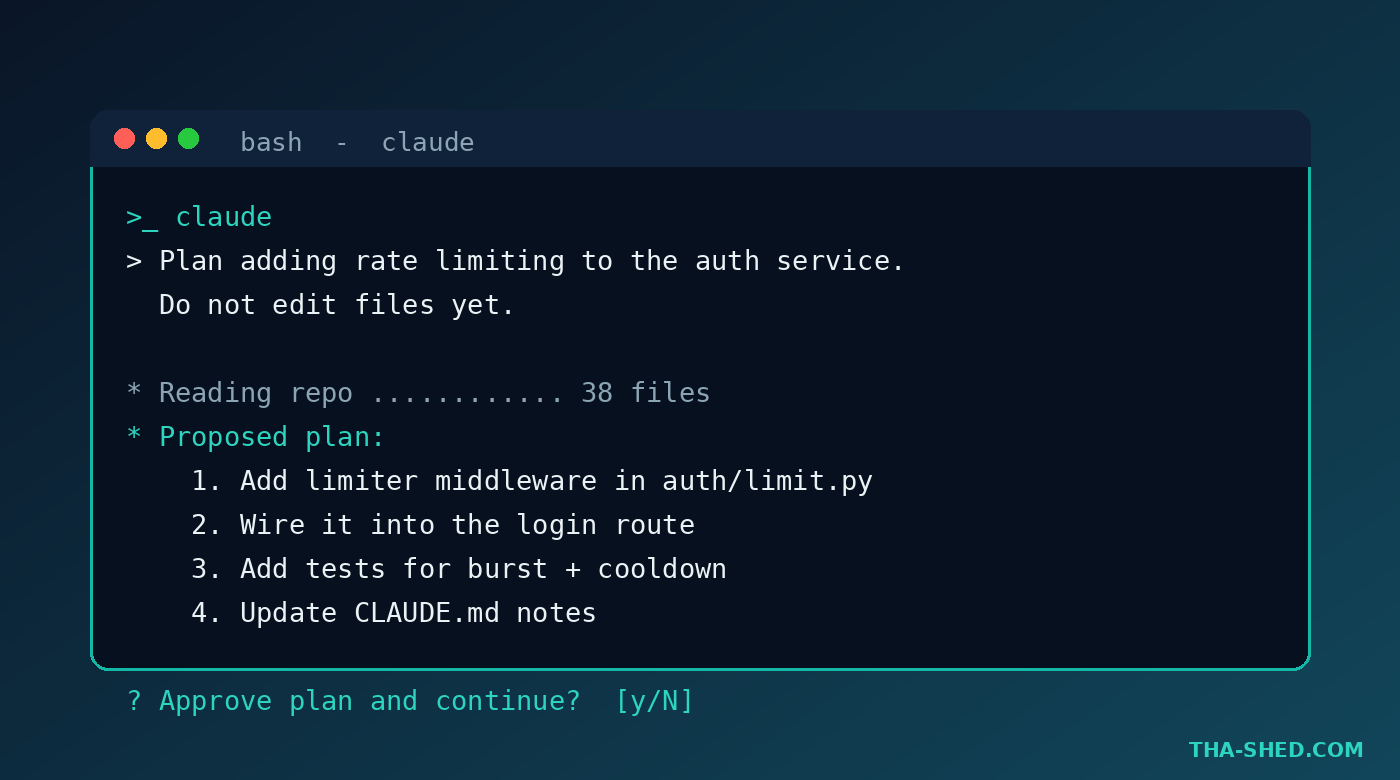
Use plan mode for anything non trivial. Type your request, then ask it to produce a plan only: “Plan the change to add rate limiting to the auth service. Do not edit files yet.” You get a step list you can correct before a single line changes. This one habit prevents most runaway edits.
3. Fix the failing build from the error
Paste the stack trace or just point it at CI. Example: “The pipeline fails on the lint stage. Read the error, find the cause, fix it, and run the linter to confirm.” Because it can run commands, it closes the loop itself: change, test, repeat, until green.
4. Write and run the tests
Coverage gaps are perfect delegation. “Add unit tests for the token refresh logic, cover the expired and malformed cases, and run the suite.” Reviewing generated tests is far faster than writing them from scratch, and the model will surface edge cases you forgot.
5. Drive git without memorizing flags
Let it handle the plumbing. “Stage only the changes in the parser module, write a conventional commit message, and open a draft PR summarizing the fix.” It handles branches, commits, and history cleanup so you stay in the problem, not the syntax.
6. Spin up a subagent crew for big jobs
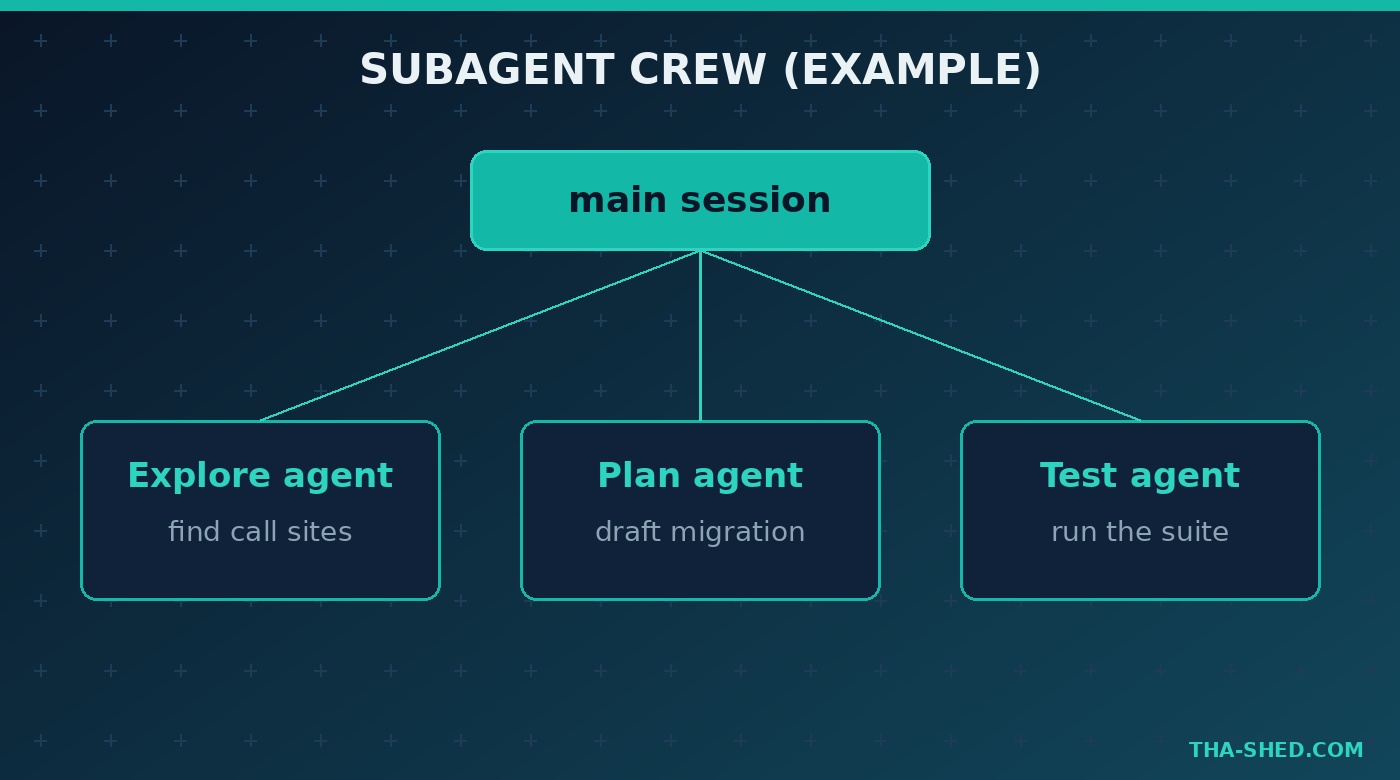
Claude Code can dispatch subagents, including read only Explore agents and a Plan agent, to fan out work. For a large refactor: “Use an Explore subagent to find every call site of the old client, then plan a migration to the new one.” The main session stays focused while helpers do the searching.
7. Connect your real tools with MCP
Model Context Protocol connectors plug Claude Code into external services: GitHub, databases, browser automation, internal APIs. Once a server is registered, you can say “Pull the three most recent failed runs from CI and summarize the common cause” and it reasons over live data instead of guesses. This is where the terminal agent turns into an operations assistant.
Safety and gotchas
Speed cuts both ways. A few rules keep you out of trouble. Never auto approve destructive commands; read what it wants to run before you say yes, especially anything touching production, secrets, or rm. Treat the model’s confidence as a prompt to verify, not a guarantee. For security teams, remember that anything you paste into context can be seen by the model, so keep real credentials, customer data, and private keys out of prompts and out of the repo. MCP connectors and hooks run with real permissions, so scope them tightly and review what each one can reach. The agent is powerful precisely because it can act, which means a careless yes can do real damage.
Cost and usage tips
You can run Claude Code on a Claude subscription or on pay as you go API billing. The subscription tiers most individuals use are:
- Pro at about 20 USD per month for focused daily coding sessions.
- Max 5x at roughly 100 USD per month for heavy all day use.
- Max 20x at roughly 200 USD per month for treating it as a constant co-pilot.
To stretch whichever plan you pick: keep a tight CLAUDE.md so it wastes fewer turns rediscovering your setup, use plan mode to avoid expensive wrong edits, start fresh sessions for unrelated tasks so context stays lean, and prefer the smaller model for routine work, saving the larger one for genuinely hard reasoning. Most waste comes from vague prompts that send the agent wandering, so be specific about the outcome and the files that matter.
FAQ
Is Claude Code free to use?
There is a free Claude tier, but serious Claude Code use generally needs a paid plan or API billing. The Pro plan at about 20 USD per month is the common starting point for individual developers, with Max plans for heavier daily workloads.
Do I need to know how to code to use Claude Code?
You get far more value if you can read code and review a diff. It will write and run code for you, but you are the reviewer of record. Treat it like managing a fast junior engineer rather than a magic button, and you will ship safely.
How is Claude Code different from Cursor or GitHub Copilot?
Cursor and Copilot are built into the editor and excel at in line suggestions and chat. Claude Code is terminal native and agentic, so it is stronger at multi file, multi command jobs like fixing a build, running tests, and driving git end to end. Many engineers use both.
Start delegating today
The fastest way to learn Claude Code is to give it a real task you have been avoiding, watch how it plans, and review the result. Pick one workflow above, point it at your messiest repo, and see how much you can hand off. When you are ready to go deeper on the skills that make agentic tools pay off, explore the hands on tracks in our courses and keep leveling up.