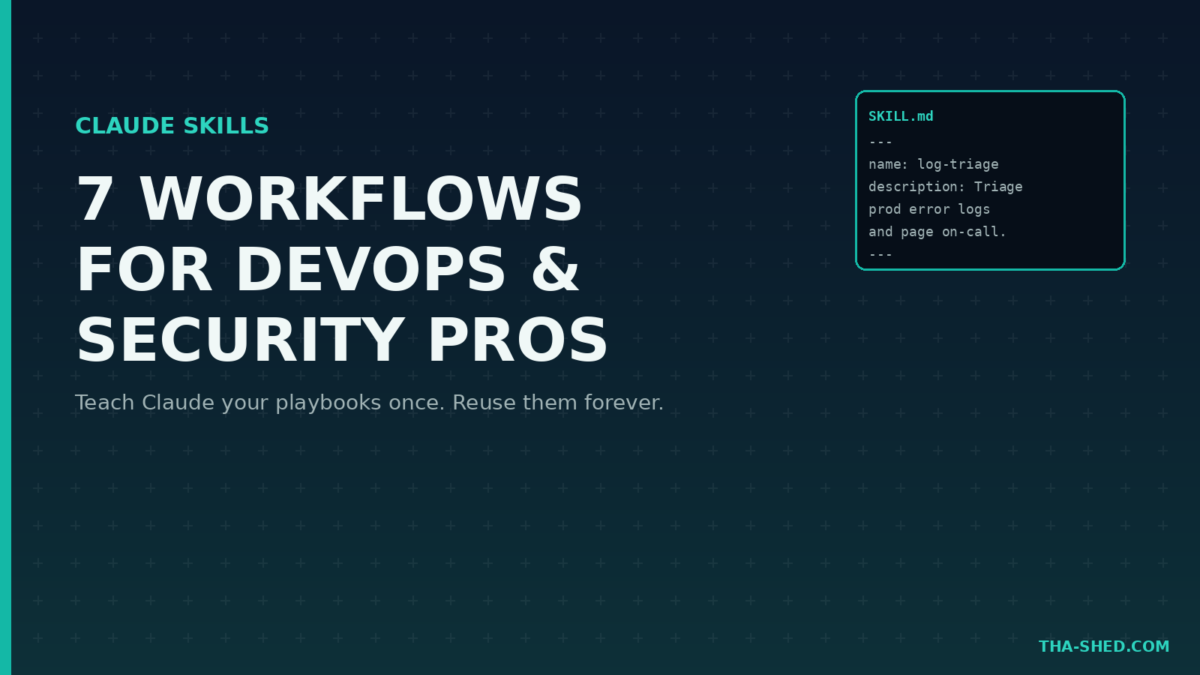
Claude Skills let you teach Claude a procedure once and have it applied correctly every time after, across Claude.ai, Claude Code, Cowork, and the API. No more re-explaining your incident postmortem format in every chat. No more pasting the same audit checklist into a prompt for the fifth time this month. Write it down once as a skill, and Claude loads it automatically whenever the task matches.
If you are on a DevOps or security team, this is the feature that turns “I know how we do this” into something Claude actually knows too. Here is how to get real use out of it.
What Claude Skills Actually Are
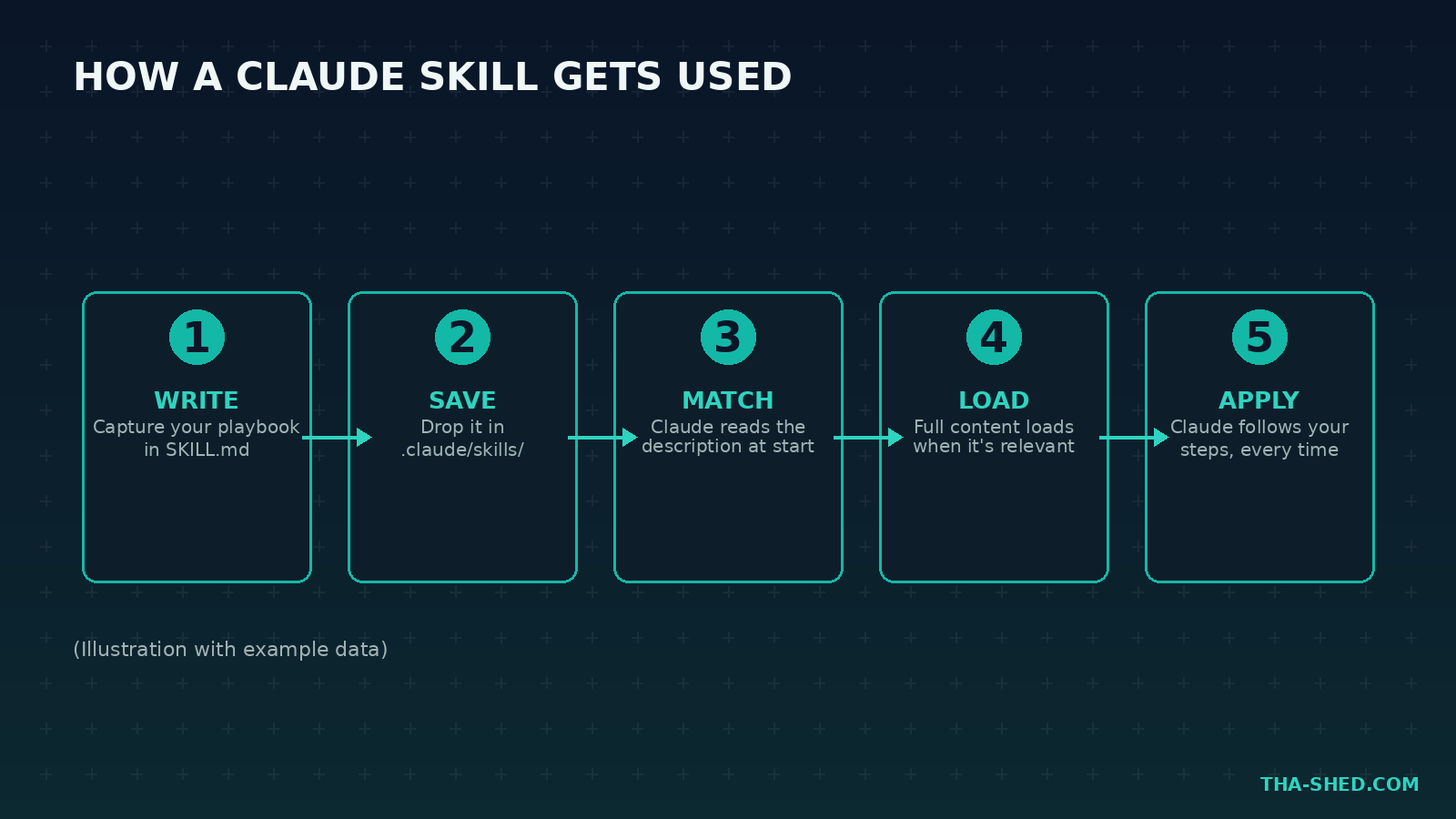
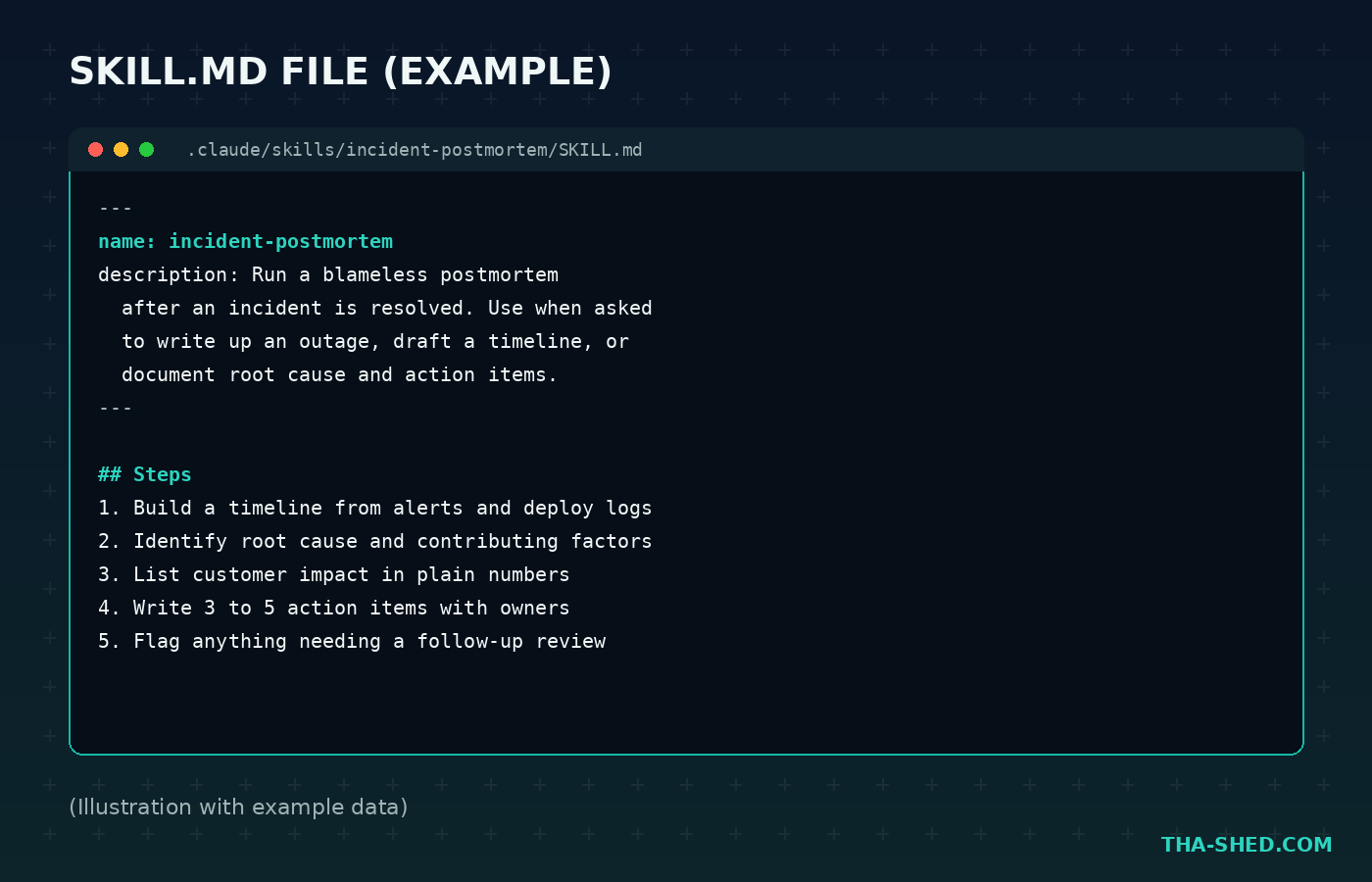
A skill is a folder containing a SKILL.md file: plain Markdown with a name, a description, and instructions. You can bundle reference files, scripts, or templates alongside it. Claude reads the short description at the start of every session, at almost no context cost, and only loads the full instructions when your task actually matches. Build a skill once and it works the same way in Claude.ai, Claude Code, and through the API, no rewriting for each surface.
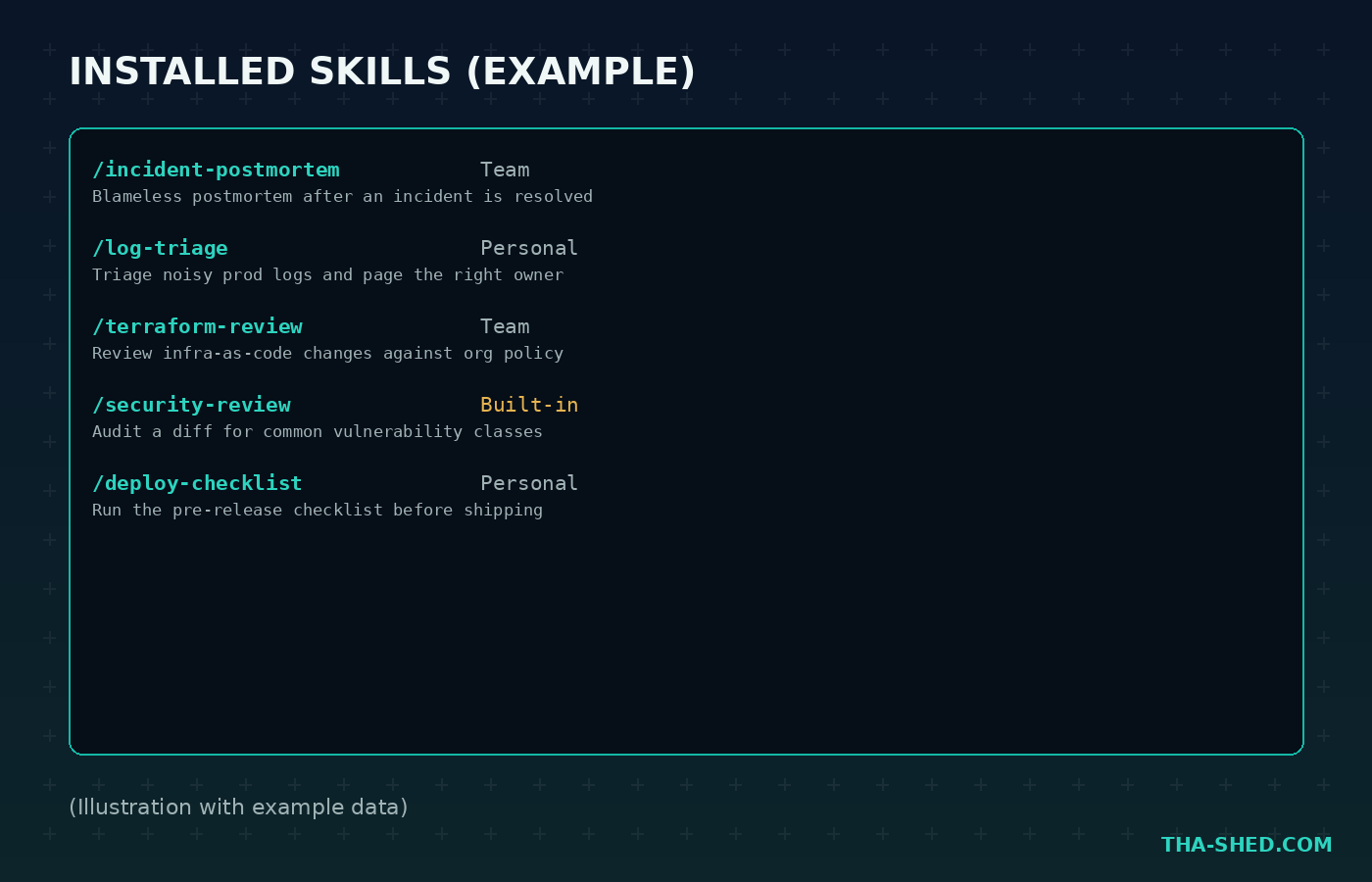
Anthropic ships built-in skills for common jobs like creating spreadsheets with working formulas or building slide decks. You can add your own for team procedures, or personal ones for how you specifically like to work. They can also stack: Claude combines multiple skills for a multi-step job without you manually selecting each one.
Quick Setup
- In Claude.ai or Cowork: go to Settings, then Capabilities, and turn skills on. Anthropic’s built-in skills are available immediately.
- In Claude Code: create a folder under
.claude/skills/, add aSKILL.mdfile with anameanddescriptionin the frontmatter, and write your steps underneath in plain Markdown. Claude Code picks it up automatically at session start. - Let Claude build it for you. Use the built-in skill-creator skill: describe what you want in plain English and Claude generates the folder structure, formats the SKILL.md file, and bundles any supporting resources.
That is it. No deployment step, no plugin registry to publish to unless you want to share it with others.
The Mindset: Write the Playbook You Already Have in Your Head
The mistake people make with skills is trying to write generic ones. That is what CLAUDE.md and good prompting are for. Skills earn their keep on things you do the same way every time: your team’s incident postmortem format, the specific checks a security review always includes, the exact structure your change requests take. If you have pasted the same instructions into a chat three times, that is your signal. Write it down as a skill instead of retyping it a fourth time.
Also do not confuse a skill with an MCP server. MCP gives Claude a connection to an external system. A skill gives Claude the knowledge of how to use that connection well, or how to do a task that needs no external system at all. They work well together, but they solve different problems.
7 Workflows That Actually Save Time
1. Package your incident postmortem format
Stop re-explaining your postmortem structure every time there is an outage.
"Use the incident-postmortem skill to write up last night's checkout outage: build a timeline from the deploy log and alerts, then draft root cause and action items."
2. Standardize a security review checklist
Turn your team’s actual review criteria into something Claude checks every pull request against, not just the checks it thinks to run.
"/security-review this PR against our standard checklist: auth checks, input validation, secrets handling, and dependency risk."
3. Enforce a change-request format for CAB approval
If every change request needs the same fields (impact, rollback plan, blast radius), a skill guarantees Claude never skips one.
"Draft a change request for tomorrow's database migration using our change-request skill format."
4. Triage on-call noise with your own conventions
Build a personal skill that knows your alert severity levels and escalation paths.
"Use my log-triage skill on the last hour of PagerDuty alerts and tell me what actually needs a human."
5. Keep compliance answers consistent
Package your SOC 2 or ISO 27001 control language into a skill so every auditor question gets the same accurate answer instead of a freshly improvised one.
"Answer this auditor question about access control using our compliance-answers skill."
6. Scaffold a new skill from a conversation you just had
Did Claude just do something useful in a one-off chat that you will want again? Turn it into a skill on the spot.
"Turn what we just did, reviewing this Terraform plan for drift, into a reusable skill called terraform-review."
7. Stack skills for a full audit
Combine a checklist skill with subagents for parallel, isolated work on a bigger review.
"Run our terraform-review and security-review skills against this infra change, using subagents so each check stays isolated, then give me one combined summary."
Gotchas and Safety Notes
Skills are not sandboxed the way a permissioned tool call is. The instructions inside a SKILL.md run with whatever access Claude already has in that session, so a skill you did not write and did not read is a real supply chain risk, not a theoretical one. Before you install a skill someone else built, especially anything pulled from a public repo or marketplace, read the SKILL.md the same way you would review a shell script before running it.
For skills with side effects, like anything that sends a message, files a ticket, or issues a refund, set disable-model-invocation: true in the frontmatter so Claude never triggers it automatically. You stay the one who decides when it runs. And if a skill is meant to be organization-wide policy rather than a suggestion, do not rely on the description alone to guarantee it fires. A hook is the tool for “this must happen every time.” A skill is the tool for “here is how to do this well when it comes up.”
Usage and Cost Tips
Skills are cheap by design. Only the name and description load into context at session start, and that is a small amount of text even with a dozen skills installed. The full instructions load only when a skill actually gets used. If you have a skill you only ever trigger yourself and never want Claude guessing about, set disable-model-invocation: true so its description does not even load by default, which saves a sliver of context on every single request.
Skills themselves do not carry a separate price tag: they run on your existing Claude, Claude Code, or API usage. The cost lever that matters is keeping the instructions inside a skill tight. A bloated SKILL.md with pages of rarely needed detail costs real tokens the moment it loads, so keep the core steps short and put reference material in a separate file the skill only pulls in when needed.
FAQ
Can I use the same skill in Claude Code and Claude.ai?
Yes. Skills are built once and run the same way across Claude.ai, Claude Code, Cowork, and the API, so a team procedure only needs to be written a single time.
How is a skill different from an MCP server?
MCP connects Claude to an external system, like a database or Slack. A skill is knowledge and workflow instructions, like your team’s schema conventions or a deployment checklist. They complement each other rather than compete.
Do skills work with subagents?
Yes, and it is one of the more powerful combinations. A subagent can preload specific skills at launch, so a parallel worker gets full domain knowledge without bloating your main conversation’s context.
Get to Work
The teams getting the most out of Claude are not the ones with the cleverest one-off prompts. They are the ones who stopped re-explaining themselves and started writing their procedures down once. Start with the checklist you have retyped the most this month and turn it into a skill today.
For more on connecting Claude to your actual infrastructure rather than just teaching it procedures, see our guide to building Ruby MCP servers. And if you want the terminal-native side of this workflow, our Claude Code tutorial covers the coding-agent half of the picture. For a structured path through the rest of the DevOps toolchain, check out our DevOps Boot Camp.