Most engineers meet Claude Code, get a slick answer to one question, and never go deeper. That is a waste. Claude Code is an agentic coding tool that lives in your terminal, reads your repo, runs commands, and edits files through plain English. For DevOps and security work, that turns into real leverage: faster triage, cleaner pipelines, and fewer 2am mistakes. This tutorial shows you how to actually be productive with it.
What Claude Code Actually Is
Claude Code is Anthropic’s command line agent. You install it, point it at a project, and talk to it the way you would brief a sharp junior engineer who never gets tired. It understands your codebase, executes routine tasks, explains gnarly code, and handles git workflows, all through natural language. Under the hood it runs on Anthropic’s Sonnet and Opus models, with Opus reserved for the heavier reasoning.
The thing that separates it from a chat window is agency. It can read files, grep your repo, run your test suite, open a pull request, and check the output, then loop until the job is done. You stay in the loop with plan mode and permission prompts, so it is not a runaway robot. It is a tool that does the boring 80 percent while you supervise the risky 20 percent.
Quick Setup
Getting started takes about five minutes. The recommended path is the native installer, though the classic npm route still works:
npm install -g @anthropic-ai/claude-code
cd /path/to/your/project
claude
You authenticate with your Claude subscription or an API key on first launch. Then create a CLAUDE.md file at your project root. This is the single highest leverage move in the whole tool. It tells Claude your stack, your conventions, and your common commands, so it follows your rules from the first prompt of every session. CLAUDE.md supports a three level hierarchy: user level at ~/.claude/CLAUDE.md, project level at ./CLAUDE.md, and directory level like ./src/CLAUDE.md, merged from general to specific.
A starter CLAUDE.md might say: “This is a Terraform and Python repo. Run tests with make test. Never commit to main. Use OIDC, never long lived keys. Lint with ruff before every commit.” Now every suggestion respects those guardrails.
The Mindset That Makes It Click
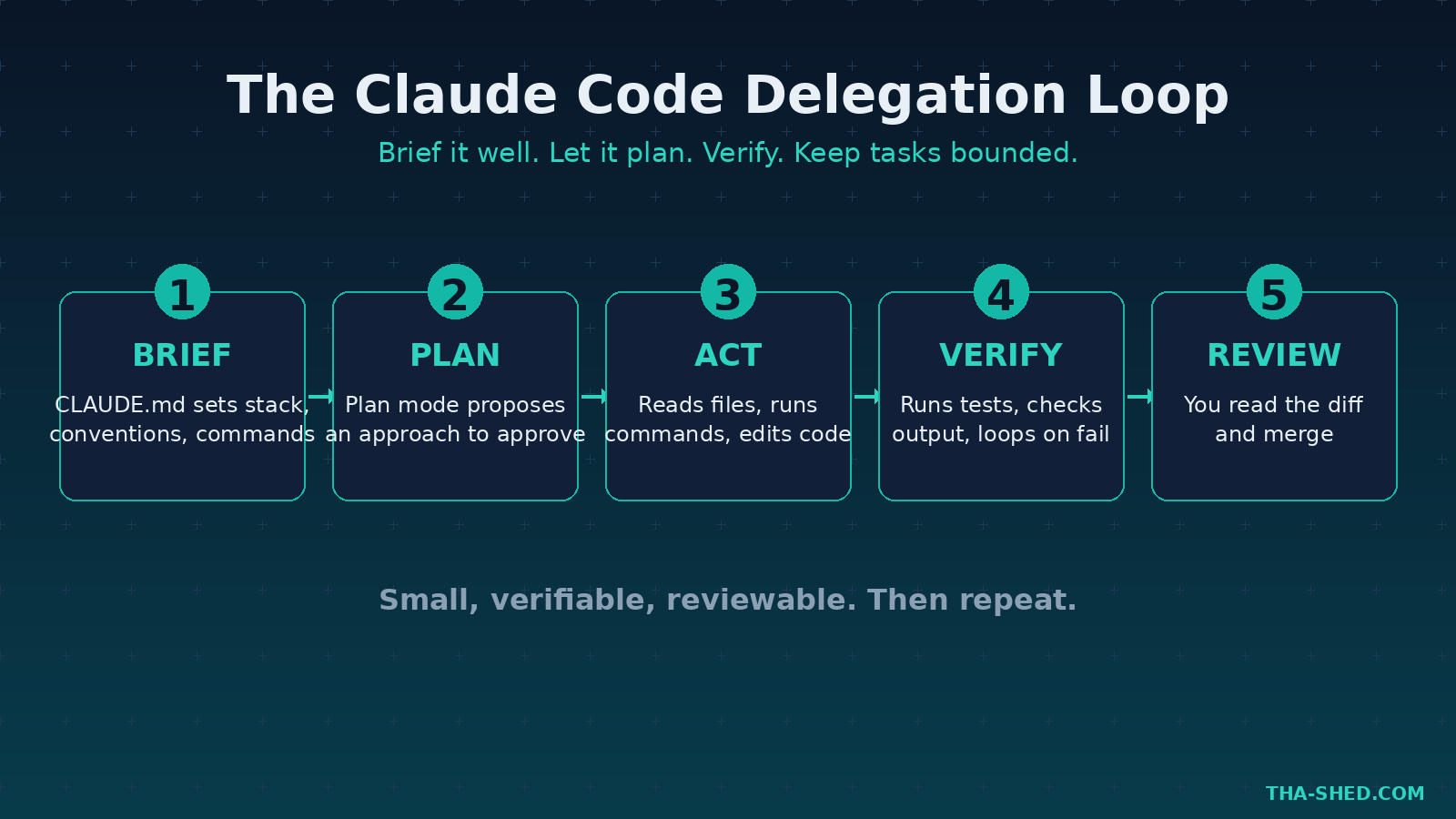
Here is the principle most people miss: treat Claude Code like a teammate you delegate to, not a vending machine you query. Vending machine thinking gives you one prompt, one answer, done. Delegation thinking gives you a plan, a review, and an iteration loop. The second one ships real work.
That means three habits. First, let it plan before it acts. Hit plan mode (cycle input modes with Shift and Tab) so it proposes an approach you approve before any file changes. Second, give it the tools to verify its own work, like your test command, so it catches its own mistakes. Third, keep tasks bounded. “Refactor the auth module and add tests” beats “make the app better” every time. Small, verifiable, reviewable. That is the rhythm.
7 Workflows for DevOps and Security Pros
1. Hardening a CI/CD pipeline
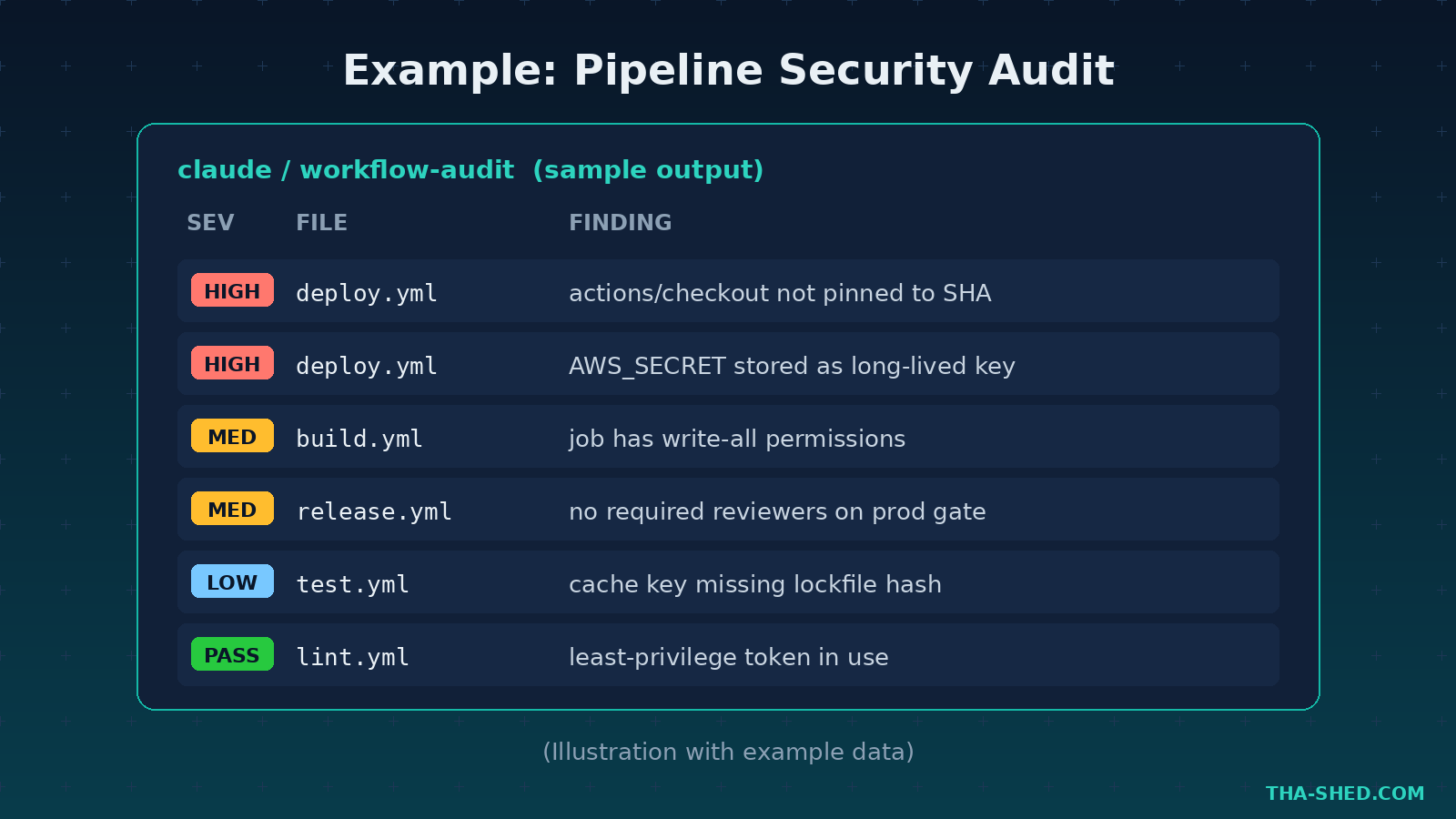
Point Claude at your workflow files and ask it to find weak spots. Example prompt: “Review .github/workflows for security issues. Flag any action not pinned to a SHA, any use of stored long lived secrets instead of OIDC, and any job with write permissions it does not need. Propose a least privilege fix for each.” Pair this with our GitHub Actions secure pipeline guide and you have a real audit, not a vibe check.
2. Triaging a failing test or build
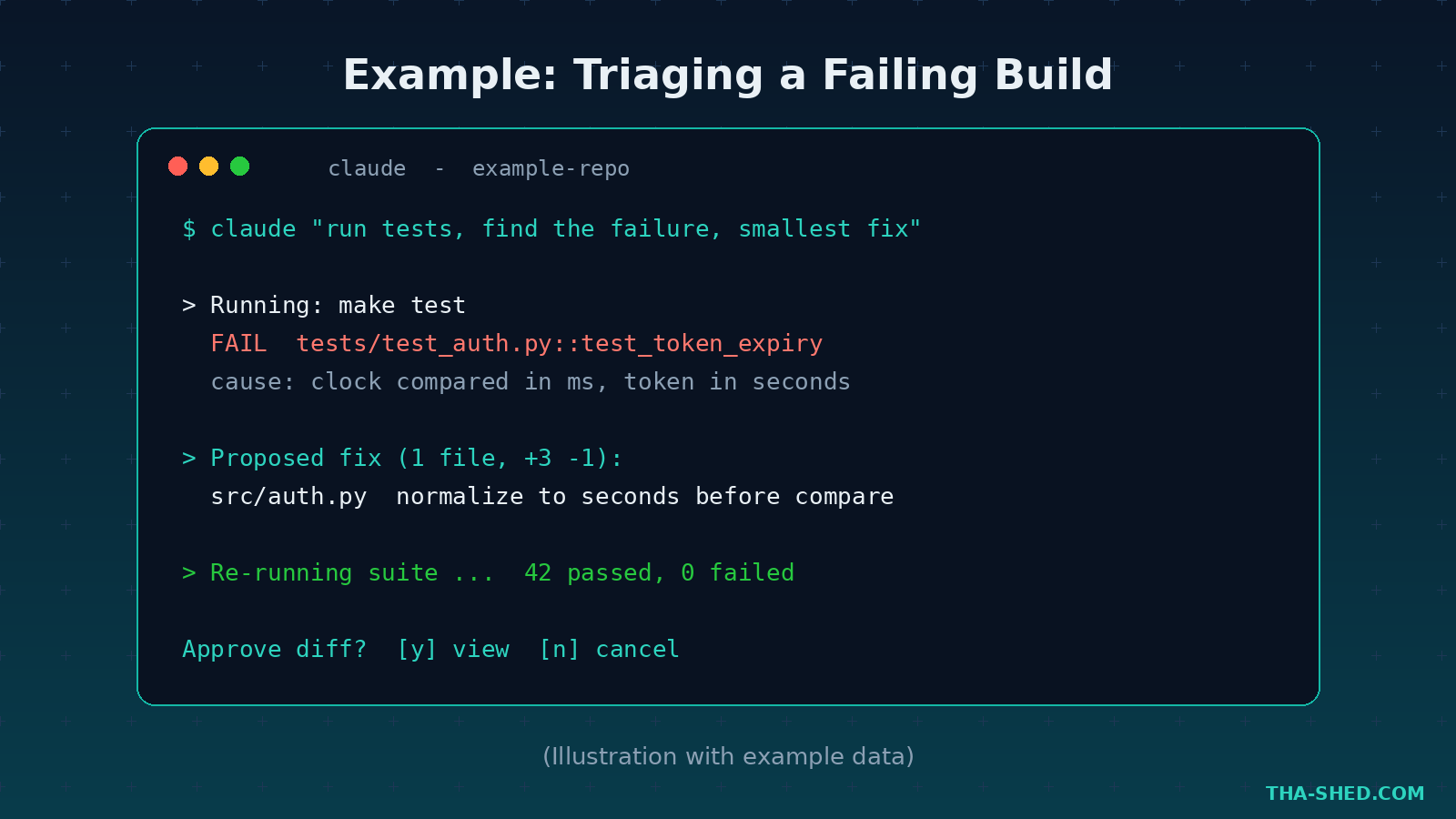
Paste the failure or just let it run the build. Example: “Run the test suite, find the failing test, trace the root cause, and propose the smallest fix. Do not change unrelated code.” Because it can execute and re read output, it works the problem the way you would, instead of guessing from a stack trace it cannot see.
3. Writing and reviewing Terraform or Kubernetes manifests
Infrastructure as code is where small typos become outages. Try: “Generate a Terraform module for an S3 bucket with encryption at rest, versioning, public access blocked, and access logging. Add variables and sane defaults.” Then flip it around for review: “Audit this manifest for misconfigurations a CIS benchmark would flag.”
4. Incident response and log spelunking
During an incident, speed matters. Example: “Here is a chunk of nginx access logs. Find requests that look like path traversal or SQL injection attempts, group by source IP, and summarize the top offenders.” It will not replace your SIEM, but for fast first pass triage on the terminal, it is excellent.
5. Subagents for parallel work
Claude Code can spin up subagents, each with its own context window and tool permissions, coordinated by a main agent. The main agent owns planning while specialists handle bounded jobs like code review, test running, or security checking. Example: “Use a subagent to run the security review while another runs the full test suite, then summarize both.” This is how you keep a big task from blowing up the main context.
6. Custom slash commands and skills
Repeatable tasks deserve a shortcut. Drop a markdown file in .claude/commands/ or, the now recommended path, package it as a skill in .claude/skills/. A skill bundles instructions plus helper files for things like “generate a runbook from this alert” or “draft a postmortem from this incident timeline.” Build your team’s playbook once, run it forever.
7. Connecting MCP servers
The Model Context Protocol lets Claude Code talk to external tools: GitHub, Slack, databases, browsers, and more. Connect a GitHub MCP server and you can say “open a PR with these changes and link the related issue” without leaving the terminal. Connect a database server for read only queries during debugging. MCP is what turns Claude Code from a code editor into an operations hub.
Safety and Gotchas
This tool runs commands on your machine, so respect that power. A few hard rules. Never let it auto approve destructive actions in production; keep permission prompts on for anything that writes or deletes. Be careful with MCP servers from unknown sources, since a malicious server can try to exfiltrate context or trigger unwanted tool calls. Watch for prompt injection in logs and files you feed it, because hostile text can try to hijack the agent. And never paste real secrets, customer data, or production credentials into a session. Use a sandbox or a scratch branch when you are unsure, and review every diff before you merge.
Usage and Cost Tips
There is no free Claude Code tier; you need a subscription or API credits. The Pro plan runs about 20 USD per month, or roughly 17 USD per month billed annually, and covers focused coding sessions. Heavy daily users step up to Max at 100 USD per month for five times the usage, or 200 USD per month for twenty times. The API pay per token route is great for occasional or automated use, where a typical 30 to 60 minute session lands in the low single digit dollars. To stretch any plan: keep CLAUDE.md tight so the model wastes fewer tokens relearning your repo, use plan mode to avoid wrong turns, and let subagents isolate big tasks so your main context stays lean. Always confirm current numbers on the official pricing page before you commit.
FAQ
Is Claude Code good for people who are not developers?
Yes, within reason. If you are a security analyst or sysadmin who lives in the terminal but does not write much code, it is a force multiplier for scripts, log analysis, and automation. You still need to read what it proposes, but you do not need to be a senior engineer to get value.
How is Claude Code different from GitHub Copilot or Cursor?
Copilot and Cursor are editor first, autocompleting and chatting inside your IDE. Claude Code is terminal first and agentic, built to plan, run commands, and complete multi step tasks end to end. Many engineers run more than one. See our Cursor tutorial for the editor side of the workflow.
Can Claude Code access my whole codebase at once?
It reads what it needs on demand by grepping and opening files, rather than loading everything into memory. That keeps it fast and keeps context focused. A good CLAUDE.md and clear prompts help it find the right files quickly.
Start Building With It Today
Claude Code rewards engineers who treat it like a teammate: brief it well, let it plan, verify its work, and keep tasks bounded. Install it, write a tight CLAUDE.md, and run one of the seven workflows above on a real task this week. If you want to go deeper on the DevOps and security skills that make these workflows pay off, explore our courses and start stacking the fundamentals that AI tooling amplifies. The engineers who win in 2026 are not the ones who avoid these tools. They are the ones who learn to direct them.