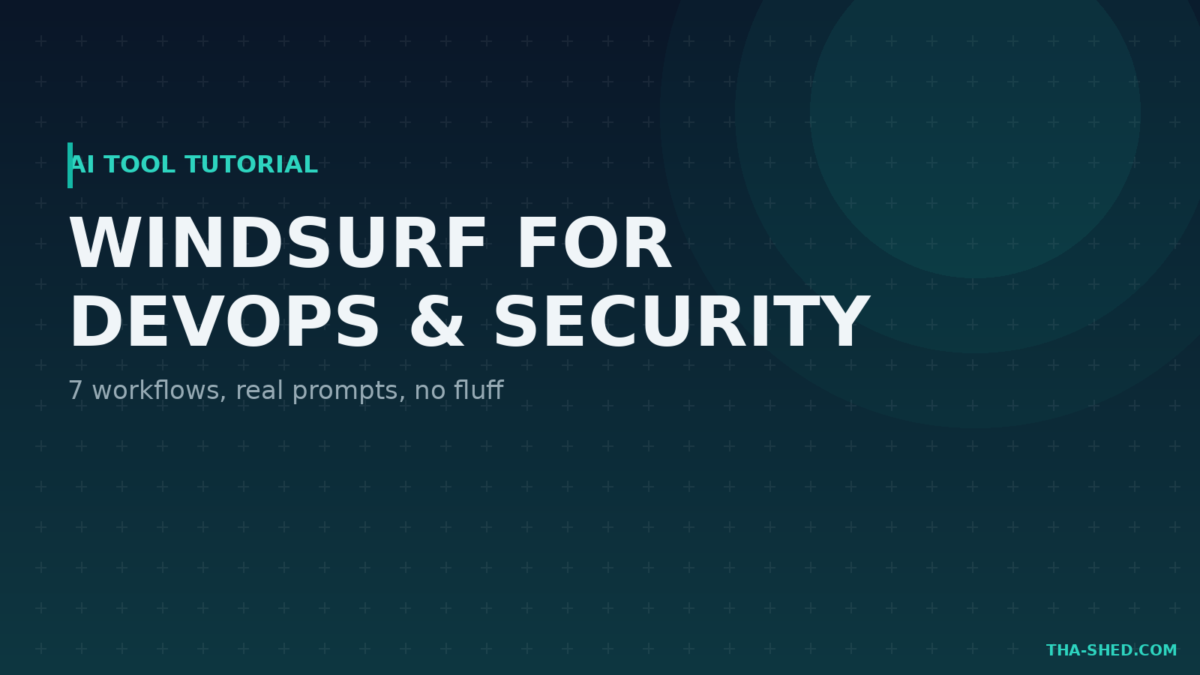
Every AI code editor claims to make you faster. Most just autocomplete a line and call it a day. Windsurf takes a different bet: instead of a chatbot bolted onto an editor, it builds around Cascade, an agent that reads your codebase, plans a change, and executes it across multiple files while you watch. For DevOps and security engineers who live in scripts, infrastructure code, and automation tooling as much as application code, that difference matters.
This is a practical tutorial, not a hype piece. Setup, mindset, seven real workflows with prompts you can copy, the gotchas nobody warns you about, and cost tips so you don’t blow through your quota by lunch.
What Windsurf Actually Is
Windsurf is an AI-native code editor built on a fork of VS Code, from the team behind Codeium (now merged with Cognition, the makers of Devin). The core feature is Cascade, an agentic assistant that doesn’t just suggest code, it plans multi-step changes, edits across files, runs terminal commands, and reports back what it did. Windsurf also ships Supercomplete, a predictive autocomplete that tries to guess your next edit rather than just your next few characters.
The pitch for technical teams: point Cascade at a task (fix this bug, write this script, refactor this module, add this integration) and let it work through the codebase the way a mid-level engineer would, proposing a plan first so you can catch bad assumptions before they turn into bad diffs.
Quick Setup
- Download Windsurf from the official site and install it like any other code editor. It imports your VS Code settings, extensions, and keybindings automatically if you’re switching over.
- Sign in and pick a plan. Free gives you a monthly allotment of Supercompletes and Cascade responses, enough to evaluate it seriously before paying anything.
- Open Cascade from the side panel and point it at your project. It indexes your codebase so it has context before you ask it to do anything.
- Set up a
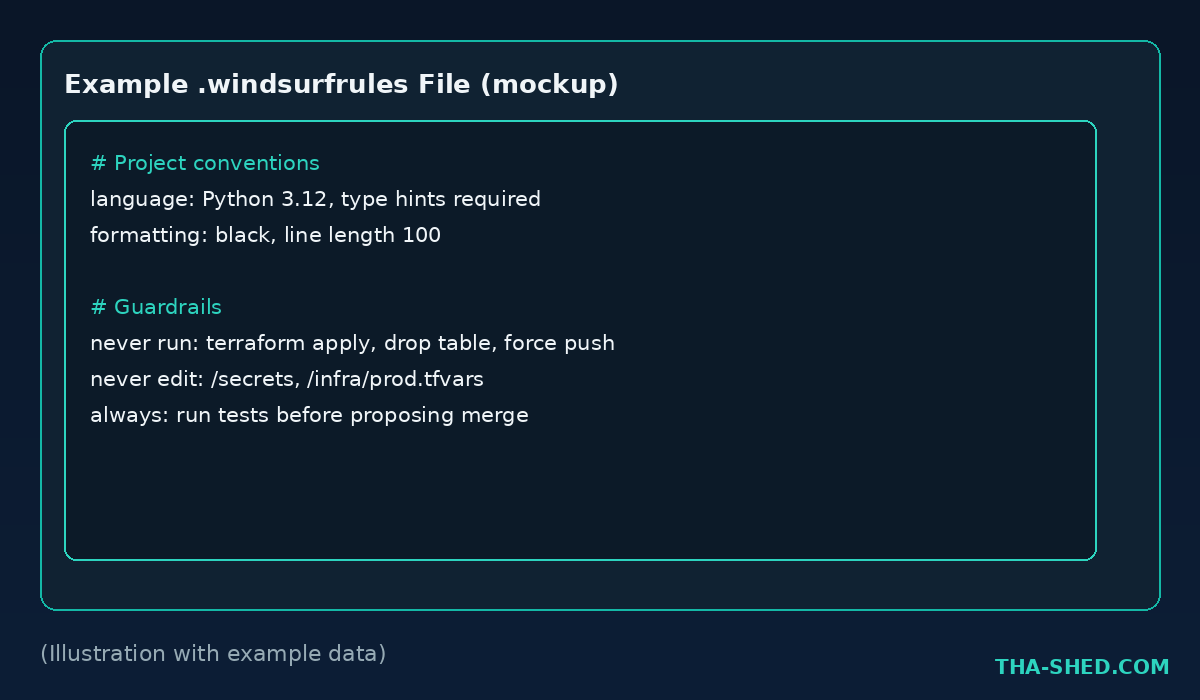
.windsurfrulesfile in your project root. This is where you tell Cascade your conventions: language versions, formatting standards, things it should never touch, commands it should never run unattended. - Connect MCP servers if you use them. Windsurf has a built-in MCP Marketplace with one-click installs under Cascade settings, so your existing MCP tooling (databases, ticketing systems, cloud provider APIs) becomes available inside the editor.
If your org has a policy on AI tools touching production code or credentials, read it before you connect Cascade to anything sensitive. More on that in the gotchas section below.
The Mindset: Review the Plan, Not Just the Diff
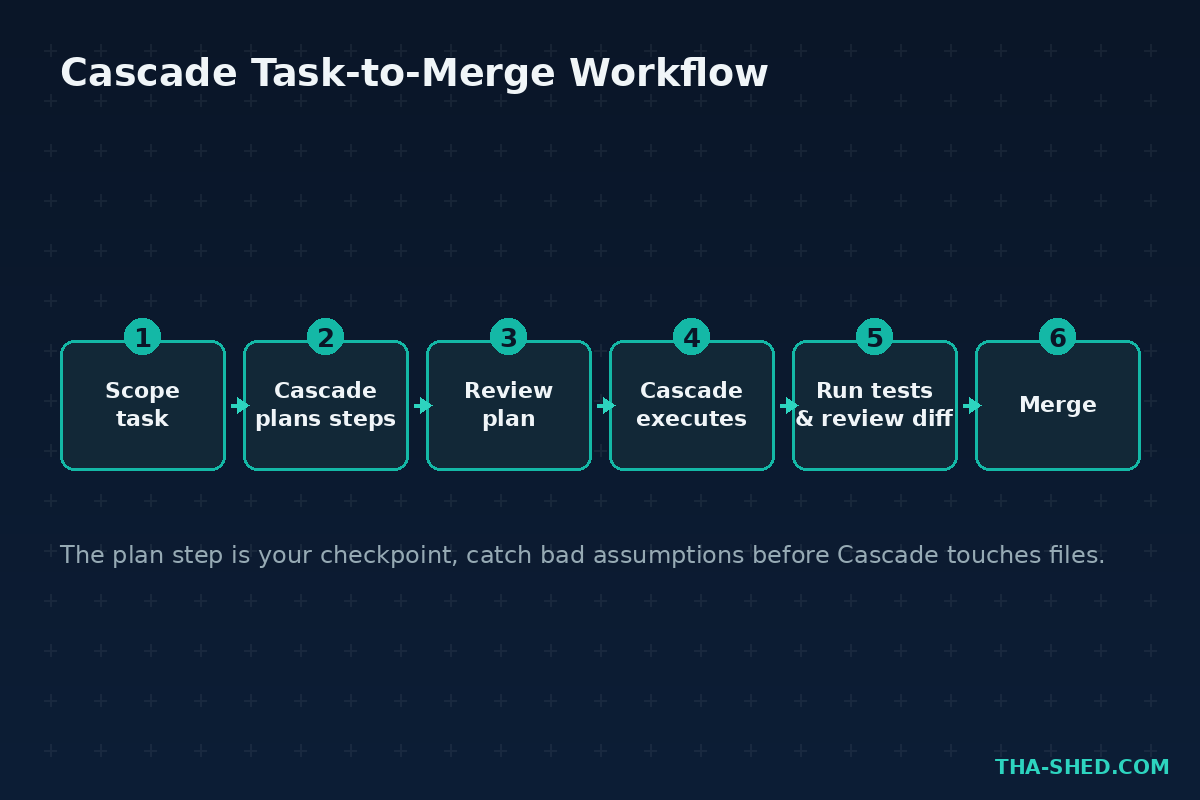
The single habit that separates a good Windsurf workflow from a bad one is this: read Cascade’s plan before it executes, not just the code it produces afterward. Cascade proposes a sequence of steps before touching files. That’s your checkpoint. Catching a wrong assumption in the plan takes ten seconds. Catching it after Cascade has already edited six files takes a lot longer.
- Scope the task tightly. “Fix the flaky test in auth_test.py” gets a focused plan. “Make the tests better” gets a plan that wanders.
- Use
.windsurfrulesas a guardrail, not a suggestion. If there are commands Cascade should never run (drop table, force push, terraform apply) or directories it should never touch, put them in the rules file explicitly. Don’t rely on it inferring your intent. - Treat Memories as a feature to manage. Cascade retains context across sessions. That’s useful for long projects and occasionally confusing when it recalls an old decision you’ve since reversed. Check what it remembers if a suggestion feels stale.
7 Workflows for DevOps and Security Teams
1. Writing and debugging infrastructure scripts
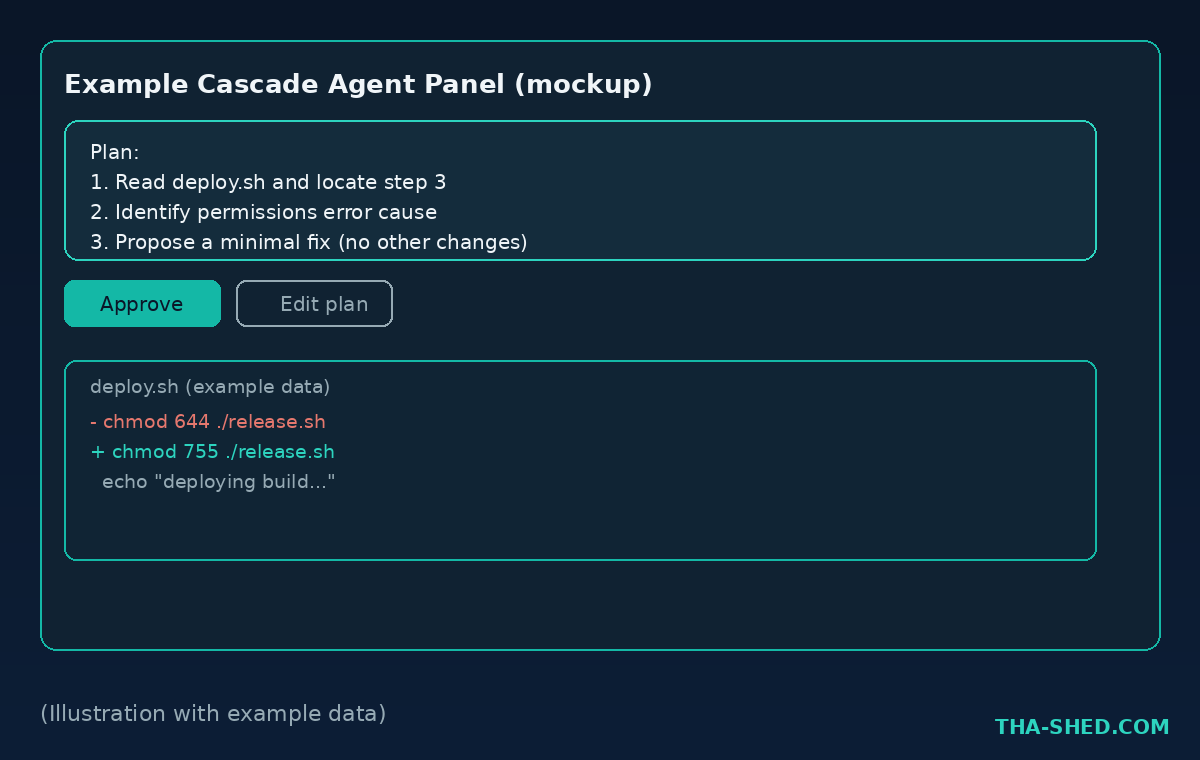
Point Cascade at a script that’s failing and let it trace the actual error instead of guessing from a pasted stack trace.
The deploy.sh script is failing on step 3 with a permissions error. Read the script, find the cause, and propose a fix. Don't change anything else.
2. Multi-file refactors across a codebase
This is where Cascade earns its keep over a plain autocomplete tool: changes that touch a dozen files stay consistent because one agent is planning all of them together.
Rename the environment variable DB_HOST to DATABASE_HOST across the entire repo, including Dockerfiles, CI config, and documentation. Show me the plan first.
3. Security review of a pull request
Have Cascade do a first pass on a diff before a human reviewer looks at it, specifically hunting for the categories that get missed under deadline pressure.
Review the changes in this branch for hardcoded secrets, missing input validation, and unsafe shell command construction. List findings with file and line number, don't fix anything yet.
4. Generating CI/CD pipeline configs
Cascade can read your existing pipeline and extend it, which produces far more consistent output than writing YAML from scratch.
Add a new stage to this GitHub Actions workflow that runs a container vulnerability scan before the deploy stage, and fail the pipeline on critical findings.
5. Onboarding into an unfamiliar codebase
Before you touch anything, ask Cascade to explain the terrain. It has already indexed the repo, so this is faster than grepping around for an hour.
Explain how authentication works in this codebase. Walk through the request path from login to session token, and name the key files involved.
6. Automating repetitive runbook tasks
Turn a manual runbook procedure into a script, with Cascade doing the tedious translation from prose steps to working code.
Read RUNBOOK.md section 4 (manual log rotation steps) and write a script that automates it. Use the existing logging conventions in this repo.
7. Background work with cloud agents
Windsurf’s cloud agent sessions (built on Devin’s background-agent approach) can work on a task asynchronously while you do something else, then hand you a reviewable result.
Start a background session: update all deprecated API calls in the /services directory to the v2 client library, run the test suite, and report results when done.
Safety and Gotchas
Take these seriously before you give Cascade broad access to a real codebase.
- Terminal execution can run unattended. Cascade can execute shell commands without asking for confirmation each time if you’ve enabled that setting. Turn on command approval for any environment where a wrong command has real consequences, and never enable unattended execution against production systems.
- Never let it touch credentials or secrets directly. Don’t paste API keys, database passwords, or tokens into a Cascade prompt, and keep secrets out of files it has broad read access to when possible. Treat the editor’s context window the same way you’d treat a support ticket: nothing goes in that you wouldn’t want logged somewhere.
- Review before you merge, every time. Cascade is good, not infallible. Multi-file agentic changes are exactly the kind of change that benefits most from a careful human review, precisely because they touch more surface area than a single-line suggestion.
- Check your org’s AI tooling policy first. If you work somewhere with compliance requirements (SOC 2, HIPAA, government contracts), confirm Windsurf and its cloud agent features are approved before pointing it at anything regulated.
- MCP servers extend Cascade’s reach, and its risk surface. Every MCP connector you install gives Cascade a new capability. Audit what you’ve connected periodically the same way you’d audit any other tool with access to your systems.
Usage and Cost Tips
Windsurf moved from a credit-based pricing model to daily and weekly quotas in a pricing overhaul earlier this year, so budget around actual usage patterns rather than an abstract credit balance.
- Start on Free to evaluate fit. It includes a real monthly allotment of Supercompletes and Cascade responses, enough to judge whether the agentic workflow suits how you work before you pay anything.
- Pro is the right default for a daily individual user, and includes access to top-tier models rather than a stripped-down free-tier model.
- If you’re consistently hitting your daily quota on Pro, that’s the signal to move to Max rather than working around it, since Max is built specifically for heavy day-long Cascade use.
- Scope tasks tightly. A focused prompt burns less of your quota than a vague one that makes Cascade explore the codebase repeatedly to figure out what you meant.
- Annual billing knocks a meaningful chunk off the monthly price if you know you’ll stick with it past a couple months.
FAQ
Is Windsurf just Cursor with a different name?
No, though they compete directly and both fork VS Code. Windsurf’s differentiator is Cascade’s agentic planning step and its background cloud agent sessions inherited from Devin’s approach, versus a more chat-first interaction model elsewhere. Try both on a real task if you’re deciding between them.
Can Cascade run destructive commands on its own?
It can if you’ve enabled unattended terminal execution. Don’t do that in any environment where a wrong command matters. Keep command approval on for anything touching production, infrastructure, or shared systems.
Does Windsurf work well for infrastructure code, or just application code?
It handles both well since Cascade works from your actual repo content, not a narrow language-specific model. Scripts, Terraform, CI configs, and Dockerfiles all benefit from the same multi-file planning approach as application code.
Get Building
Windsurf isn’t magic, and Cascade will occasionally propose a plan that’s confidently wrong. But for the kind of multi-file, cross-cutting work that DevOps and security engineers do constantly, an agent that plans before it edits is a meaningfully better tool than one that only autocompletes. Install it, write a real .windsurfrules file on day one, and try it on something low-stakes before you trust it with anything that matters.
If you’re building out a broader AI toolkit for your team, check out our n8n tutorial for automating the workflows around your code, or browse our courses for structured, hands-on DevOps and cybersecurity training.