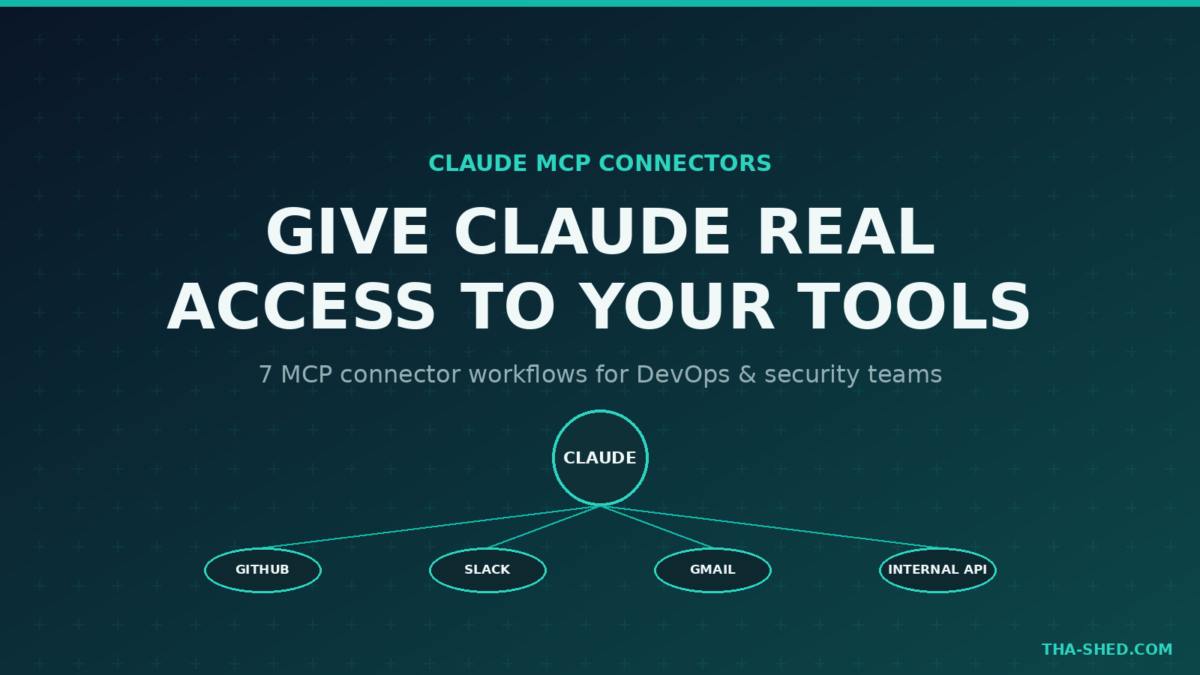
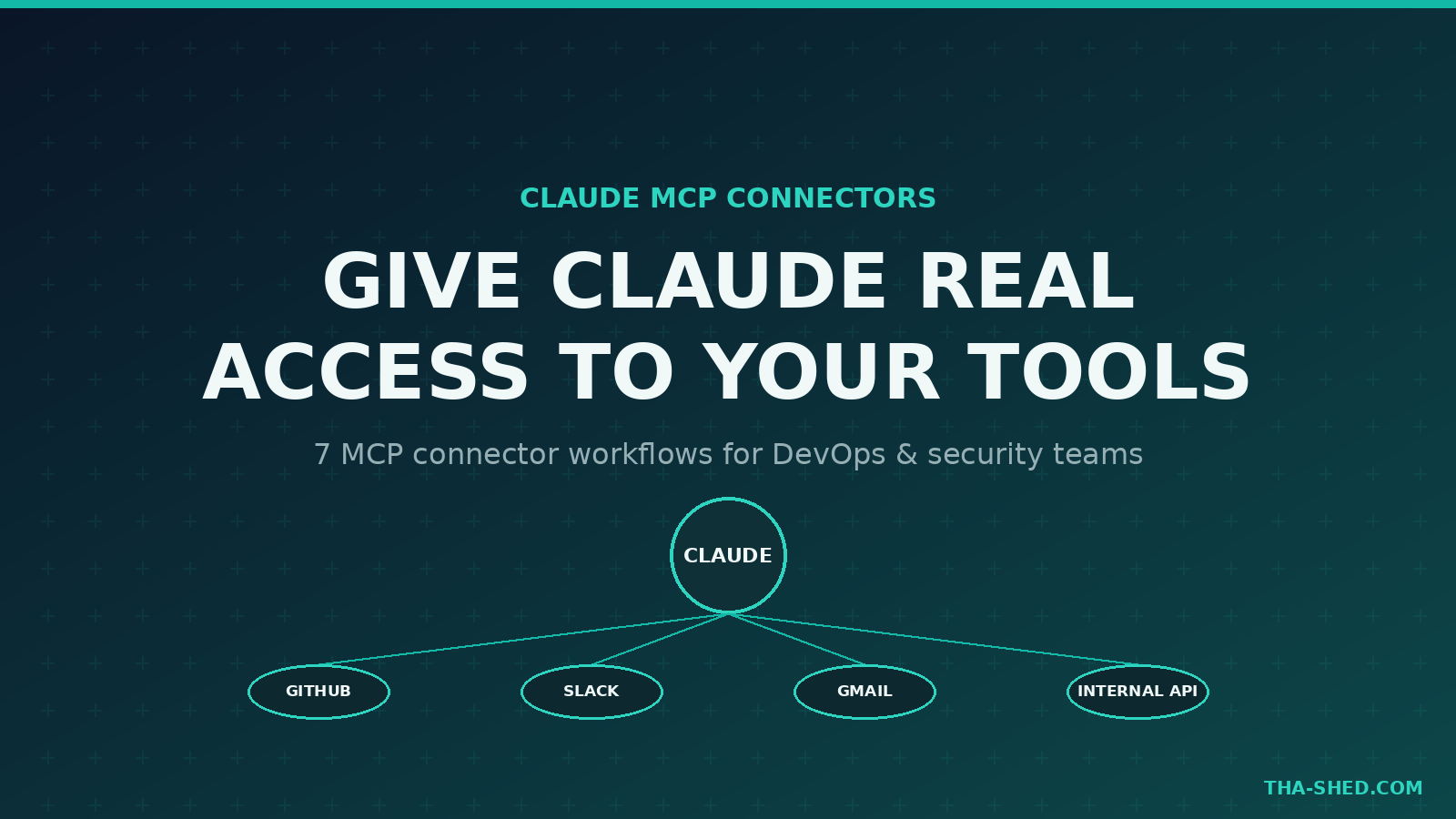
Claude is only as useful as the context it can reach. Ask it about a ticket, an alert, or a pull request without a connector, and it’s guessing from whatever you paste in. Claude MCP connectors close that gap. They let Claude read and act on your actual tools, GitHub, Slack, Google Drive, your own internal APIs, without you copying anything into the chat window.
Here’s how connectors actually work, how to set them up in five minutes, the mindset that keeps them safe, seven workflows worth building, and where they bite you.
What Claude MCP Connectors Actually Are
MCP stands for Model Context Protocol, an open standard Anthropic built for connecting AI models to external tools and data sources. A connector is just an MCP server that exposes a specific service, GitHub, Gmail, a database, your own internal API, as a set of “tools” Claude can call mid-conversation. Anthropic ships ready-to-use connectors for common services, and Anthropic’s Connectors Directory lists dozens more, some verified by Anthropic and others built by the community.
Two flavors matter for DevOps and security work. Remote connectors run on someone else’s infrastructure and connect over a URL, no local setup required, and they work across claude.ai, Claude Desktop, Cowork, and mobile. Local MCP servers run as a subprocess on your own machine, which is what you want for anything touching your filesystem, a local database socket, or an internal tool with no public endpoint.
Quick Setup: Five Minutes to Your First Connector
On claude.ai or Claude Desktop
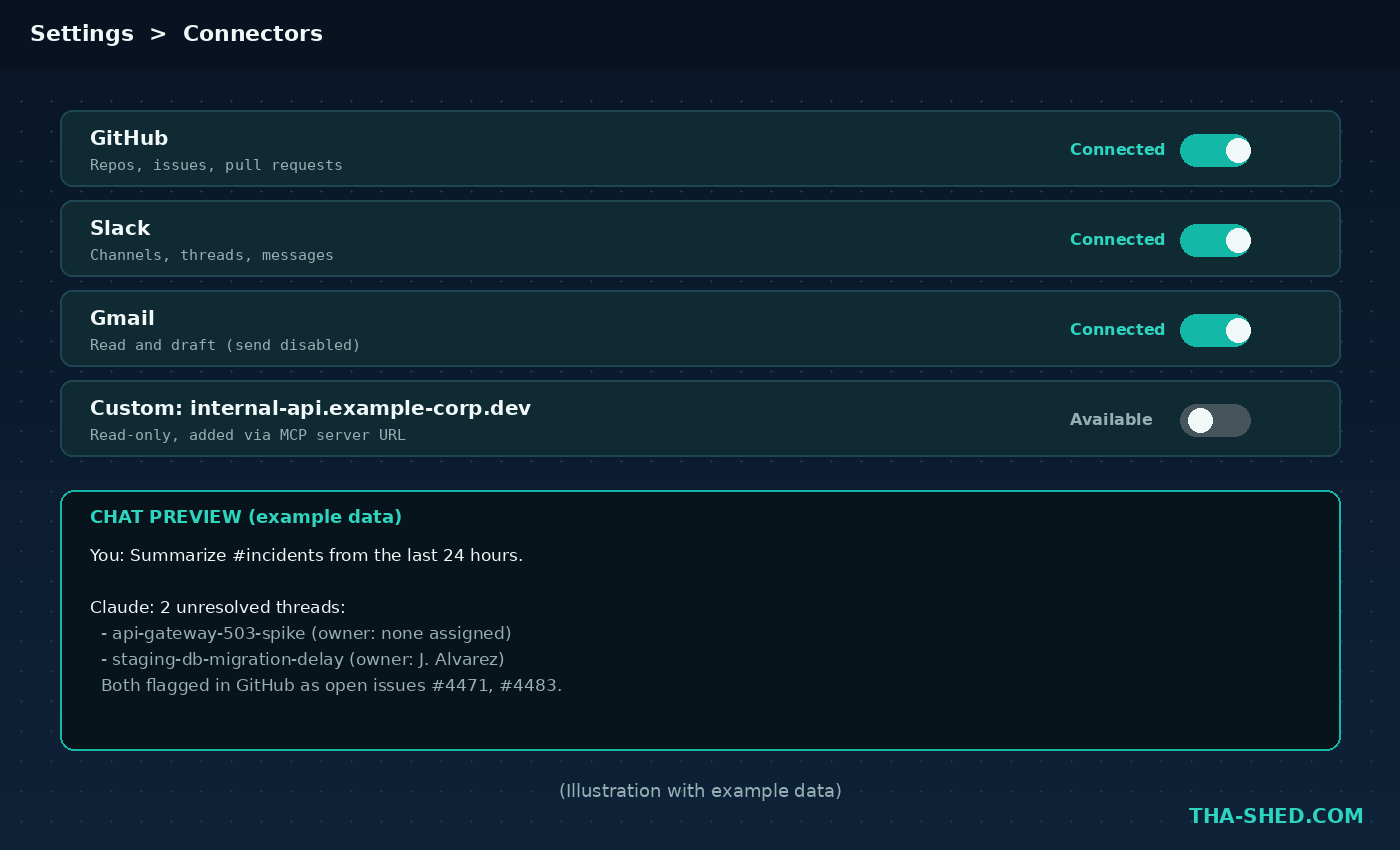
Go to Settings, then Connectors. Browse the directory and click to add a ready-made connector like Gmail, GitHub, or Slack, then authorize through OAuth. Claude never sees your password, and you can revoke access at any time from the same screen. To add a connector that isn’t in the directory, click “Add custom connector” and paste its MCP server URL.
On Claude Code
From your terminal, add a remote server with:
claude mcp add --transport http github https://mcp.github.comOr run a local stdio server as a subprocess:
claude mcp add filesystem -- npx -y @modelcontextprotocol/server-filesystem ~/projectsBy default, a server you add is scoped to the current project. Add --scope user to make it available across every project, or --scope project to check it into a repo’s config so your whole team gets it automatically.
The Mindset: Connectors Are Tools, Not Autopilot
Treat every connector like you’d treat a new hire’s access badge. Give it exactly the scopes it needs for the job in front of you, nothing more. If a task only needs to read GitHub issues, don’t hand Claude a token with repo write access “just in case.” Most connectors ask which permissions to grant during OAuth, so actually read that screen instead of clicking through it.
Second principle: enable connectors per conversation, not globally. Turn on the ones you need for the task from the “+” menu at the bottom of the chat, and leave the rest off. A conversation about your GitHub backlog doesn’t need your Gmail connector live in the background, and keeping the tool list short also keeps Claude’s reasoning sharper.
7 Workflows Worth Stealing
1. Triage a GitHub Backlog in One Prompt
With the GitHub connector enabled, ask: “Look at open issues in this repo labeled bug, group them by root cause, and tell me which three are actually the same underlying problem.” Claude reads real issue bodies and comments instead of you copy-pasting a spreadsheet.
2. Summarize a Slack Channel Before Standup
Connect Slack and ask Claude to summarize the last 24 hours in #incidents, pulling out anything unresolved. This turns a scroll-and-skim habit into a two-line brief you can read on your phone.
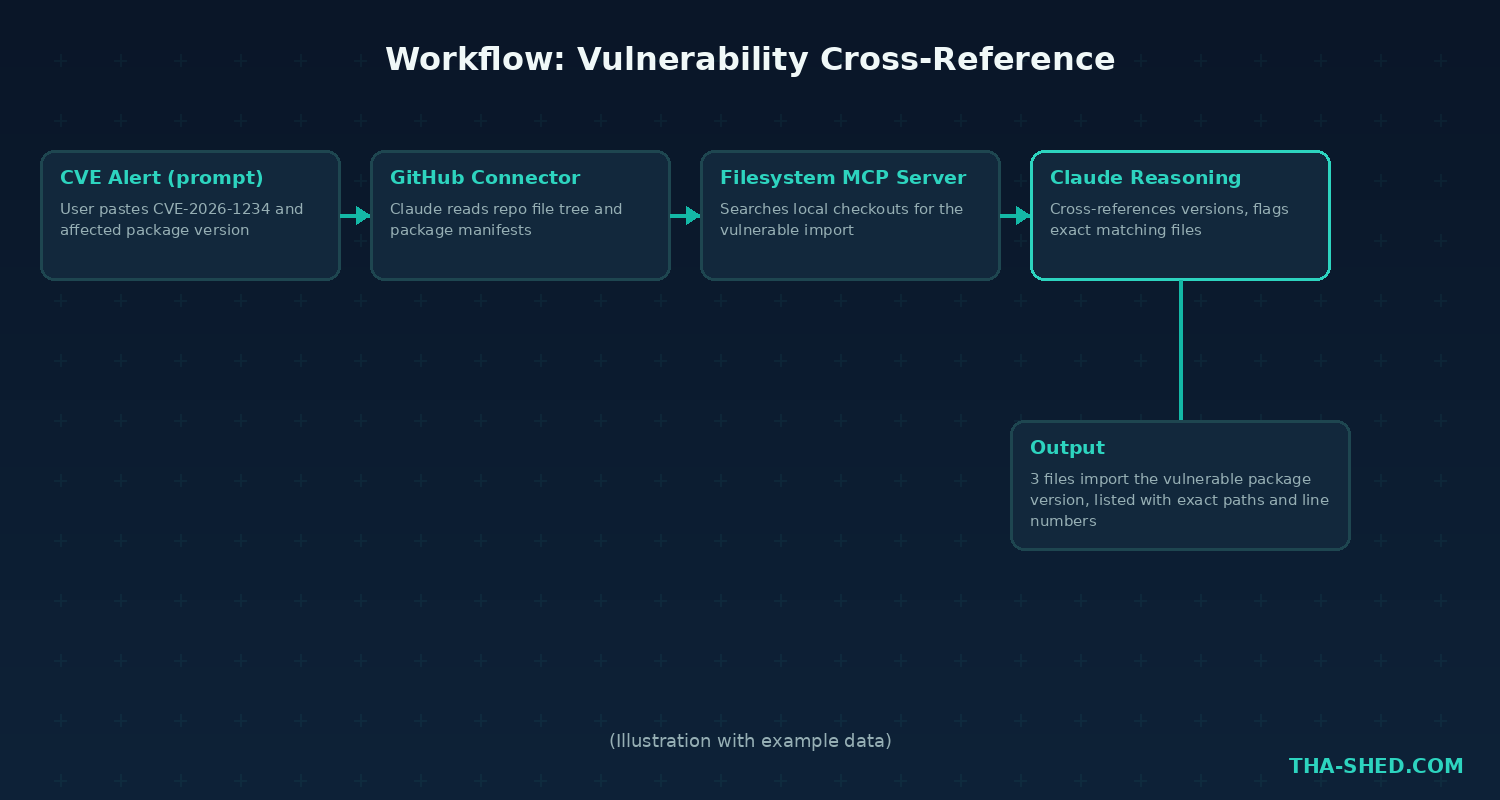
3. Cross-Reference a Vulnerability Against Your Codebase
Pair a GitHub connector with a filesystem MCP server: “Check if any file in this repo imports the affected package version from CVE-2026-1234, and list the exact files.” Claude searches your actual code instead of you grepping manually.
4. Draft (Not Send) Customer or Team Emails from Context
The Gmail connector can read and draft, not send, so it’s a safe way to have Claude write a reply grounded in the actual thread history: “Draft a reply to this thread explaining the delay, referencing the ticket number from the last message.”
5. Pull Live Incident Context Into a Postmortem
If your incident tool (PagerDuty, a custom internal API) has an MCP server, connect it and ask Claude to assemble a first-draft postmortem timeline from the actual alert and resolution timestamps, instead of reconstructing it from memory after the fact.
6. Query an Internal Database Read-Only
Stand up a local MCP server scoped to a read-only database user, then ask Claude questions in plain English: “How many failed login attempts came from outside our VPN range in the last 7 days?” Keep the credential read-only. This is not the place to get generous with permissions.
7. Chain a Custom Connector Into an n8n Workflow
Since n8n can itself expose workflows as MCP tools, you can point Claude at an n8n instance as a custom connector and have it trigger automations like a certificate check or a log summary directly from a conversation. We covered building those workflows in our n8n tutorial if you want the other half of this setup.
Gotchas and Safety Rules
Custom connectors let Claude access and act inside unverified third-party services, so only add a custom connector URL you actually trust. Watch for prompt injection: content Claude reads through a connector (an email, a ticket, a Slack message) can contain text written to manipulate the model, so don’t chain a “read untrusted content” connector directly into a “take a destructive action” connector without a human checkpoint in between. Revoke access for any connector you’re not actively using, and review the permissions list periodically instead of assuming it hasn’t changed.
Usage and Cost Tips
Connectors themselves don’t carry an extra Anthropic fee, they’re included with your Claude plan, but the service on the other end might have its own API costs or rate limits, and some (a custom internal MCP server, for instance) need your own hosting. If you’re on Claude Code, remember that --scope local is private to you and the current project by default, which is the right choice while you’re still testing a new server, before you widen it to --scope user or share it with --scope project.
FAQ
Do I need a paid Claude plan to use connectors?
Connector availability depends on your plan and which specific connector you’re adding; check Settings, then Connectors, for what’s available to your account, since ready-made connectors and the custom connector option roll out by plan tier over time.
Can I build my own MCP server for an internal tool?
Yes. MCP is an open protocol, and Anthropic publishes SDKs for building your own server. If your team already has an internal API, wrapping it as an MCP server is usually a day of work, not a project.
Is a local MCP server safer than a remote one?
Not automatically, but it keeps data on your own machine rather than routing through Anthropic’s infrastructure to a third party’s server, which matters if your data governance rules are strict about where information travels.
Your Next Move
Don’t connect everything on day one. Pick the one workflow above that would save you the most manual copy-pasting this week, wire up just that connector, and use it for a few days before adding the next. If you want the deeper fundamentals behind building and securing tools like this, our DevOps and cybersecurity courses cover the API and systems knowledge that makes MCP click faster, and our Claude Skills tutorial pairs well with connectors once you’re ready to package these workflows for a whole team.