Single AI agents are great until the job gets messy. The moment a task needs research, then code, then a review, then a write-up, one chat thread starts dropping balls. CrewAI is the framework that fixes that by giving you a team of agents, each with a job, working in order. Here is how DevOps and security pros actually get productive with it.
What CrewAI Actually Is
CrewAI is an open-source Python framework for orchestrating multiple AI agents. You define agents with a role, a goal, and a backstory, hand each one a set of tools, and let them collaborate on tasks toward a shared objective. It is lean and standalone, not built on top of LangChain, which is part of why it runs fast and stays readable.
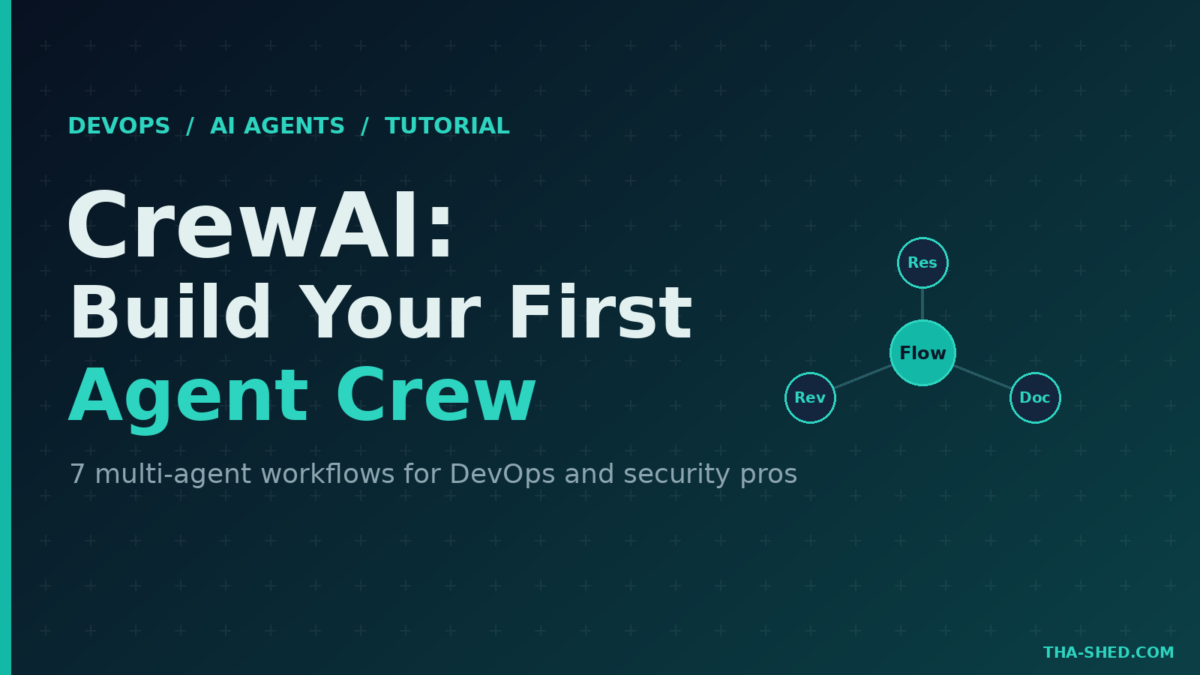
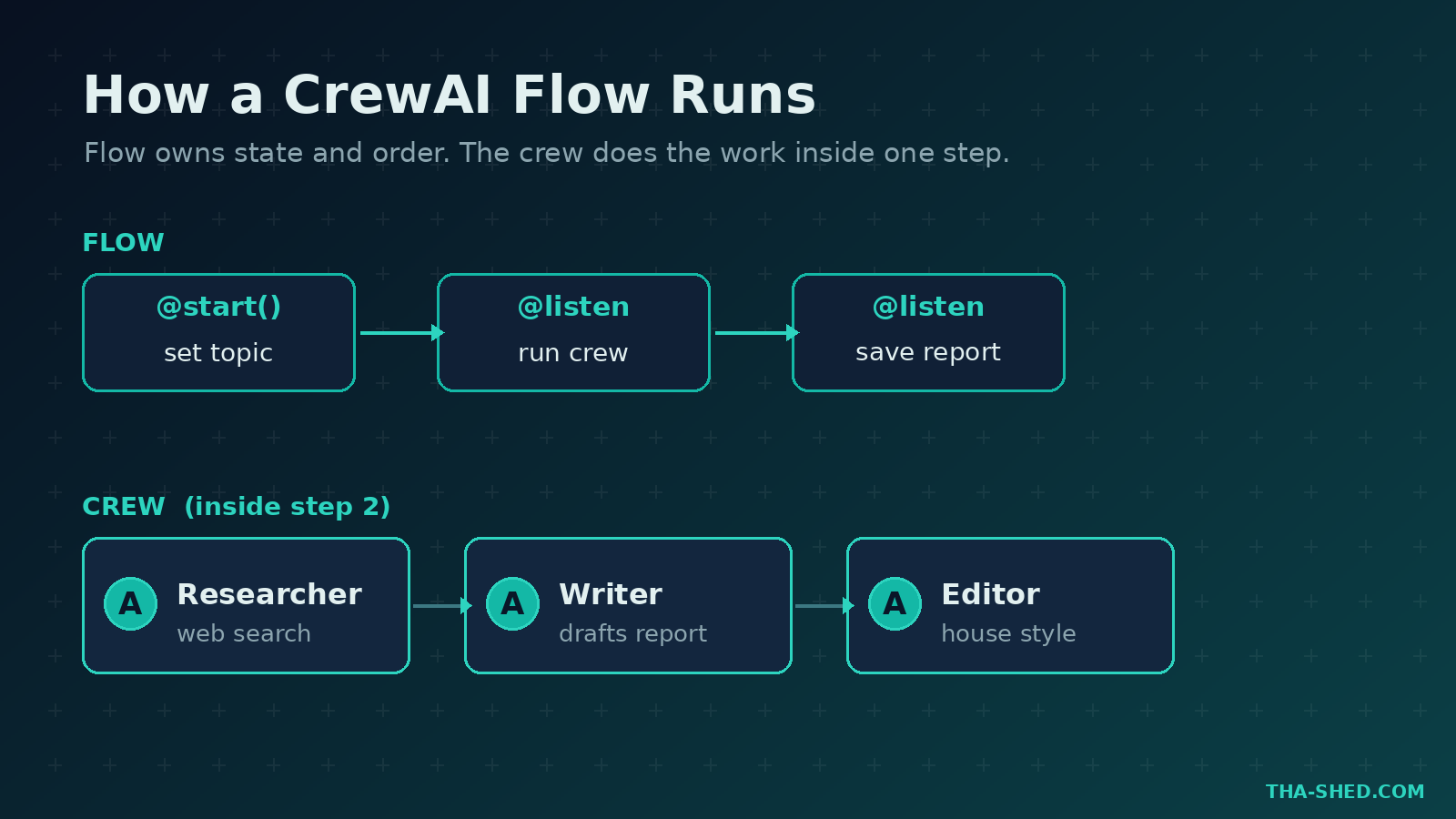
Two concepts do all the heavy lifting. Crews are groups of specialized agents that collaborate, for example a researcher, a writer, and an editor producing one report. Flows are the newer, event-driven layer that owns state and execution order. The official line is worth repeating: Flows are the recommended way to structure production apps, because they control when things run, while agents do the actual work inside a crew step. Think of the Flow as your pipeline and the crew as the workers inside one stage.
Quick Setup
You need Python 3.10 or higher (below 3.14). CrewAI leans on the uv package manager for clean dependency handling. Install the framework, then scaffold a project from the CLI.
pip install crewai crewai-tools

# scaffold a Flow project (recommended)
crewai create flow latest-ai-flow
cd latest_ai_flow

# or scaffold a plain crew
crewai create crew my_crew
A Flow project drops a starter crew under src/latest_ai_flow/crews/ with two config files you will live in: agents.yaml and tasks.yaml. Add your model provider key and any tool keys to a .env file, then run it.
crewai install
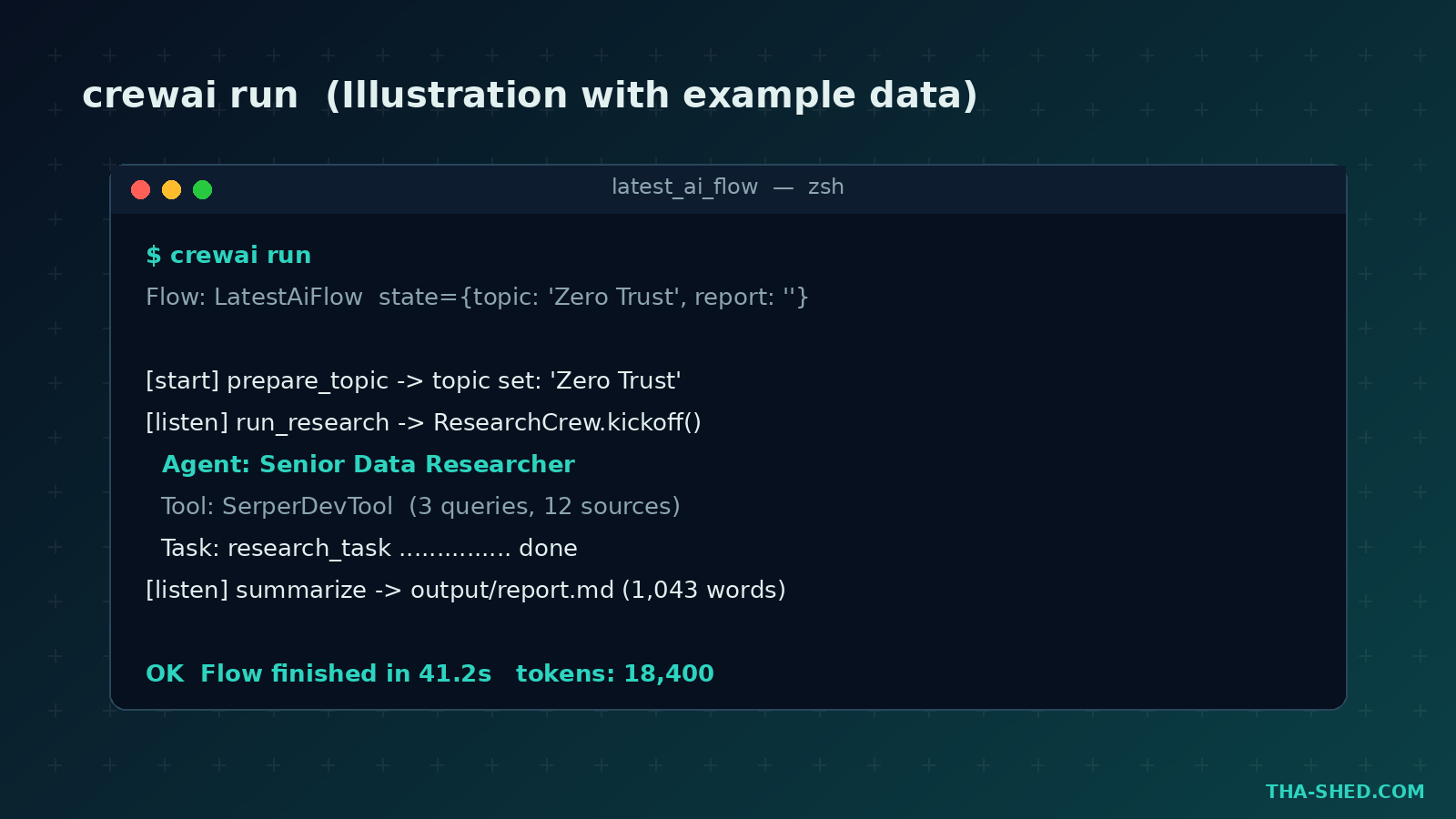
crewai run
That is the whole loop. Edit YAML, wire a tool in Python, run, read the output file. If you live in Claude Code or Codex, CrewAI ships coding-agent skills you can pull with npx skills add crewaiinc/skills so your assistant scaffolds crews for you.
The Mindset: Hire a Team, Do Not Clone One Genius
The biggest mistake newcomers make is building one god-agent with twelve tools and a paragraph-long goal. It thrashes. CrewAI rewards the opposite instinct: think like a manager staffing a project. Give each agent one clear role, two or three tools, and a goal narrow enough to fit on a sticky note. A tight researcher plus a tight writer beats one bloated do-everything agent every time.
The second principle: let Flows own control, not vibes. If your logic has branches, retries, approvals, or anything that must happen in a specific order, put that in a Flow with @start() and @listen steps. Keep the crew focused on the creative or analytical work. Pipelines belong in code. Judgment belongs in agents.
7 Workflows That Earn Their Keep
1. Research-to-report crew
The classic starter and still one of the most useful. A researcher agent with a web-search tool gathers current facts, a writer agent turns them into a structured markdown report. Wire it in a Flow so the topic lives in state and the report lands on disk.
# tasks.yaml
research_task:
  description: >
    Research {topic}. Use web search for current, credible sources.
    The current year is 2026.
  expected_output: >
    A markdown report: key trends, notable tools, and implications.
  agent: researcher
  output_file: output/report.md
2. Triage on-call alerts
Point a crew at your alert payloads. A triage agent classifies severity, an investigator agent pulls likely causes from recent deploys and logs, and a scribe drafts the incident summary. You keep the human in the loop for the actual page, but the first 80 percent of context-gathering is done before you open your laptop.
3. Infrastructure-as-code review
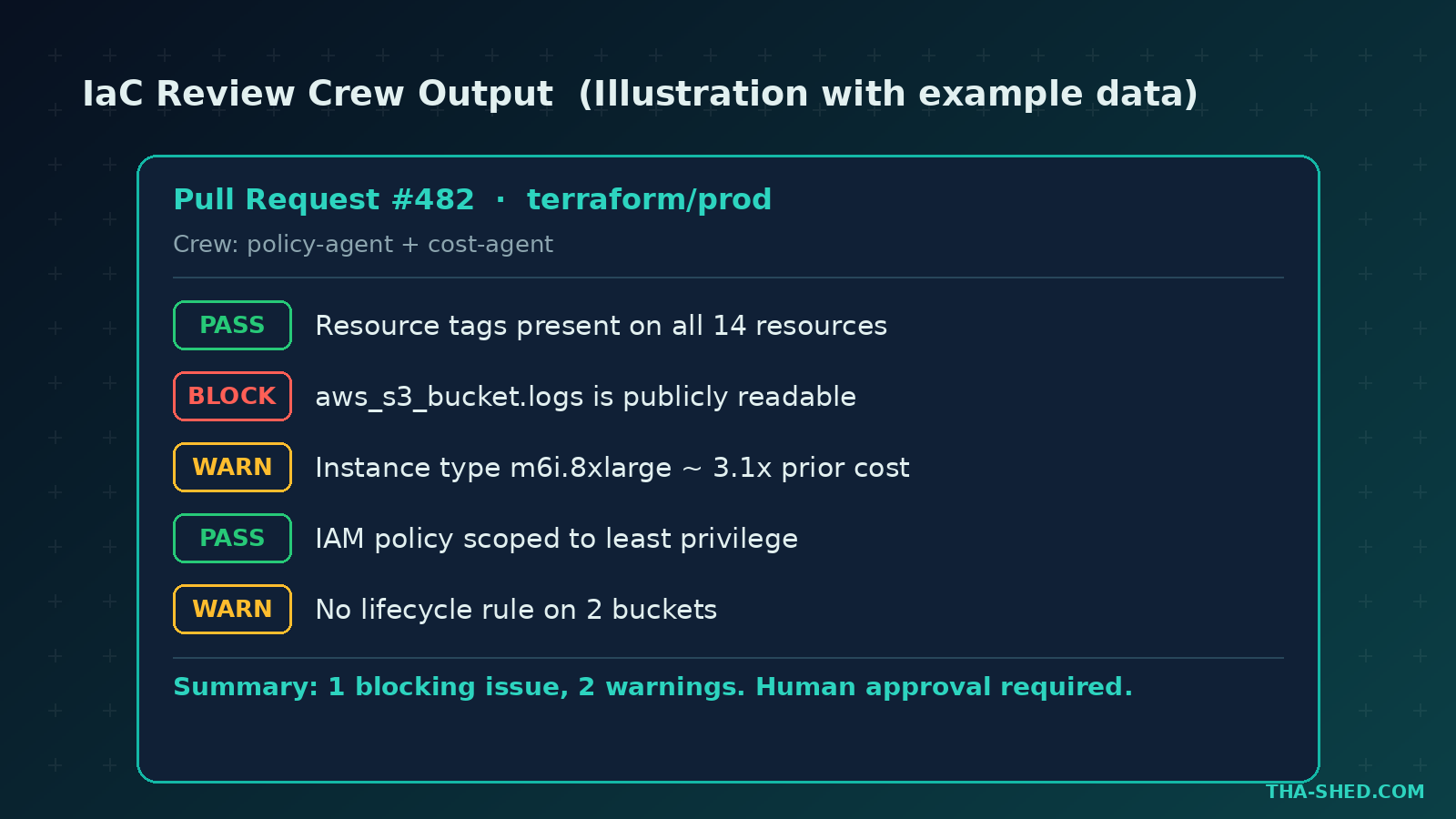
Feed a Terraform or Kubernetes plan to a two-agent crew: a policy agent that checks against your guardrails (no public S3, tags required, least privilege) and a cost agent that flags expensive changes. Output a single comment block your pipeline can post to the pull request.
4. Log and threat summarizer
Security teams drown in noise. A crew that reads a window of logs, clusters the suspicious events, and writes a plain-English summary with a recommended action turns a 200-line dump into three sentences a tired analyst can act on. Caption your dashboards with example data, never real customer logs.
5. Documentation backfill
Aim a crew at a repo path. A reader agent walks the code, a writer agent produces a README or runbook, an editor agent enforces your house style. Run it in CI on a schedule and your docs stop rotting.
6. Pull-request release notes
A crew that ingests merged PR titles and diffs, groups them by theme, and drafts human-readable release notes. Hand the draft to a person for the final polish. This is a high-trust, low-risk task that pays off every sprint.
7. Multi-step automation with Flows
When tasks branch, reach for a Flow. A @start() step seeds state, @listen steps fire in sequence, and you can add routing for “if the scan fails, run the remediation crew.” This is how you move from a clever demo to something you trust on a cron job.
Safety and Gotchas
Agents that can run tools can run the wrong tools. A few hard-won rules. Never give a crew write access to production from day one… start read-only and graduate it. Treat every external document and web result as untrusted input, because prompt injection through a fetched page is a real attack on agent systems, not a theory. Scope tool permissions tight: a researcher does not need shell access, and a code reviewer does not need to push.
Set max_iter and timeouts so a confused agent cannot loop forever and burn your token budget. Log every tool call and keep a human approval gate on anything destructive. And pin your versions. CrewAI ships fast (it is well into the 1.x line in 2026), so lock crewai and crewai-tools in your lockfile and upgrade on purpose, not by accident.
Cost Tips That Add Up
Your biggest bill is tokens, not the framework. CrewAI itself is open source and free to self-host. The hosted platform, CrewAI AMP, runs on tiered plans: a free tier with a small monthly execution allowance and a single seat including the visual editor and copilot, a paid Professional tier in the low tens of dollars per month for small teams, and custom Enterprise pricing that adds SOC 2, SSO, and dedicated support. Check the official pricing page for current numbers, since plans move.
To keep token spend sane: use a cheaper, faster model for routing and classification, and save the frontier model for the agent that actually writes or reasons. Cap iterations. Cache research results when topics repeat. And run a small smoke test before you let a crew loose on a thousand records.
FAQ
Is CrewAI better than building agents from scratch?
For most teams, yes. You could hand-roll an orchestration loop, but CrewAI gives you roles, tasks, tools, memory, and Flows out of the box with a readable YAML-plus-Python structure. You spend your time on the agents’ jobs, not on plumbing.
Do I need the paid platform to use CrewAI?
No. The framework is fully open source and you can run crews and Flows locally or on your own infrastructure forever. The paid AMP platform adds hosted deployment, a visual editor, and enterprise controls, but it is optional. Start free, upgrade only when you need managed deployment.
Can CrewAI agents use my existing tools and APIs?
Yes. The crewai-tools package includes web search, file, and scraping tools, and you can wrap any Python function or REST API as a custom tool. CrewAI also speaks MCP, so connectors you already use in other AI tools can plug straight in.
Start Small, Ship a Crew This Week
Pick one annoying, repetitive task, the kind you do every sprint, and build a two-agent crew for it. Get it running locally, add a Flow when the logic branches, then put a human gate in front of anything risky. That is the whole game. If you want the broader AI-tooling foundation first, our Claude Code tutorial pairs well with this one, and you can go deeper on multi-agent and DevOps skills through our courses. The official CrewAI docs are your reference once you are building. Now go staff your first crew.