n8n wires your alerts, logs, and tickets together, then hands the reasoning to an AI Agent node. Here’s how to build workflows that actually close the loop.
See the workflow in action, tap through the tabs below:
$ clone the self-hosted AI starter kit
git clone https://github.com/n8n-io/self-hosted-ai-starter-kit
cd self-hosted-ai-starter-kit
docker compose up
$ AI Agent system prompt: alert-triage
Read this alert. Classify as critical, high,
medium, or noise. Cite the specific fields
that drove your decision. If critical, call
the create_jira_ticket tool with a one-line
summary and the source IP or host.
$ Slack thread: #ops-questions
teammate: how do we roll back a bad canary
deploy on edge-gateway?
triage-agent: per runbook canary-rollback.md,
run kubectl rollout undo deployment/edge-gateway
-n prod, then confirm error rate drops within
5 minutes.
Approval gates matter. Let the agent read and classify freely, but gate every write action (ticket creation, restarts, deletes) behind human approval until you trust the pattern.
The AI starter kit is for testing. n8n says so directly: harden network access and secrets before pointing real alerts at a self-hosted Ollama and Qdrant stack.
Cloud execution caps are hard stops. Go over your plan’s monthly execution limit and every workflow halts with no warning. Know your volume before you build.
What n8n actually is
n8n is an open source workflow automation tool that looks like a flowchart and behaves like a script. You drag nodes onto a canvas, wire them together, and each node does one job: listen for a webhook, call an API, run some JavaScript, ask an LLM a question. The part that matters for DevOps and security teams is the AI Agent node. As of this year it wraps LangChain style primitives, tools, memory, and output parsers, directly into the canvas, so a single node can reason over multiple steps instead of just returning one API response.
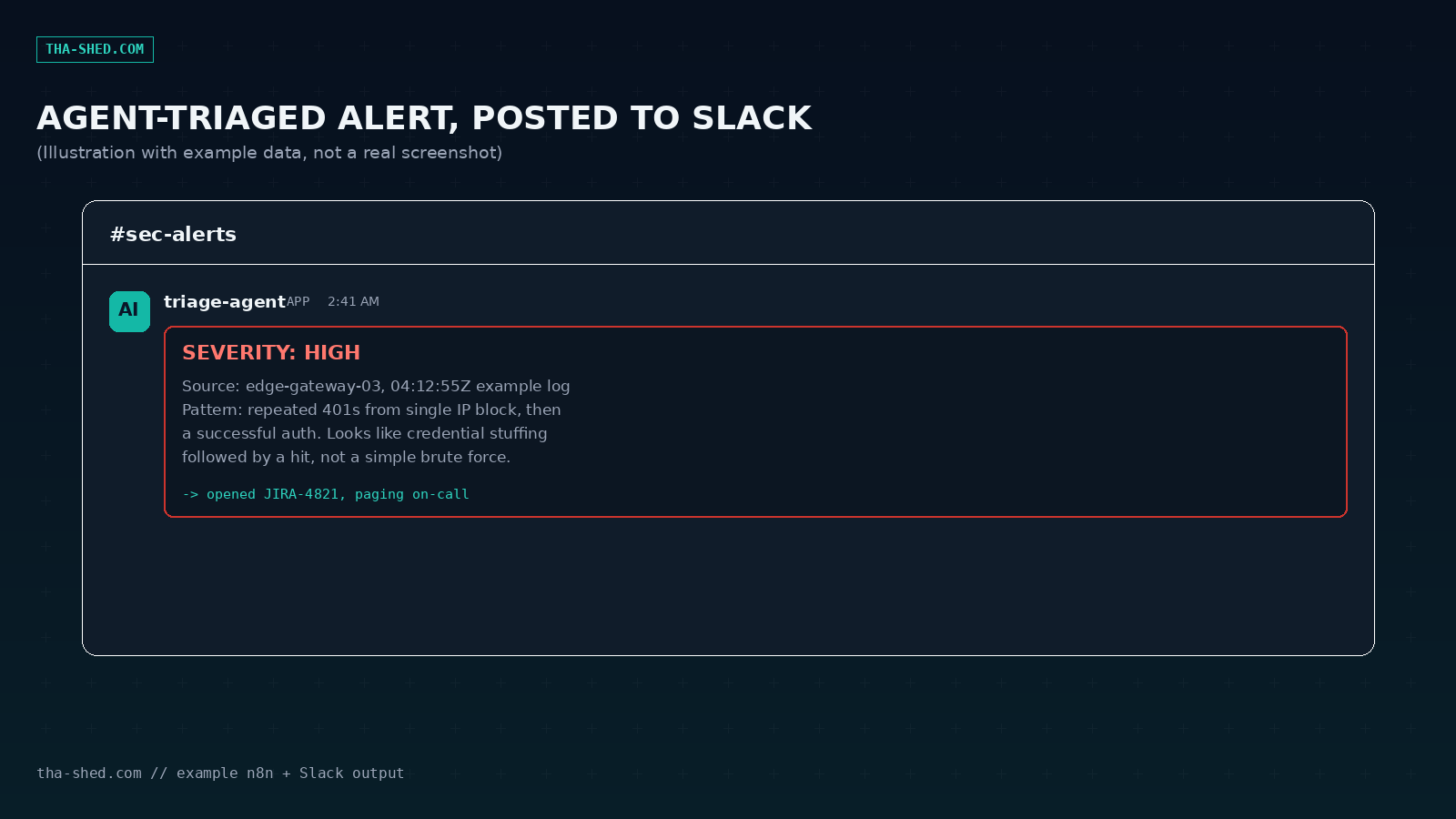
That distinction is the whole pitch. A regular automation tool moves data from A to B. An n8n workflow with an AI Agent node can look at a security alert, decide if it is noise or a real threat, choose which tool to run next, read the result, and then decide again. It loops until it has an answer or hits a limit you set. For teams drowning in alerts, tickets, and log noise, that loop is the actual product.
Quick setup
You have two paths in. n8n Cloud gets you running in minutes: sign up, verify your email, and you land on an empty canvas with a library of over 400 integrations already available. Cloud tiers bill by execution (one execution equals one full workflow run, no matter how many nodes fire inside it), which is worth understanding before you build anything. More on that in the cost section below.
The second path is self-hosting, and it is the one most DevOps teams will actually want, since it keeps credentials and log data on infrastructure you control. The fastest route is Docker, shown in the SETUP tab above: clone the self-hosted AI starter kit and run docker compose up. That one command brings up n8n itself, Ollama for local models, Qdrant as a vector store, and Postgres, all wired together. n8n is explicit that this bundle is meant for testing and proof of concept work, not production, until you harden it yourself. For a real deployment, the self-hosted Community edition is free with unlimited workflows and executions; you only pay for the box it runs on.
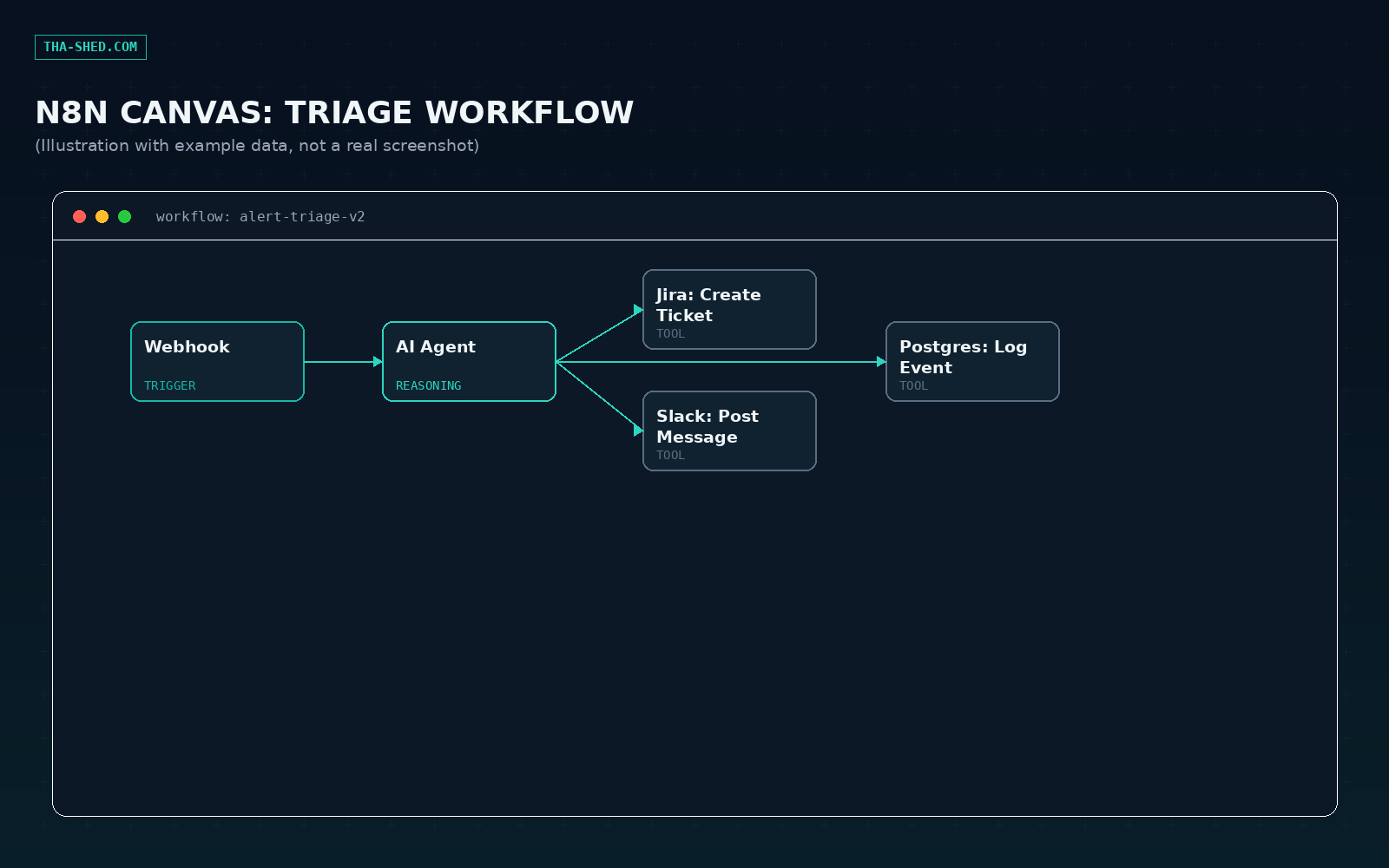
Once you are in, create your first workflow with a Webhook trigger node, add an AI Agent node behind it, connect a model (OpenAI, Anthropic, Mistral, Google Vertex AI, or a local Ollama model all work), and give the agent one tool to start. Everything below builds on that same shape.
The mindset: workflows are the unit, not the node
The biggest adjustment for engineers used to writing scripts is that in n8n, the workflow is the thing you reason about, not any single node. You are not writing a function, you are describing a pipeline that an AI Agent can jump into and out of. Design each workflow so the agent has a narrow, well described set of tools (an HTTP Request node hitting your ticketing API, a Slack node, a Postgres query) rather than one giant tool that does everything. Narrow tools plus a clear system prompt produce reliable behavior. A vague tool plus a vague prompt produces an agent that guesses.
7 workflows worth building
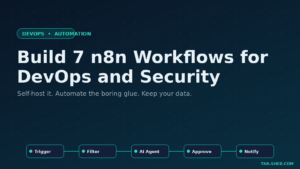
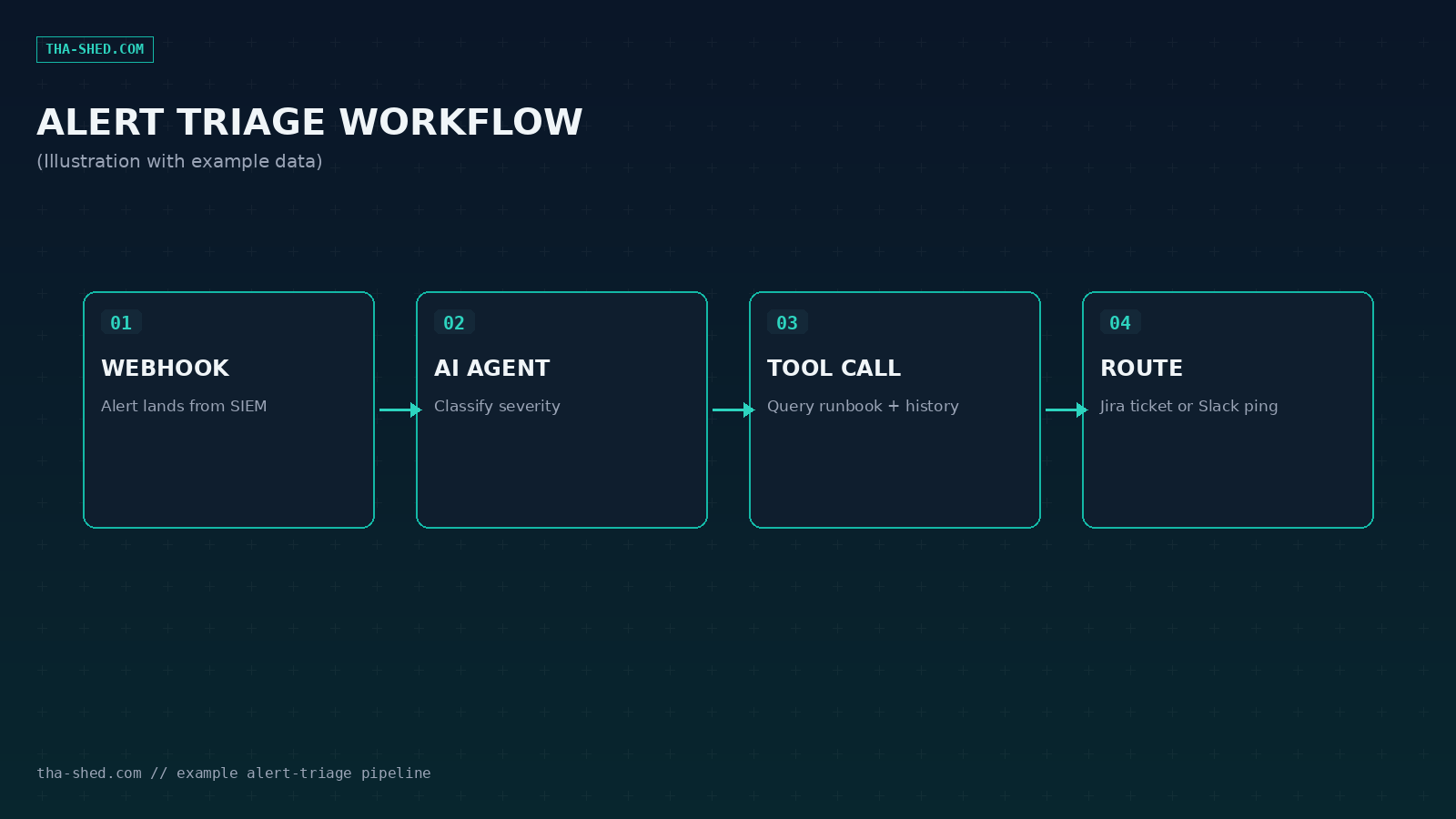
1. Security alert triage. Webhook receives raw alerts from your SIEM or a tool like Wazuh. The AI Agent node reads the payload, classifies severity, and routes to the right Slack channel or opens a Jira ticket for anything above a threshold. See the TRIAGE PROMPT tab above for the exact system message.
2. CI/CD failure triage. A build failure webhook fires, an HTTP Request node pulls the last 200 lines of build logs, and the AI Agent summarizes the likely root cause (dependency break, flaky test, infra timeout) before posting to the team's Slack channel. This turns "the build is red, good luck" into a message with an actual diagnosis attached.
3. Incident postmortem drafting. Trigger this manually or on incident closed. It pulls the Slack thread, the Jira ticket history, and any linked runbook, then asks the agent to draft a timeline and a first pass root cause section. Nobody enjoys writing postmortems from a blank page, this gives them a draft to edit instead.
4. On-call escalation router. Monitoring alerts (Prometheus, Datadog, whatever you run) come in through a webhook. The agent evaluates severity and time of day: critical alerts after hours page PagerDuty, routine alerts go to a Slack or Discord channel, and known, previously resolved patterns can trigger an automated remediation attempt before anyone is woken up.
5. Nightly vulnerability digest. A Schedule Trigger node runs once a day, pulls results from your scanner's API, and hands them to the agent to dedupe and prioritize. Only genuinely new criticals become Jira tickets, everything else rolls into a single digest email so your security channel is not a wall of duplicate noise.
6. Internal runbook assistant. Point n8n's Qdrant node at your runbook documents so they are embedded and searchable. Then build a Slack triggered workflow where a teammate asks a question, the agent retrieves the relevant runbook chunks, and answers with a citation back to the source doc, see the RUNBOOK CHECK tab above for a worked example. This is a small RAG pipeline, entirely inside the canvas.
7. Config drift and compliance check. A scheduled workflow queries your infrastructure state (via Terraform state file, cloud provider API, or a config management tool) and compares it against a baseline. The agent flags deviations in plain language and opens a ticket only when the drift matters, not for every cosmetic difference.
Safety and gotchas
Treat every write tool (create ticket, post message, restart service, delete anything) as something that needs a human approval gate the first several times you run a workflow, and permanently for anything destructive. Do not give an agent direct production credentials, put a scoped API layer or a read-only replica between the agent and anything that matters. The self-hosted AI starter kit is explicitly a testing setup, not hardened for production traffic, so if you are piping real security alerts through it, budget time to lock down network access and secrets management before you rely on it. On n8n Cloud, watch your execution count: exceeding your plan's monthly cap stops every workflow with no warning and no grace period, which is a bad way to discover your alert pipeline went dark.
Usage and cost tips
n8n bills by execution, not by node, so a seven-step workflow costs the same as a two-step one. That makes it noticeably cheaper than step-based tools once your workflows get complex. Use a smaller, cheaper model for high-volume classification tasks (alert triage, log summarization) and reserve a stronger model for the tasks that need real reasoning, like postmortem drafting. Cache or dedupe upstream where you can, since every trigger fire counts against your execution total on Cloud. If you are security conscious or expect high volume, self-hosting the Community edition removes the execution ceiling entirely and the only cost is your own server.
FAQ
Is n8n free? The self-hosted Community edition is free with unlimited workflows and executions, you pay only for your own infrastructure. n8n Cloud starts at a paid tier billed by monthly execution volume, with higher tiers for more volume.
Can I run n8n fully offline with local models? Yes. The self-hosted AI starter kit bundles Ollama for local LLMs alongside n8n and Qdrant, so you can build agent workflows without sending data to an external API, though it is meant for testing use, not hardened production traffic.
Does n8n replace tools like Zapier for ops teams? For DevOps and security specifically, n8n's advantage is depth: self-hosting for data control, an AI Agent node built for multi-step reasoning, and execution-based pricing that stays cheap as workflows grow. Zapier is easier for simple, low-volume automations, n8n earns its keep once you need agents making decisions across several tools.
Closing
The gap between "we have alerts" and "we have answers" is exactly what these workflows close. Start with one: alert triage or the runbook assistant are both a single afternoon of work and pay off immediately. If you want a deeper walkthrough of agent frameworks generally, our CrewAI tutorial covers a different approach to the same problem, and our piece on AI agents for vulnerability management goes deeper on the alert fatigue side specifically. If you want structured, hands-on training instead of piecing it together from blog posts, check our courses.